-RA -92
LAYOUT
22-F
21_F O901
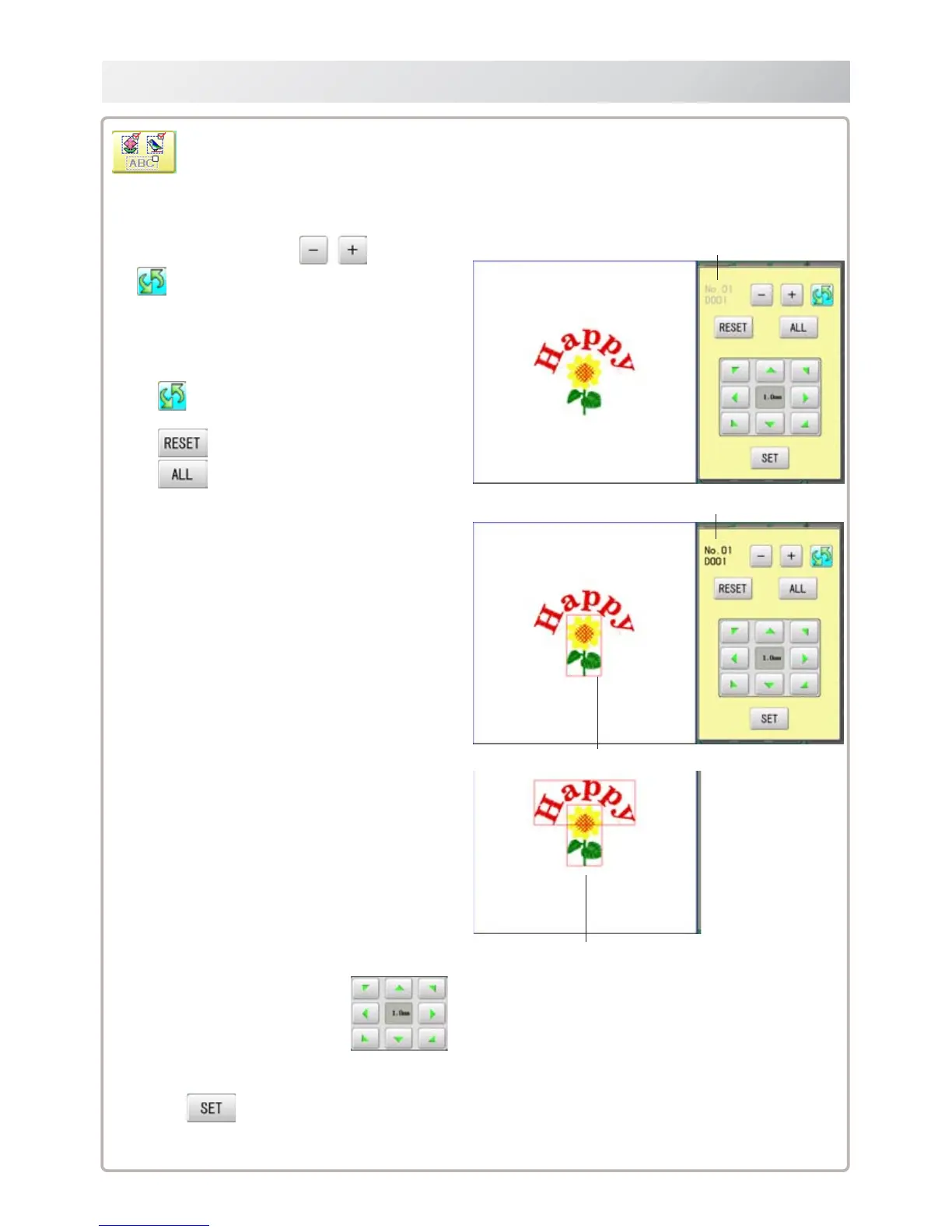
Multiple patterns selection
Select all or multiple patterns and move the position together.
Non-selected pattern (gray)
Selected pattern (black)
The selected pattern is displayed with rectangular frame.
An example when all patterns are selected.
1. Change pattern with , then press
.
The desired pattern is selected.
Make sure that the selected pattern is displayed
with rectangular frame.
Switch status between selected and
non-selected
Set all patterns as non-selected.
Set all patterns as selected.
2. Move selected pattern with .
3. Press
.
Selected pattern will be moved.



 To Next Page