360077-1/O 22
i.Series® - All Models
8 Temperature Monitor Settings
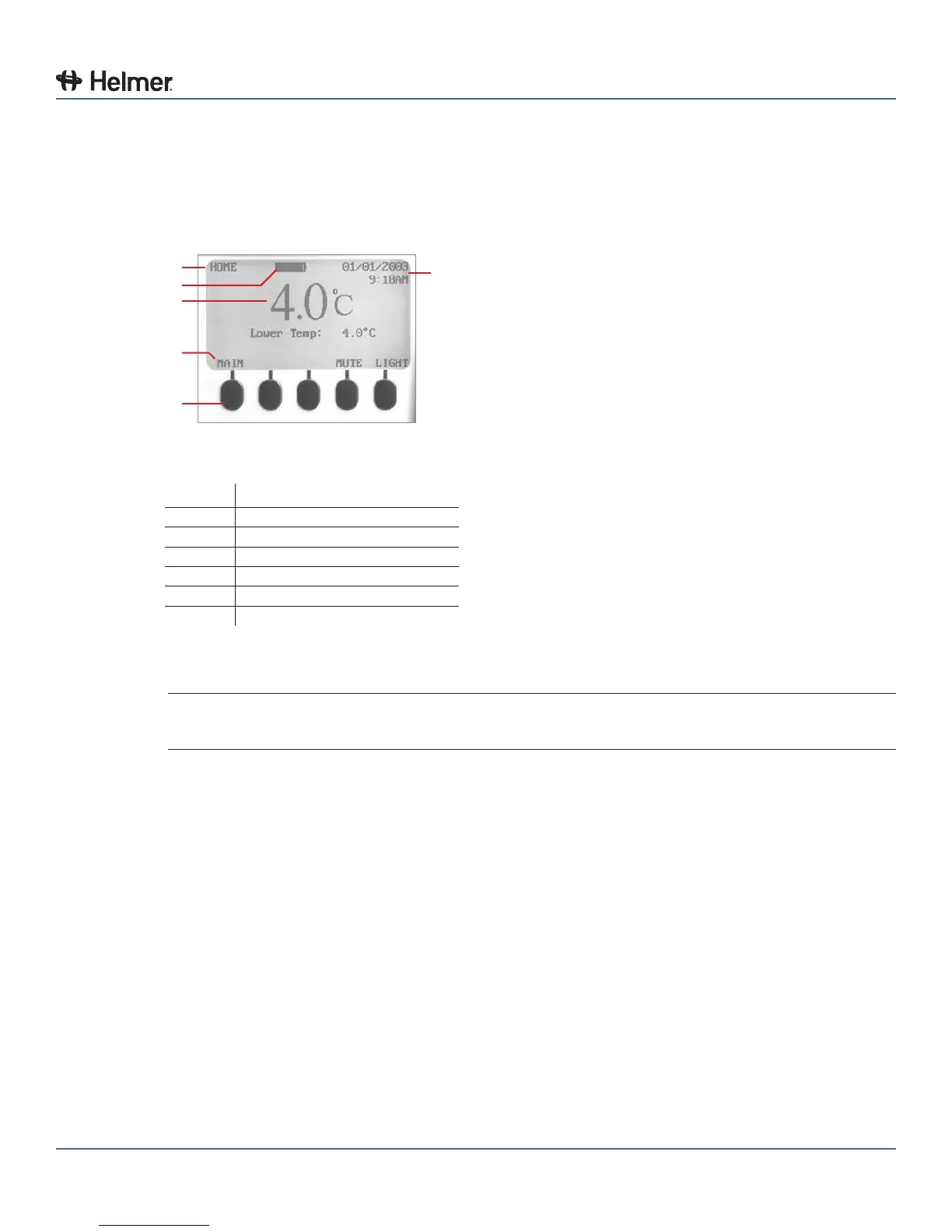
8.1 Home Screen
The HOME screen appears when:
► The HOME button is pressed from any other screen
► There is no interaction for two minutes on any screen other than those used to enter a password
A
B
C
D
E
F
HOME screen on the monitoring system.
Label Description
A Screen name
B Battery voltage level
C Chamber temperature display
D Button labels
E Buttons
F Date and time display
8.1.1 Home Screen Functions
NOTE Refer to chapter 14 (i.Center Screen Reference) for a complete list of screens in the
i.Center monitoring system.
► View current temperature readings
► View the current time and date
► View detailed information about current or previous alarm events
► View the remaining backup battery charge
► View active alarms
► Mute audible alarms
► Adjust contrast
► View 24-hour chamber temperature graph
► Access Main screen to view and change settings



 To Next Page