360077-1/O 84
Horizon Series™ - Blood Bank Models
17.4 Level 4 Parameters and Values
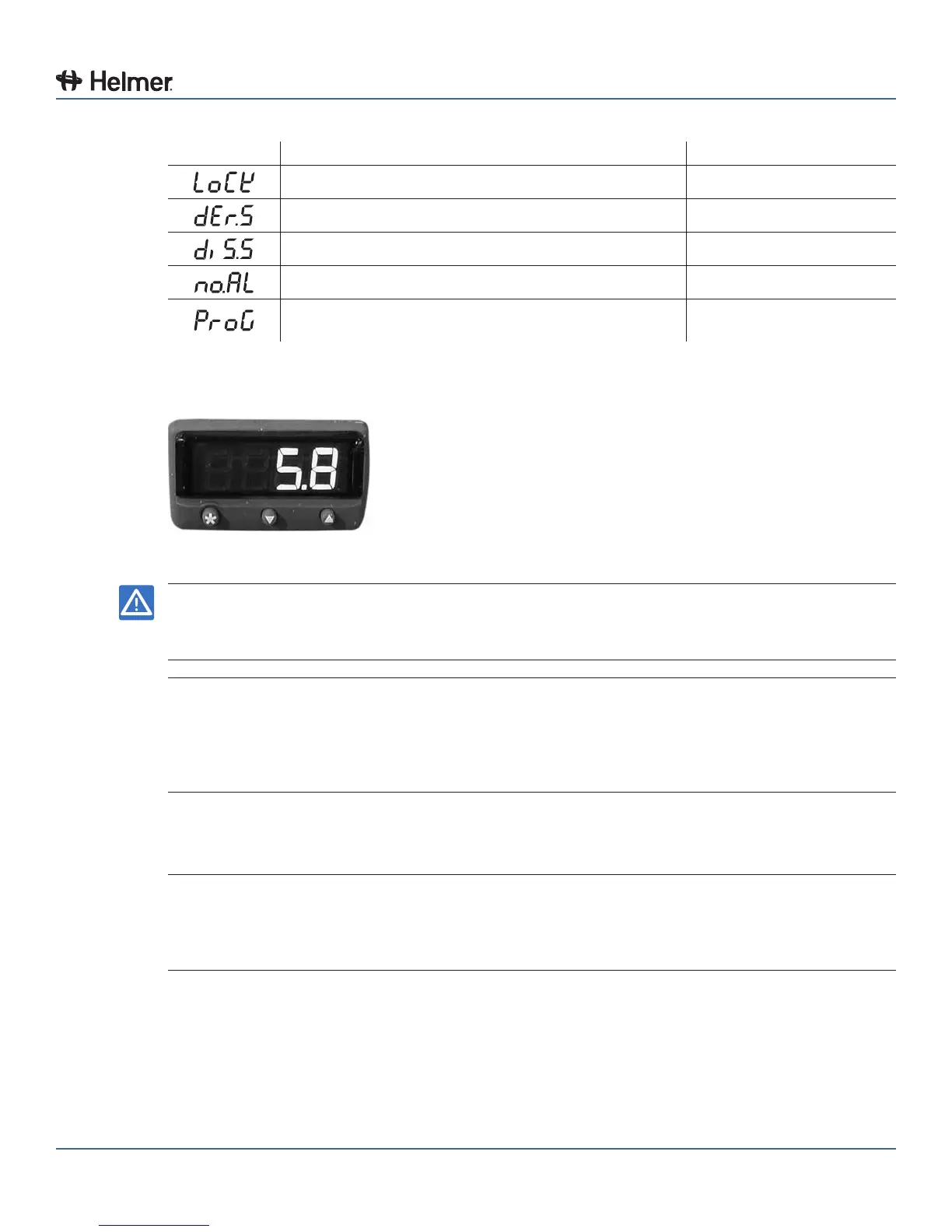
Parameter Description Default Value
Program security lock nonE
Derivative sensitivity 0.5
Display sensitivity (or direct display of input) dir
Disable SP2 alarm annunciator oFF
Program mode auto-exit switch (returns display to
normal mode if no activity for one minute)
Auto
17.5 Change the Refrigerator Setpoint
Independent temperature controller.
NOTICE ► Do not change the setpoint to a value outside the temperature control range.
► Parameter values are factory-preset and should not be changed unless directed by
Helmer Technical Service.
NOTE ► Default setpoint varies for each refrigerator.
► Setpoint is adjusted to achieve an average chamber temperature of 4.0 °C.
► The reference temperature displayed on the temperature controller may not be the
same as the temperature displayed on the Horizon Series monitor.
► Allow the temperature to stabilize for 10 minutes prior to changing the setpoint again.
1 Observe the average chamber temperature displayed on the Horizon Series monitoring system, after
the monitoring system probe has been calibrated.
2 Determine how much the refrigerator setpoint will be changed.
EXAMPLE ► Average observed temperature is 3.5 °C
► Desired average temperature is 4.0 °C
► Current setpoint is 6.0 °C
► Adjust setpoint to 6.3 °C
3 Access the setpoint adjustment function:
a Press and hold the
*
button.
► The controller displays current setpoint value.
4 Change the setpoint by the setpoint adjustment value:
a Press and hold the
*
button.
b Press the UP or DOWN buttons to increase or decrease setpoint in increments of 0.1 °C.
5 Release all buttons to exit the setpoint parameter. New settings are saved.



 To Next Page