360077-1/O 36
i.Series® - All Models
8.11.1 Event Details
A
B
C
D
E
F
G
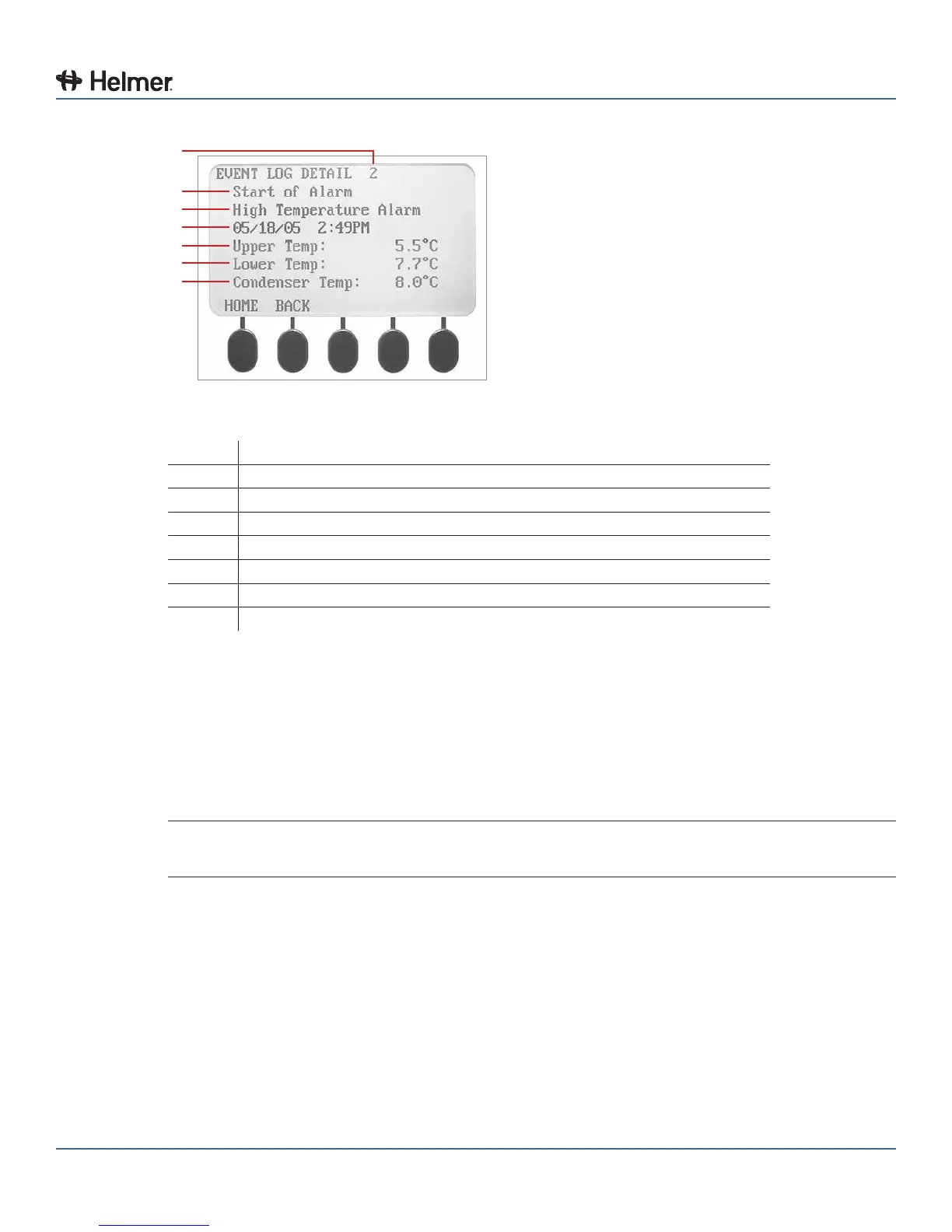
Event Log Detail screen.
Label Description
A Event number
B Event
C Alarm Type
D Date and time of event
E Upper chamber probe temperature at time of event
F Lower chamber probe temperature at time of event
G Condenser temperature at time of event
View an event:
1 Press the MAIN button.
2 Press the DOWN button to highlight Event Log. Press the SELECT button.
3 From the Event Log screen, press the UP or DOWN buttons to highlight the desired event number.
Press the SELECT button.
► The Event Log Detail screen for the selected event is displayed.
4 Press the BACK button to return to the Event Log screen, or press the HOME button to exit.
NOTE If the event is highlighted the alarm for that event was caused by a system self-test,
initiated by an operator.
8.12 Upgrade System Firmware
Helmermayoccasionallyissueupdatesforthei.Centerrmware.Followupgradeinstructionsincluded
withthermwareupdate.
8.13 Reset the i.Center Monitoring System
1 Remove 1 battery from the monitoring system backup battery holder.
2 Disconnect the refrigerator from AC power.
3 Reconnect the refrigerator to AC power.
4 Reinstall the battery in the monitoring system backup battery holder.



 To Next Page