360077-1/O 69
Horizon Series™ - Blood Bank Models
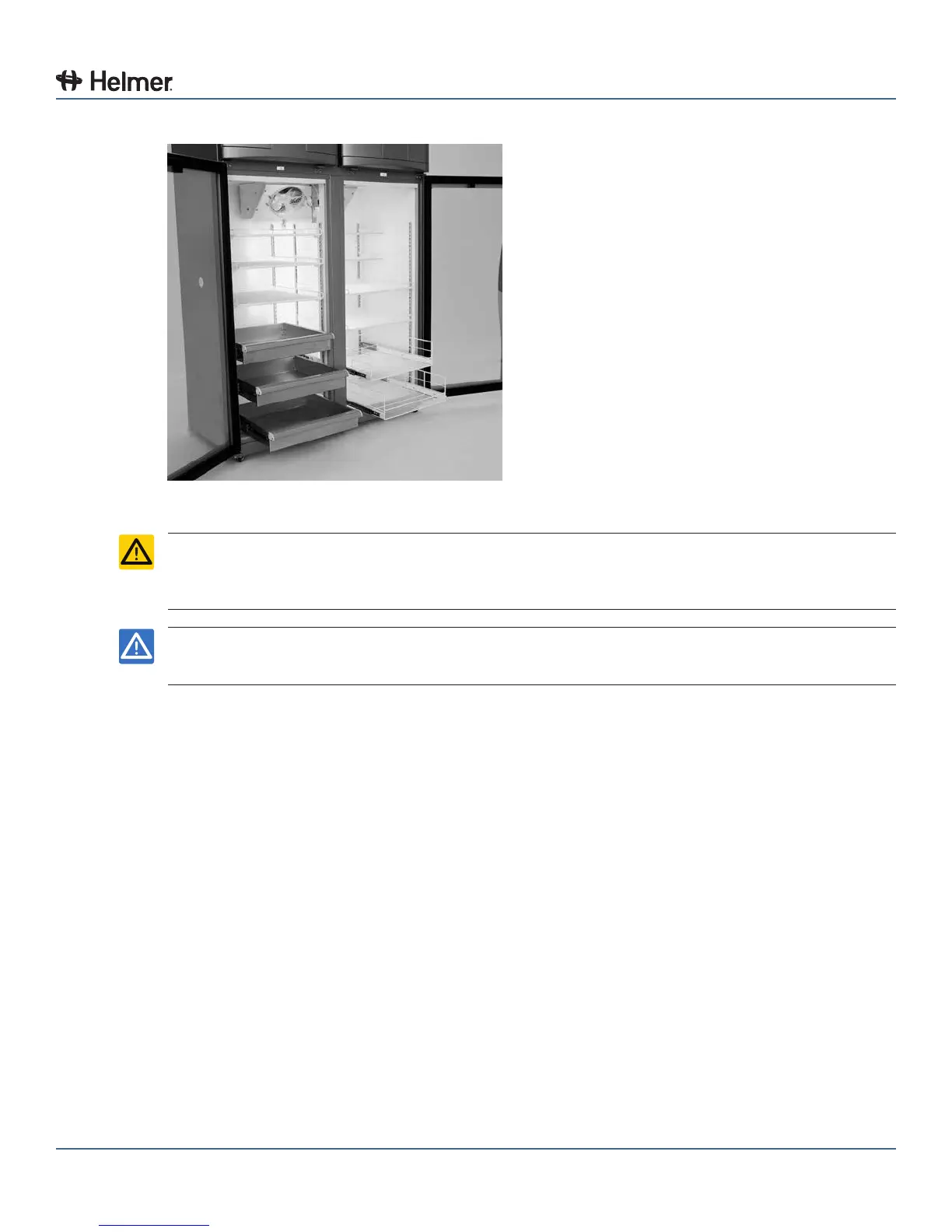
15.3 Move Drawers, Shelves, and Baskets
Storage features.
CAUTION ► Keep hands away from pinch points when closing the door.
► Before moving drawers, ensure they are completely empty for safe lifting.
► Maximum basket, drawer, or shelf load is 100 lbs (46 kg).
NOTICE Before moving storage components, protect stored items in refrigerator from extended
exposure to adverse temperature.
Remove a drawer or basket:
1 Pull drawer or basket out until it stops.
2 On the right rail, locate the release tab and press downward.
3 While holding the right release tab downward, locate the release tab on the left rail and press upward.
4 Pull drawer or basket free of the slides.
Install a drawer or basket:
1 Align end guides on drawer or basket with the slides.
2 Gently push drawer or basket into chamber until it stops.
3 Pull drawer or basket out until it stops; check for smooth operation.
Remove a shelf:
1 With one hand, lift front edge of the shelf from the front brackets.
2 With the other hand, reach under the shelf and bump rear edge of the shelf upward to disengage rear
brackets.
Install a shelf:
1 Insert shelf into chamber, placing it on brackets.
2 Gently bump rear edge of the shelf downward to engage brackets.
3 Pulling shelf forward gently; shelf should not disengage from rear brackets.



 To Next Page