360077-1/O 71
Horizon Series™ - Blood Bank Models
16.1.1 Home Screen Functions
NOTE Refer to chapter 22 (Horizon Series Screen Reference) for a complete list of screens in
the Horizon Series monitoring system.
► View current temperature readings
► View the current time and date
► View detailed information about current or previous alarm events
► View active alarms
► Mute audible alarms
► Adjust contrast
► Access Main screen to view and change settings
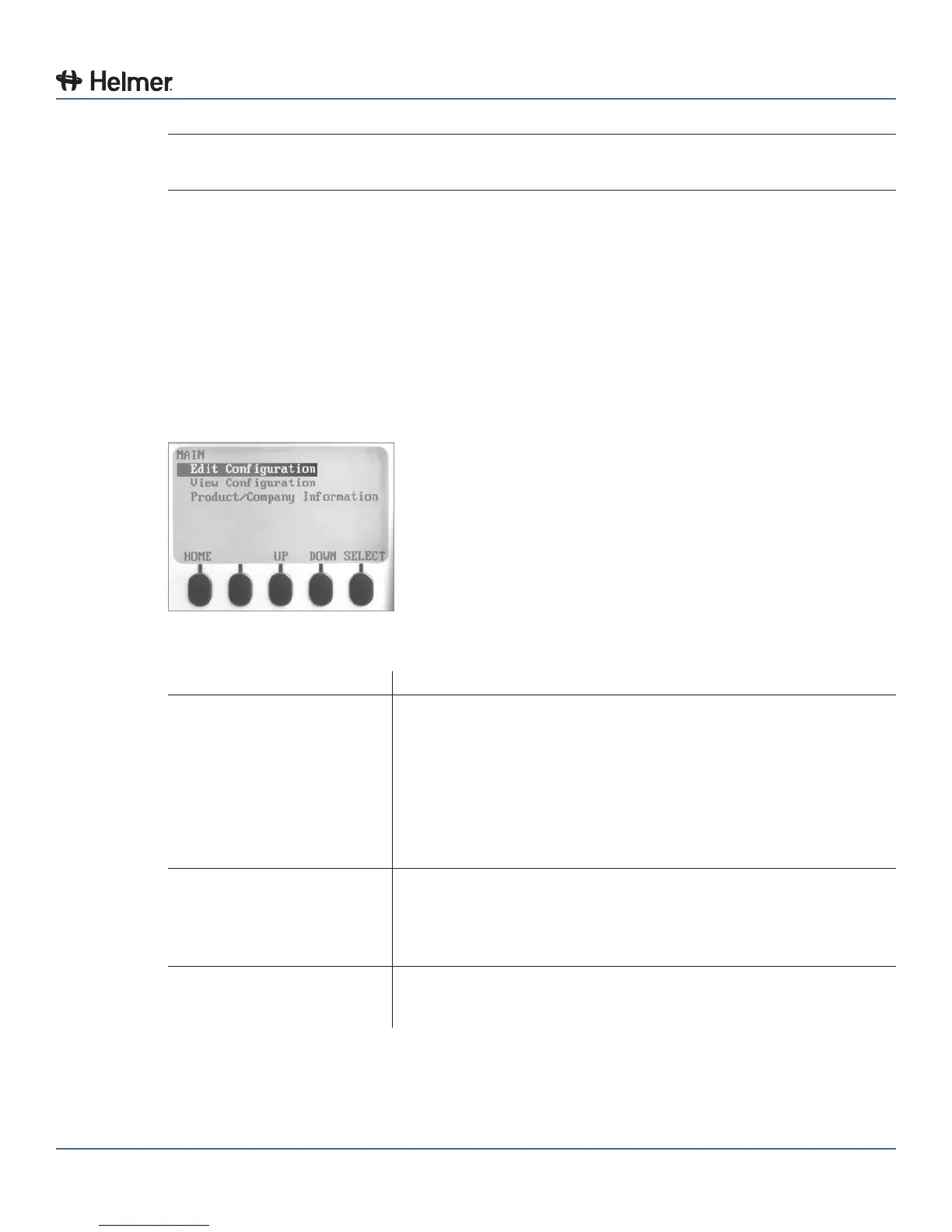
16.2 Main Screen
The Main screen displays functional options that allow access to all other screens in the system.
MAIN screen functional options.
Option Function
EditConguration(password
required)
► Change the language used for text
► Change date and time information
► Change temperature units
► Change the volume and pattern for audible alarms
► Enable or disable the chart paper timer
► Change alarm-related setpoints and timers
► Calibrate the temperature probe reading
► Change some settings to the factory default values
► Change the password, preventing unauthorized changes
ViewConguration ► View the date and time formats
► View alarm-related setpoints and timers
► View the volume and pattern for audible alarms
► View the setting for the chart paper timer
► View the settings for temperature and time alarms
Product/Company Information ► View the software versions for control and display components of
the monitoring system
► View information to contact Helmer



 To Next Page