6.4 Displaying Harmonics
107
Chapter 6 Monitoring Instantaneous Values (VIEW Screen)
6
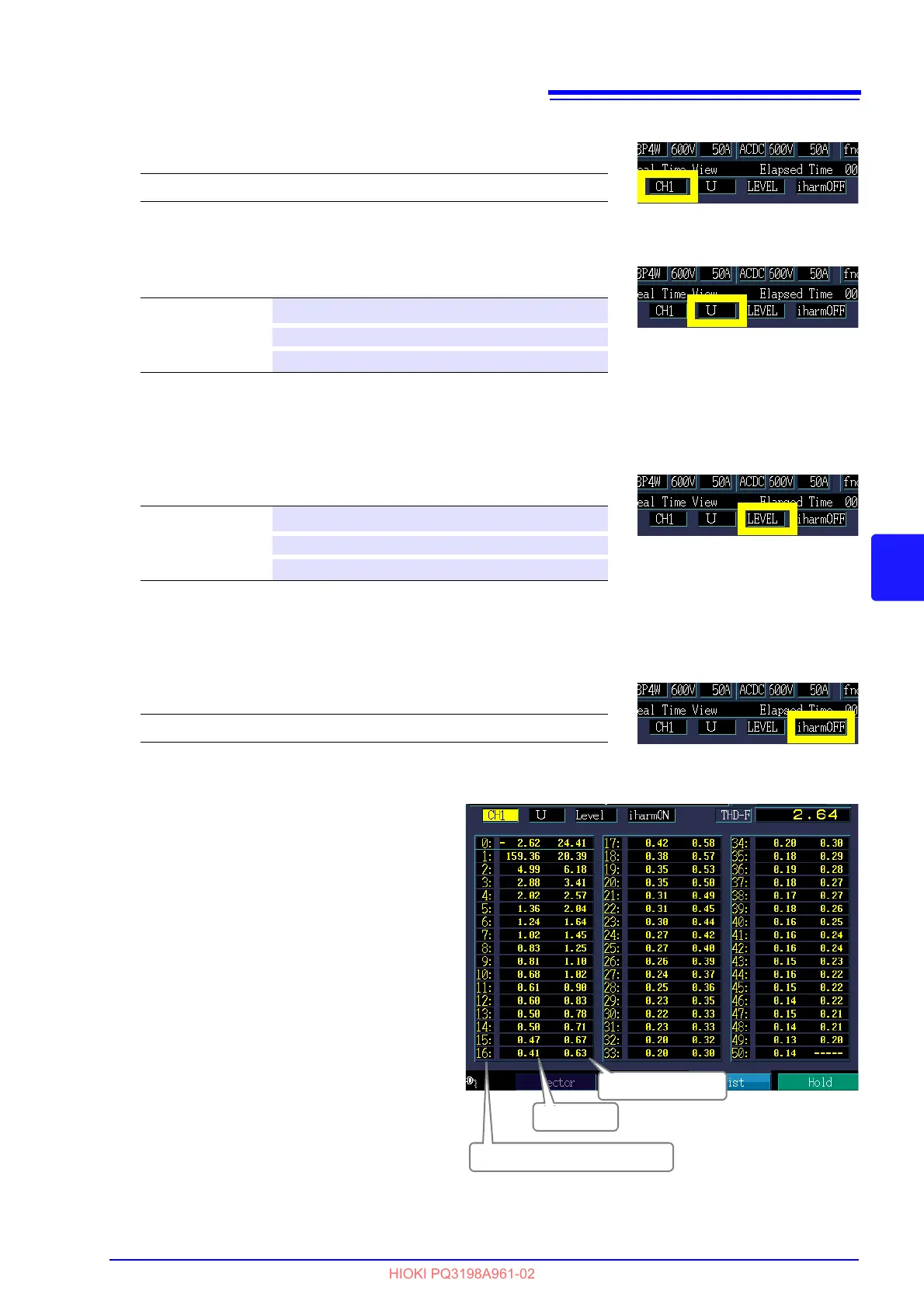
Displayed channel
Displayed item
RMS/phase angle/content percentage display
Select the harmonics list display (RMS value display, phase angle display, or content percentage).
The harmonic power phase angle indicates the h
armonic voltage-current phase difference.
Inter-harmonics
When active power (P) is selected as the display item, inter-harmonics
are not displayed.
The setting can also be changed without using the pull-down menu by
p
ressing the up and down cursor keys.
When the inter-harmonics display is enabled
(
iharmON), the screen changes as shown to
the right.
The left side of the example shows harmonics
an
d the right inter-harmonics.
The inter-harmonics order is obtained by add-
ing 0.5 to the harmonics order for the same
ro
w.
Example:
The order of inter-harmonics on the right of
the
20th harmonic is 20.5.
Setting Contents:( ∗ : Default setting)
CH1∗/ CH2/ CH3/ CH4/ sum
Setting Contents:( ∗ : Default setting)
U∗
Voltage
I Current
P Active power
Setting Contents:( ∗ : Default setting)
Level∗
RMS
Phase Phase angle
Content Content percentage
Setting Contents:( ∗ : Default setting)
iharmOFF∗, iharmON
Harmonic number of orders
Harmonic
Inter-harmonics



 To Next Page