1
1.1 Procedure for Investigating Power Supply Quality
17
1
Chapter 1 Overview
Collect information (site data) from as many locations as possible to prepare for the investigation. Check
the following:
1. Connection (1P2W/1P3W/3P3W2M/3P3W3M/3P4W/3P4W2.5E)
2. Nominal input voltage (100 V to 600 V)
3. Frequency (50 Hz/60 Hz)
4. Need for neutral wire measurement and DC voltage measurement
5. Current capacity (necessary in order to select current sensor to use for measurement)
6. Other items related to the facility as
a whole (check for presence of other systems with malfunctioning
power supplies, principal electrical system operating cycle, additions or changes to facility equipment,
facility distribution circuitry)
Measurements are performed using the following procedure:
1. Perform quick setup and adjust the relevant settings.
• Connect the measurement line and select the quick setup
according to your objective.(When using the
instrument to identify a power supply malfunction whose cause is unknown, it is recommended to
select the voltage abnormality detection pattern.)
• Verify that the proper connection has been selected on the [SYSTEM]
screen and that the settings
have been configured appropriately (nominal input voltage, frequency, range, interval time, etc.). Verify
that events are not being generated too frequently.
• If, based on the information obtained in Steps 2 and 3 above, you find that some necessary settings have
not be
en configured by the quick setup process, reconfigure them on the [SYSTEM] screen.
• Check instantaneous values (voltage level, voltage
waveform, current waveform, voltage waveform
distortion [THD]) on the [VIEW] screen.
2. Start recording.
• Press the ST
ART/STOP button to start recording. (Thresholds will have already been set during the
quick setup process.)
• Check the event detection state on the [EVENT] sc
reen. If necessary, cancel recording and change
the settings or thresholds. (If too many events are occurring, you can increase the thresholds based on
measurement results.)
• Continue recording for the necessary period, check th
e state of the power supply malfunction based on
the detected events, and take corrective action as appropriate. (The PQ3198 can be used not only for
the investigation phase, but also to verify the effectiveness of corrective action taken.)
Step 3: Checking investigation (measurement) locations (collecting site data)
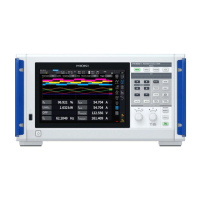
Step 4: Making measurements with the power supply quality analyzer



 To Next Page