2. OPERATION
2-25
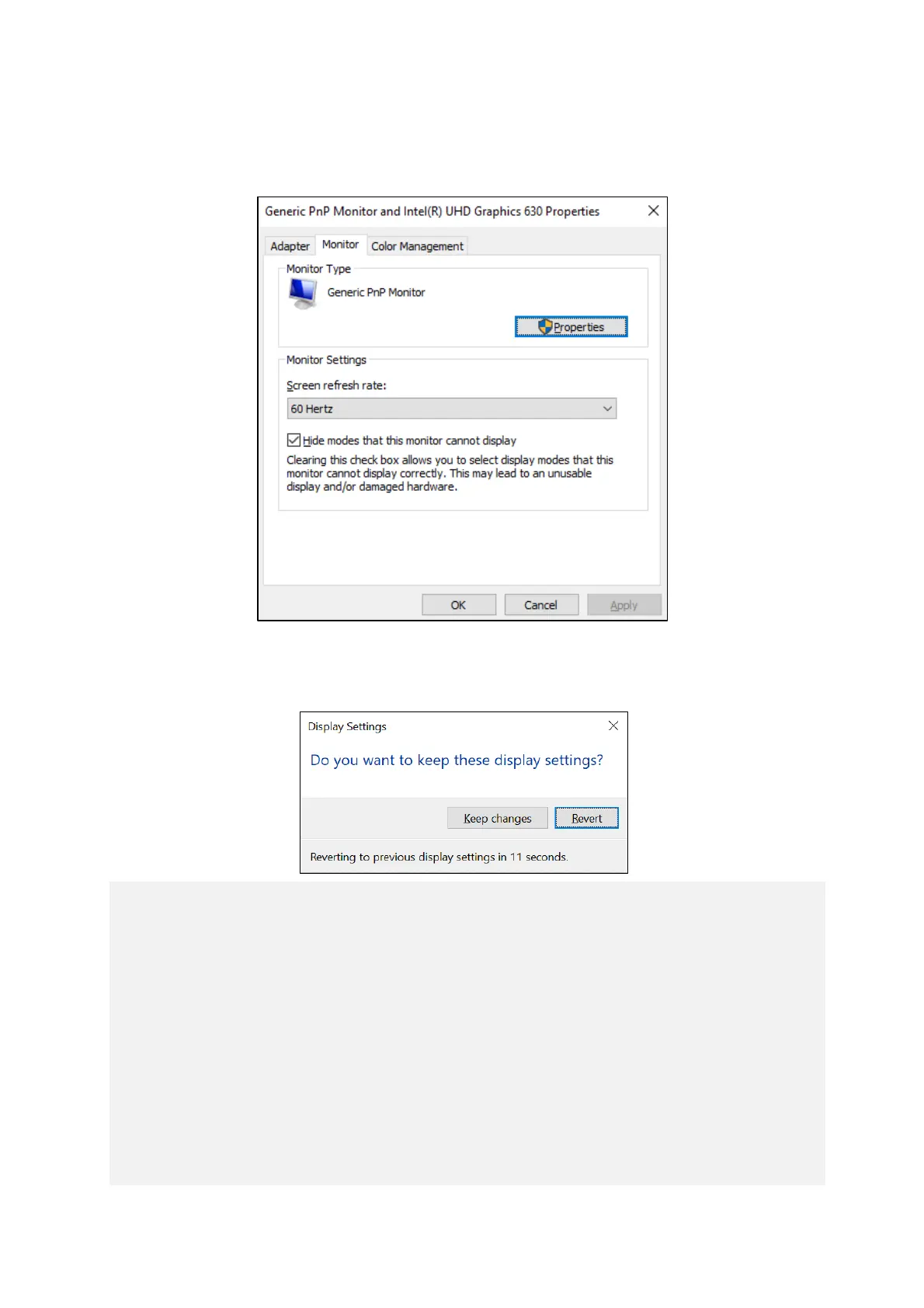
4. Click the Monitor tab. Select an appropriate value from the Screen refresh rate list in
Monitor Settings.
5. Click OK.
6. If the following is displayed, click Keep changes.
< NOTE >
・ When you configure the resolution, color depth, and refresh rate, you must
choose from the options described in “5.1 Equipment Specification
(6) Supported resolutions”.
・ The resolution options may include resolutions larger than the resolutions
supported by the connected display.
・ If you select a resolution larger than the maximum resolution supported by the
display, the display will black out.
・ After the driver is installed, the resolution is automatically set to the maximum
resolution supported by the connected display. When you change the
resolution, select a resolution smaller than that.



 To Next Page