10. RAID1
10-8
(1) Replacing a drive with the equipment turned on
1. Back up data.
(See “(2) Backing Up Files” in “4. HARD DISKS DRIVES (HDDs) ” in
“PRECAUTIONS”.)
2. Close all running applications.
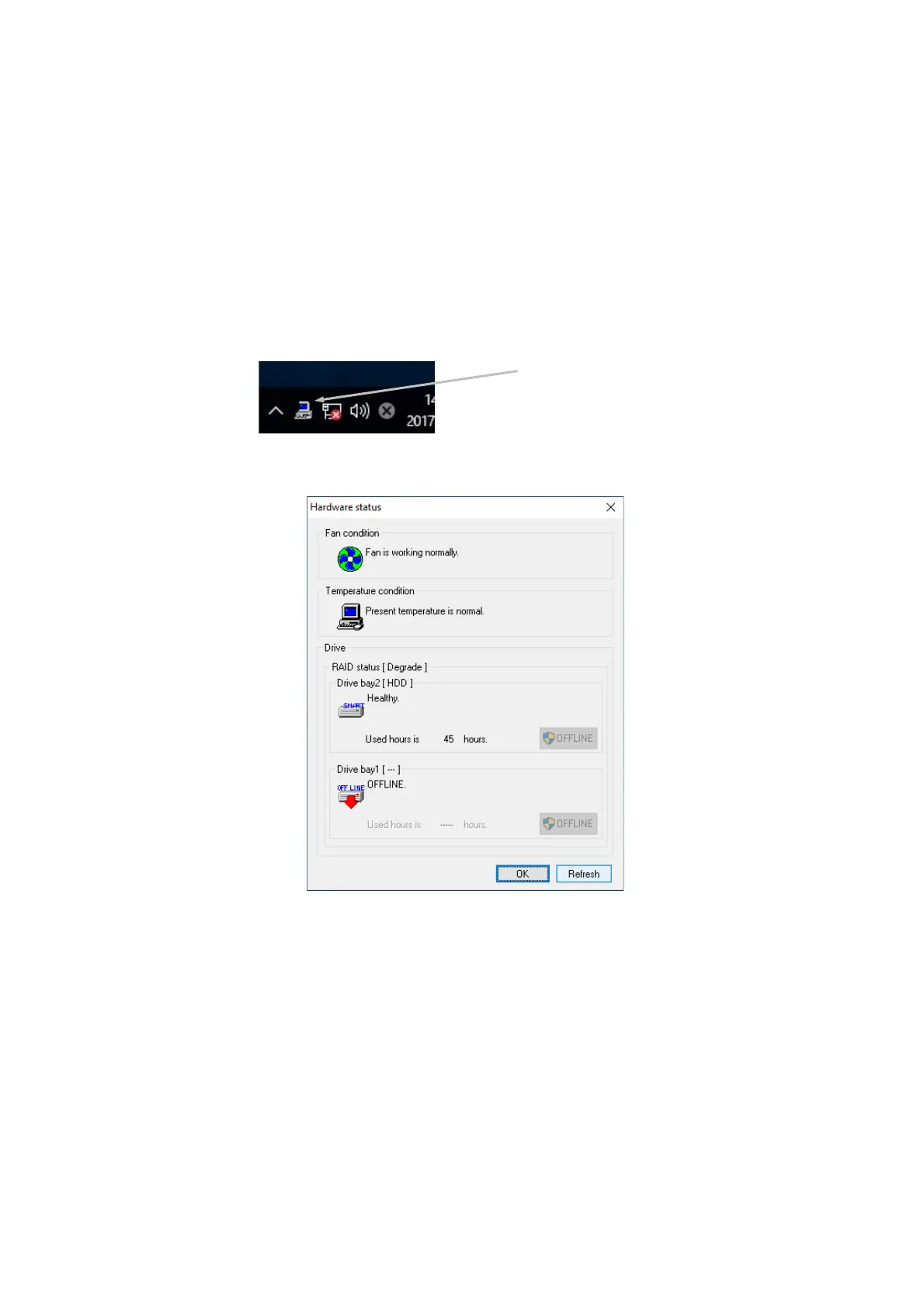
3. Double-click the hardware status icon shown in the notification area of the task bar to
open the hardware status display window. Check defective drives on the hardware status
display window.
Hardware Status Window
(NOTE) The above window indicates that a failure has occurred on
the drive installed in drive bay 1.
Confirm that the HDD1 status lamp is lit.
The HDD1 status lamp might take more than 20 or 30
seconds to light.
4. Remove the defective drive from the computer.
(See “6.3.6 Installing and removing an HDD”.)



 To Next Page