10. RAID1
10-9
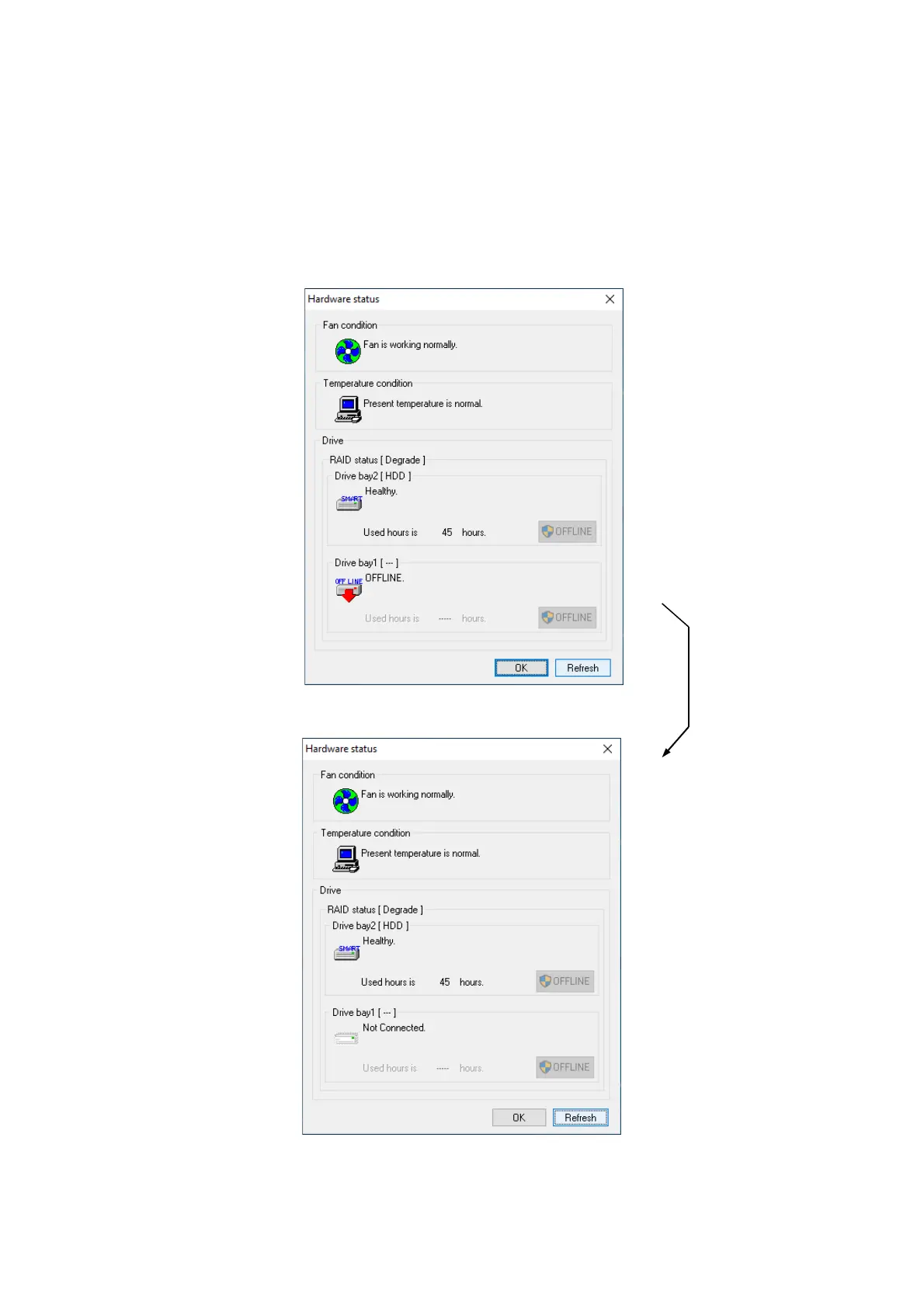
5. In the hardware status display window, click the Refresh button and confirm that the
status of the drive of the drive bay removed from the equipment is “Not installed”. If the
status is not “Not installed”, wait for a while, click the Refresh button again, and then
confirm that the status “Not installed” appears.
Hardware Status Window



 To Next Page