2. OPERATION
2-14
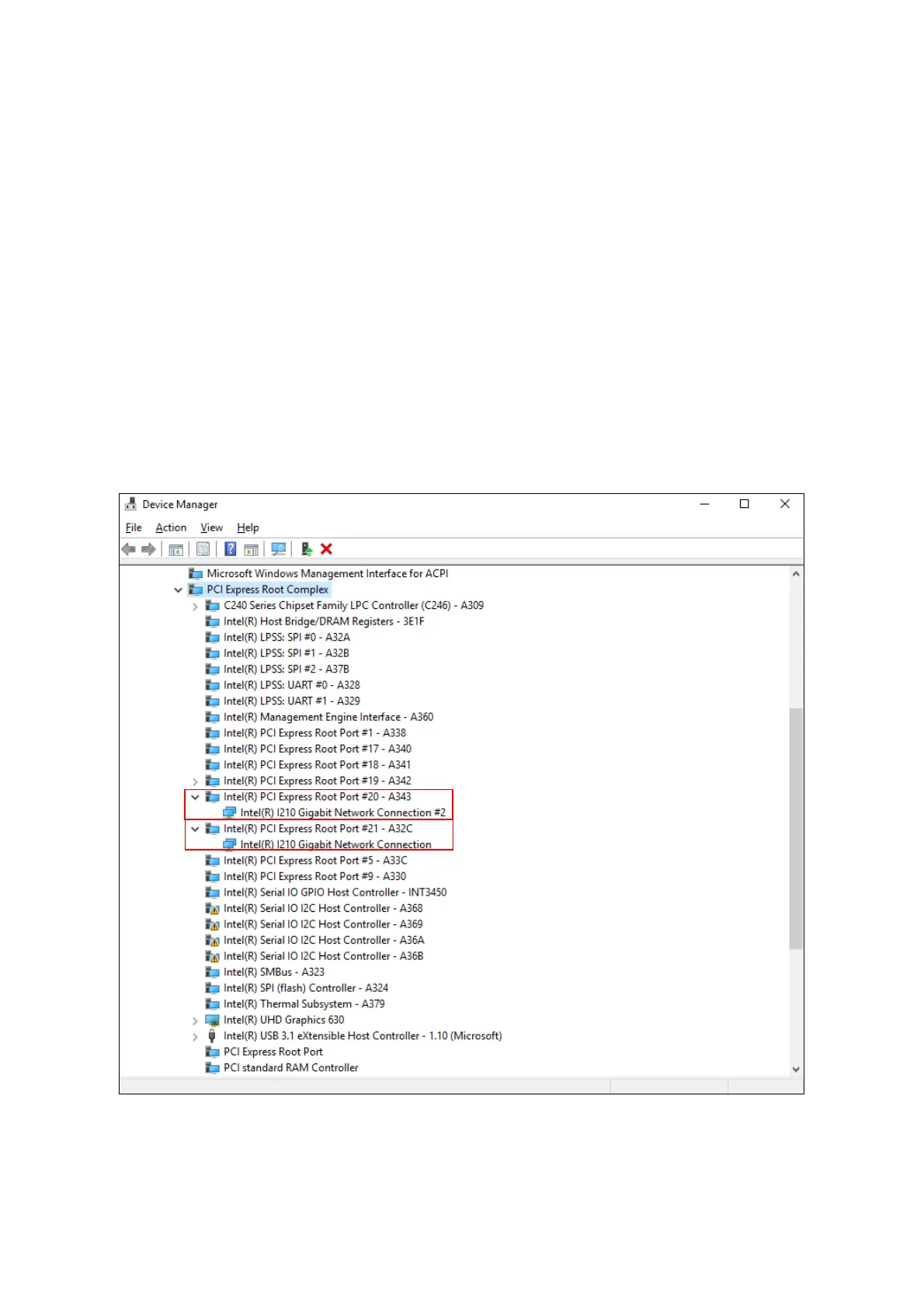
5. See the following and double-click the network adapter you want to configure and open
Network Connection Properties window.
[When you configure the built-in LAN (LAN1)]
Click Intel(R) PCI Express Root Port #20 – A343.
Then double-click the network adapter under it (in the example in the figure below,
Intel(R) I210 Gigabit Network Connection).
[When you configure the built-in LAN (LAN2)]
Click Intel(R) PCI Express Root Port #21 – A32C.
Then double-click the network adapter under it (in the example in the figure below,
Intel(R) I210 Gigabit Network Connection#2).
Follow a similar procedure when you update the setting for the network adapter mounted
on an extension slot.



 To Next Page