2. OPERATION
2-15
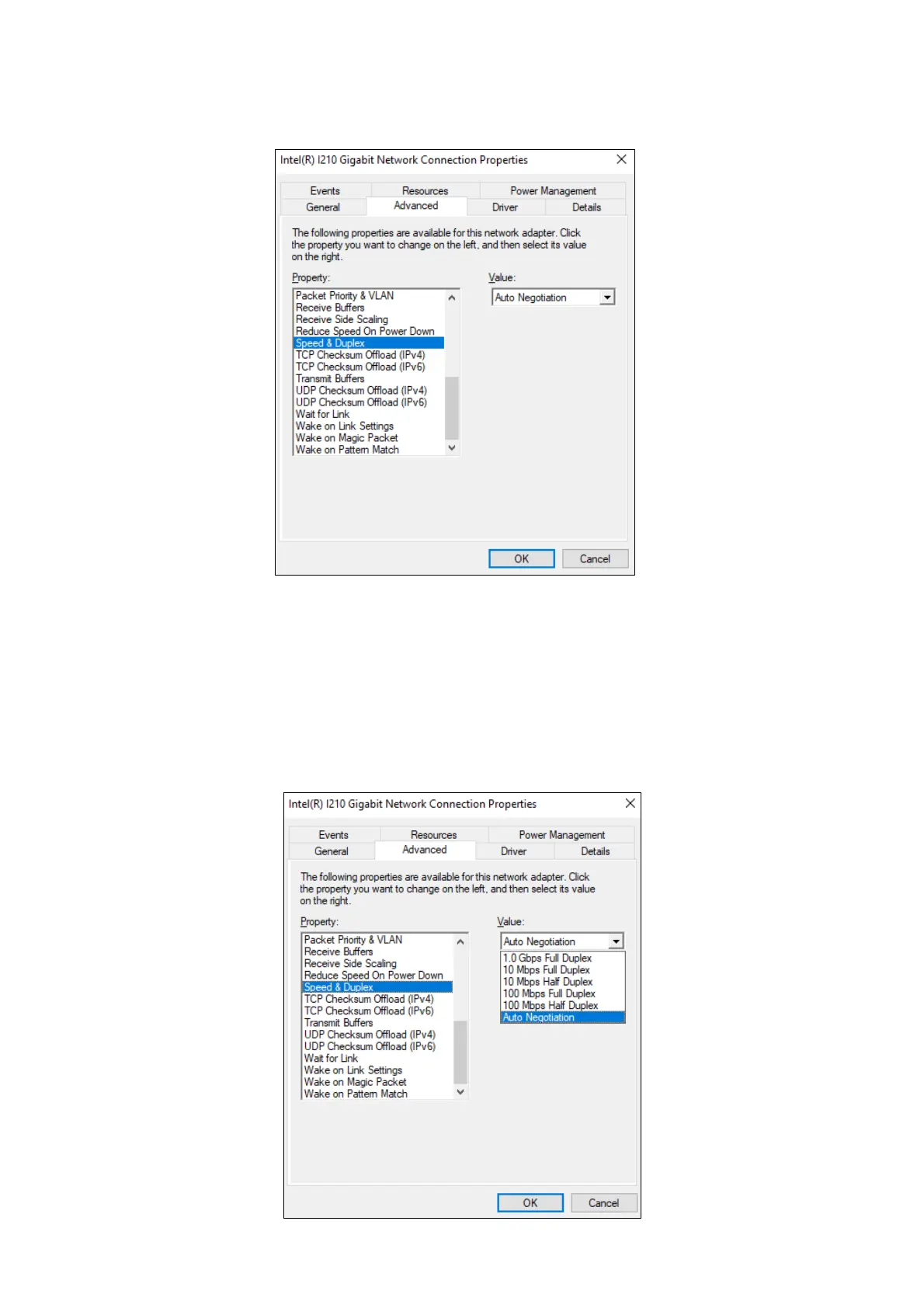
6. Click the Advanced tab. Select Speed & Duplex.
7. Select the transfer speed and the transfer mode you want to choose from the Value list.
・Auto Negotiation: auto-negotiation setting
・10 Mbps Half Duplex: 10 Mbps/Half-duplex setting
・10 Mbps Full Duplex: 10 Mbps/Full-duplex setting
・100 Mbps Half Duplex: 100 Mbps/Half-duplex setting
・100 Mbps Full Duplex: 100 Mbps/Full-duplex setting
・1.0 Gbps Full Duplex: 1.0 Gbps/Full-duplex setting



 To Next Page