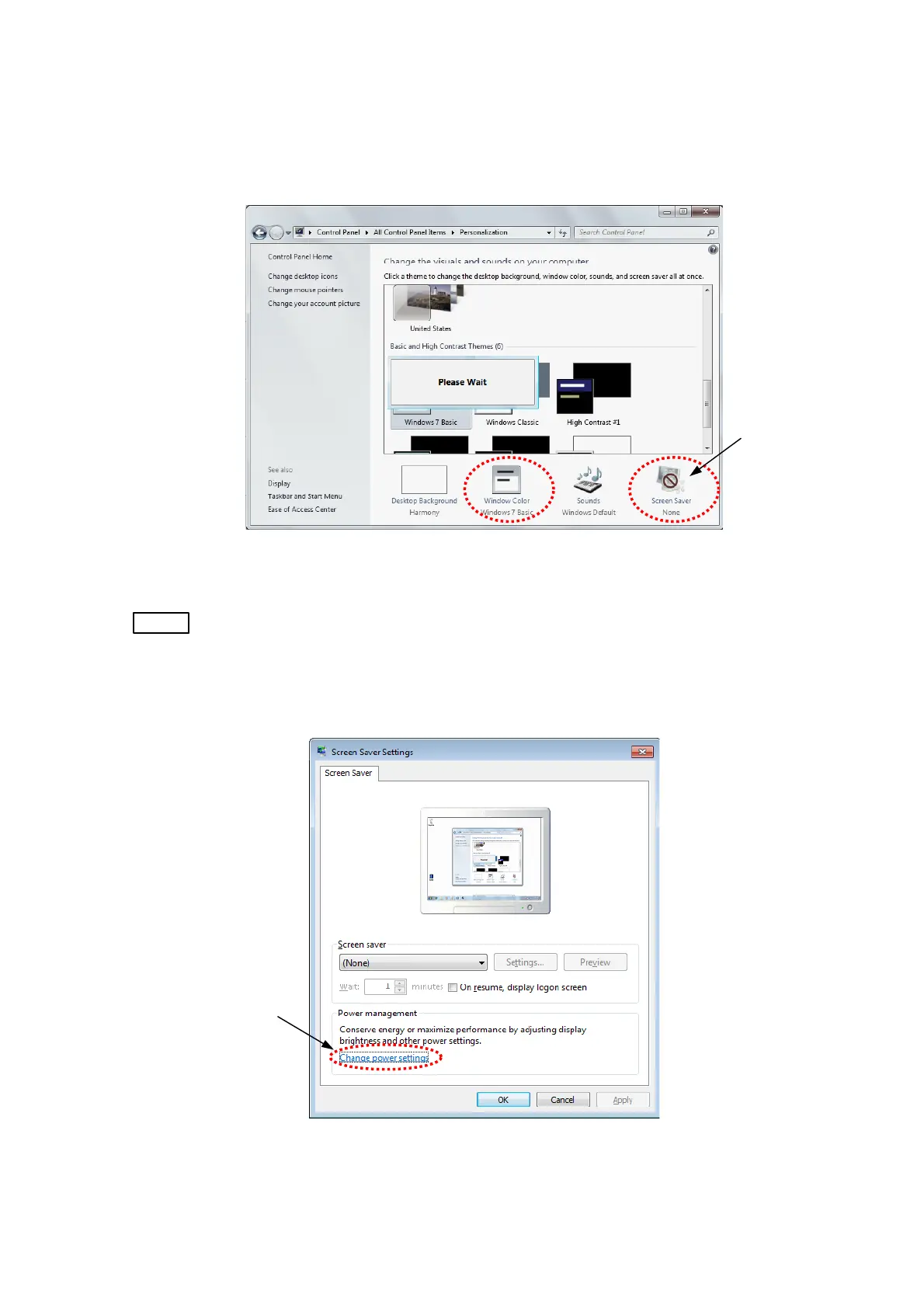
1e. The window is B/W image in a few seconds, and return. Confirm [Windows color] is
changed to [Windows 7 Basic], [Screen saver] is changed to [None].
Click [Screen saver].
Click
Figure 2.2.7-5 Setting of Personalization
NOTE
: It is recommend use by the setting mentioned above. Especially, there is the case
that does not some function smoothly when using [Windows Aero] function.
1f. The following window appears. Click [Change power settings].
Click
Figure 2.2.7-6 Power Management
2 - 23



 To Next Page