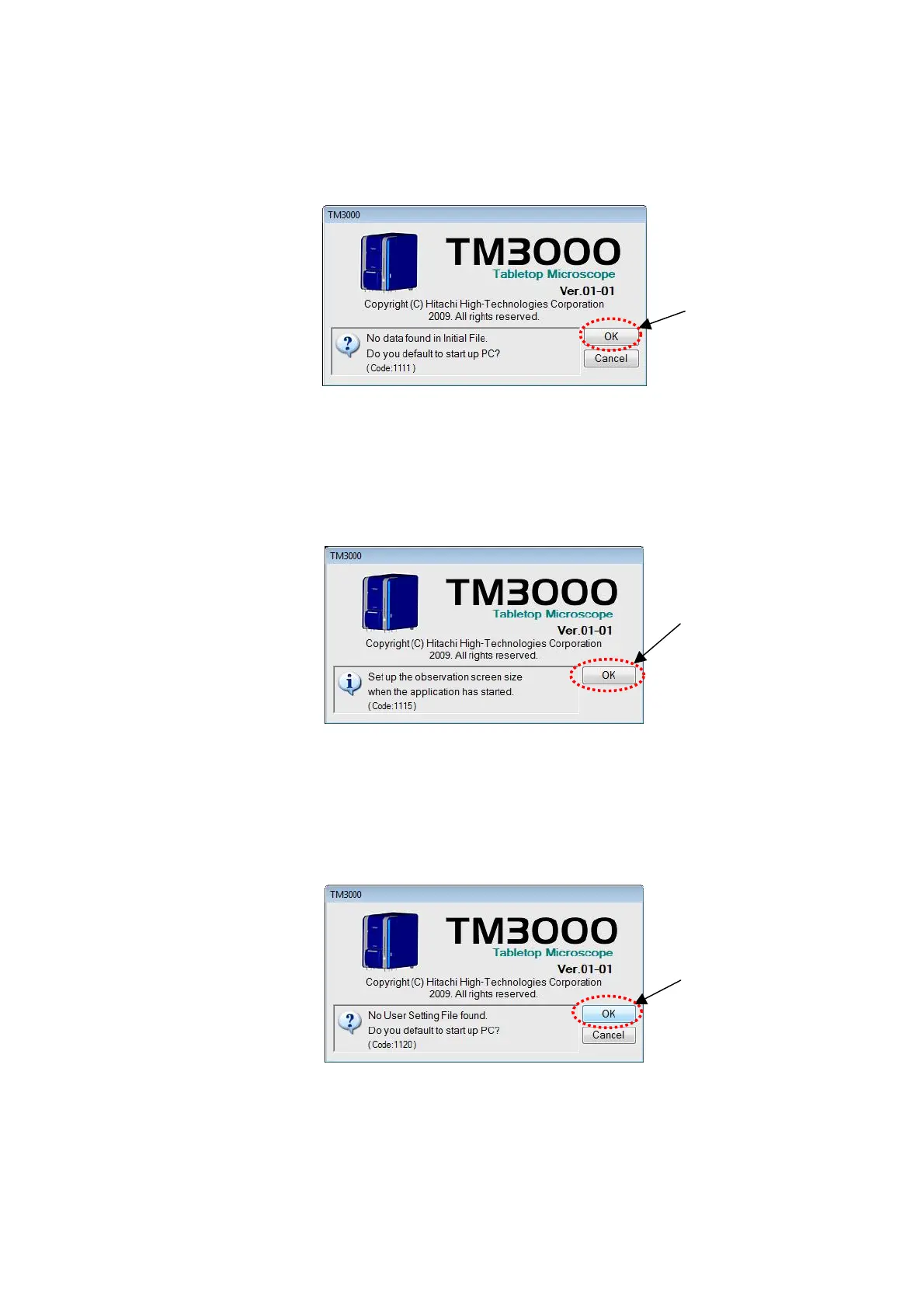
3. When the application is started for the first time after having been installed, a [No data
found in Initial File. Do you default to start up PC?] message appears, as shown below. Click
the [OK] button.
Click
Figure 2.2.9-3 Initial Data File Setup Window
4. A [Set up the observation screen size when the application has started] message
appears. Click the [OK] button.
Click
Figure 2.2.9-4 Observation Screen Size Verification Window
5. A message [No User Setting File found. Do you default to start up PC?] appears. Click
the [OK] button.
Click
Figure 2.2.9-5 User Setting File Window
2 - 43



 To Next Page