Faxitron CT Specimen Radiography System User Guide
Chapter 6: Faxitron CT Software Operation
Page 58 5081-9544 Revision 004
All the Annotation Tools, except as noted, are drawn with “Click-Move-Click” mouse
movements. i.e., Click at the starting point, move the mouse, click at the end point.
The Polygon Open Line Tool can be drawn with the “Click-Move-Click” mouse
movements in which case the shape will follow the mouse movements exactly. You can
also insert as many click points as desired, in which case the software will create Bezier
curves calculated from the position of the nodes. Complete the Polygon Open Line shape
by double-clicking, or right clicking the end point.
The Protractor Tool is drawn using “Click-Move-Click-Move-Click” mouse movements.
Click at the start point, move the mouse to the vertex and click, then move the mouse to
the end point and click again.
For the Rectangle and Circle Tools the initial click will be the center of the shape.
To resize any of the objects click on an end point, or handle, and drag.
To modify the Polygon Open Line, click on a node and drag.
To move a box or circle, click on the center point and drag.
When an image has saved annotations clicking on the Selection Tool “selects” all the
objects. Click on an end point, or handle, of the object of interest. Modify the object by
dragging the end, center point, or a node. Delete the object using the keyboards “Delete”
key.
Note
Annotations are not available in the 3D Rendered View.
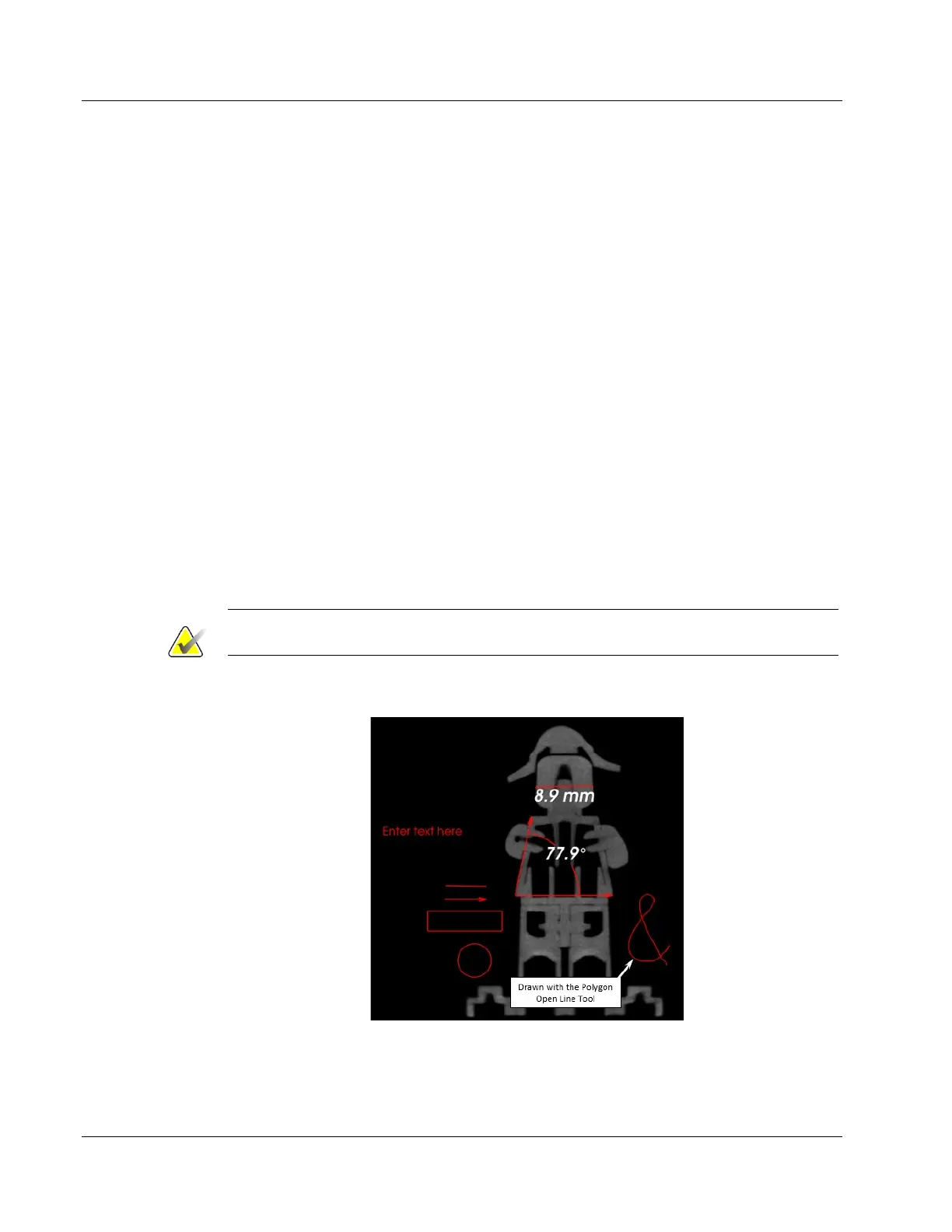
An example of each Annotation Tool is shown below.
Figure 59: Annotation Examples













 To Next Page