B_configure.doc 103 Tue Jul 2 15:27:17 1996
103
Changing Your Workstation’s Hardware Configuration
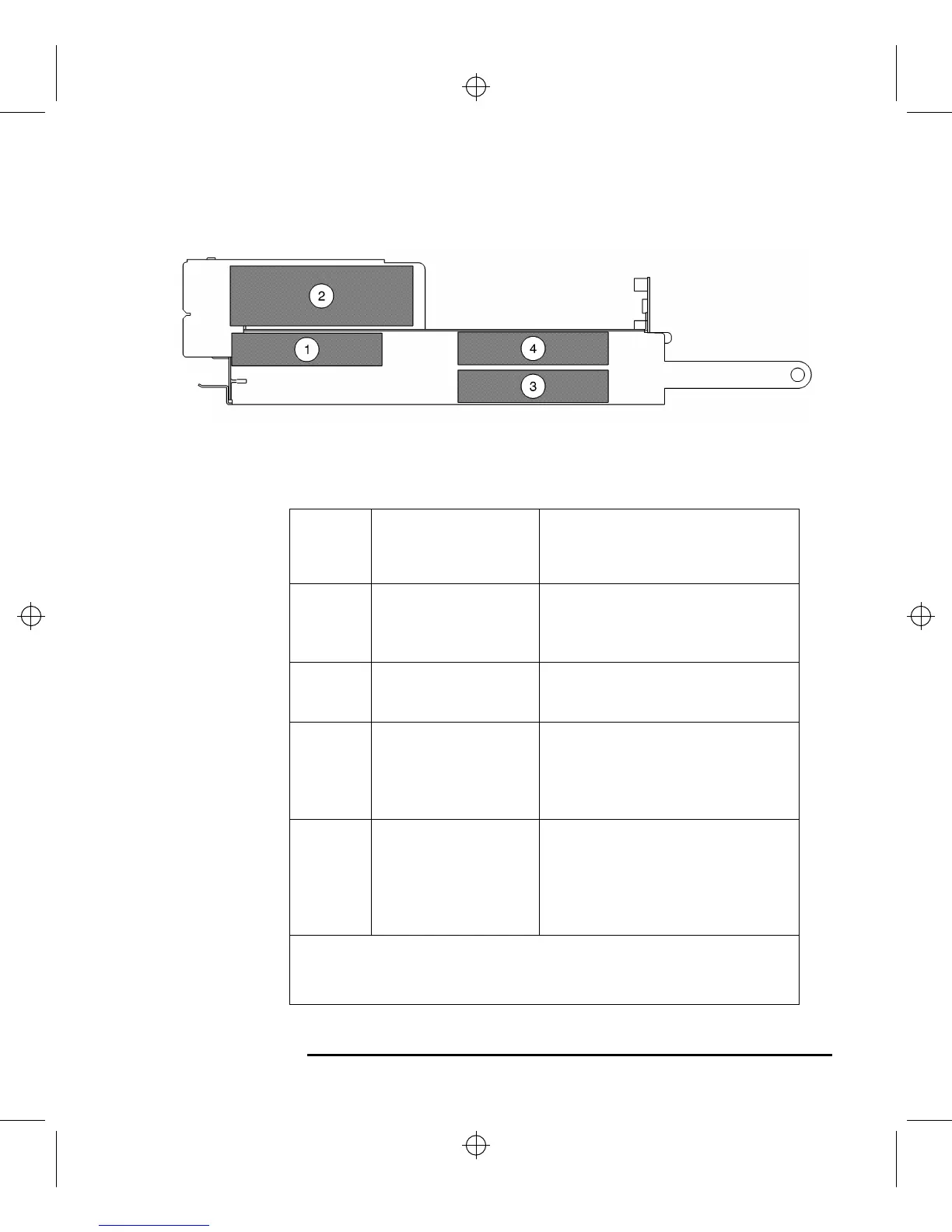
Installing Storage Devices
Figure 26 Disk Tray Positions
Table 18 Storage Configurations
Disk
Tray
Position
Supported Devices Conditions
1 Floppy Drive
1-inch Low Profile
Disk Drive
2
CD-ROM
DDS-Tape
3 1-inch Low Profile
Disk Drive
1.6-inch Full Height
Disk Drive
If a CD-ROM drive is installed, install
a 1.6-inch full height disk drive in this
position.
4 1-inch Low Profile
Disk Drive
1.6-inch Full Height
Disk Drive
This is the preferred position for a
1.6-inch full height disk drive.
If a CD-ROM drive is installed, a 1.6-
inch full height disk drive cannot be
installed in this position.
All hard disk drives are fast, wide SCSI devices. The CD-ROM drive and the
DDS tape drive are single-ended SCSI devices. The floppy drive is not a SCSI
device.



 To Next Page