B_configure.doc 145 Tue Jul 2 15:27:17 1996
145
Changing Your Workstation’s Hardware Configuration
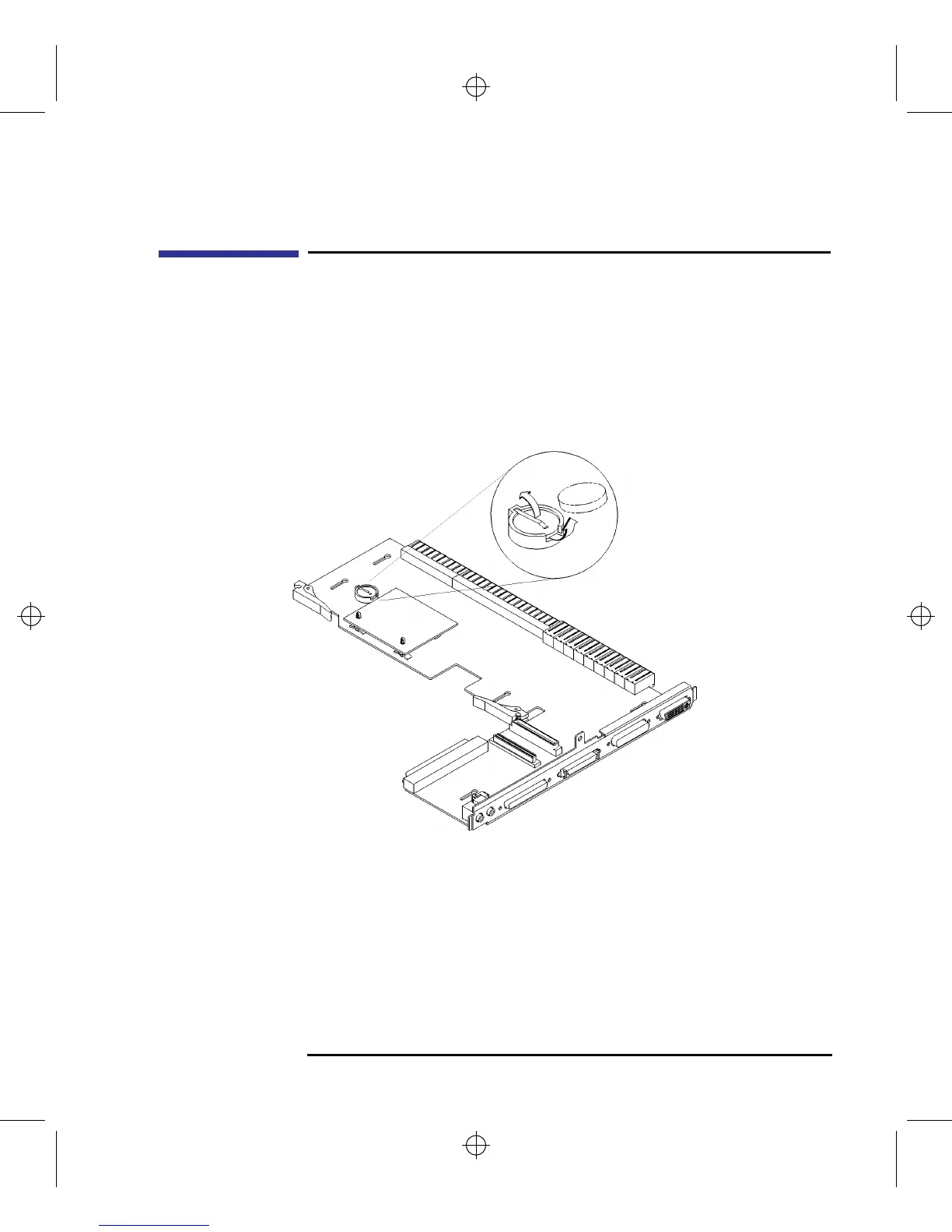
Replacing the Battery
Replacing the Battery
1 Remove the main tray as described in “Removing the Main Tray Assembly”
earlier in this chapter.
2 Note the orientation of the battery. Make sure that you put the new battery in
place with the positive (+) side facing in the same direction.
3 Lift the clip and slip the battery out of its holder, as shown in Figure 42.
Figure 58 Removing the Battery



 To Next Page