B_configure.doc 126 Tue Jul 2 15:27:17 1996
126
Changing Your Workstation’s Hardware Configuration
Installing Additional memory
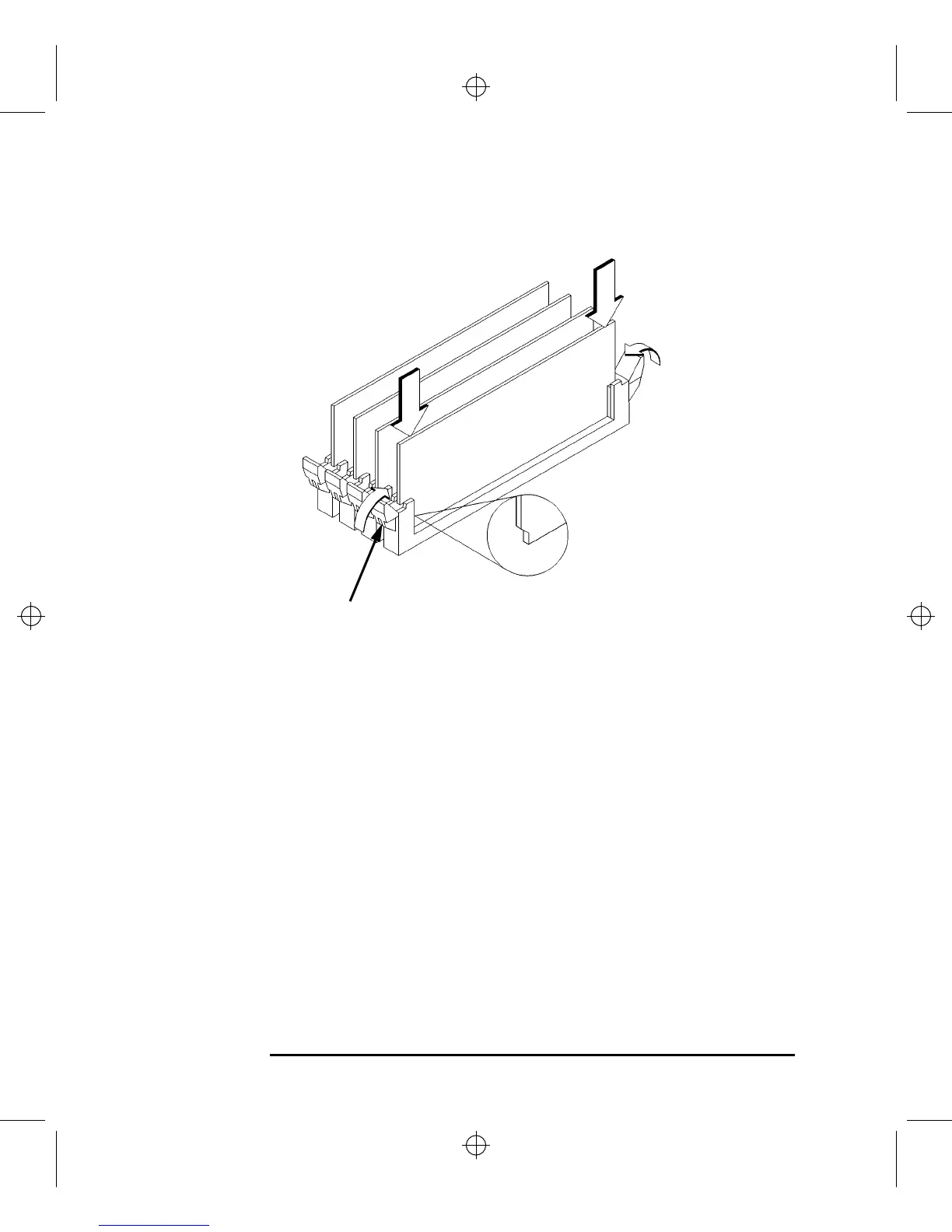
Figure 41 Installing Memory Modules
4 Place the memory module in the connector, lining it up with the guides. Make
sure to put the notched end toward the white ejector tab (toward the rear of the
main tray), as shown in Figure 41.
5 Press firmly and evenly on the memory module to ensure that it seats properly.
White Ejector Tab



 To Next Page