B_configure.doc 133 Tue Jul 2 15:27:17 1996
133
Changing Your Workstation’s Hardware Configuration
Installing the EGRAM (Enhanced Graphics RAM) Module
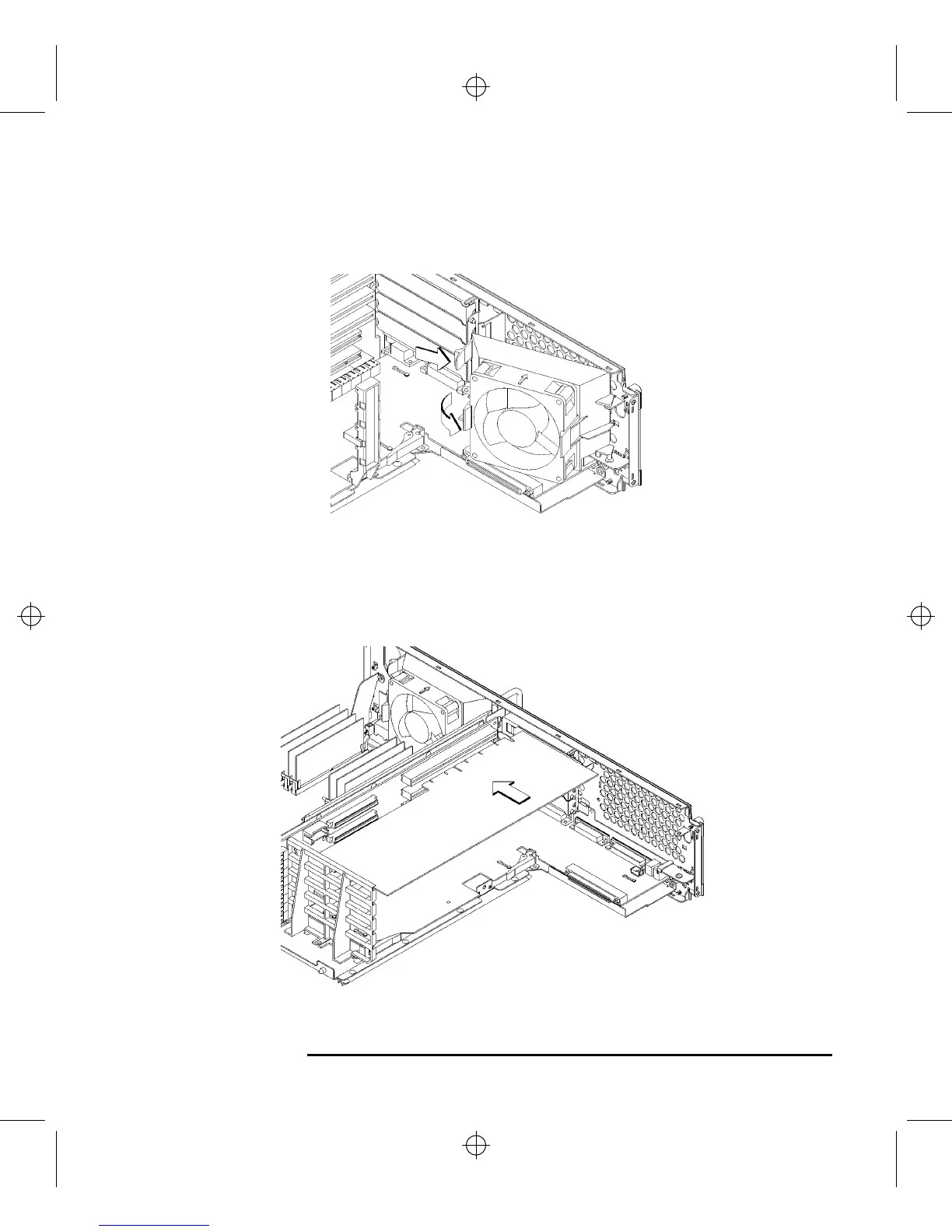
8 Make sure that the EISA fan is fully rotated, as shown in Figure 47.
Figure 47 Rotating the EISA Fan
9 Slide the option boards into the slots that they came out of, as shown in Figure
48. Make sure that the hole in each board’s handle aligns with the pin on the back
panel.
Figure 48 Installing an Option Board



 To Next Page