cd_rom.doc 34 Tue Jul 2 09:16:03 1996
34
Using Your CD-ROM Drive
Operating the CD-ROM Drive
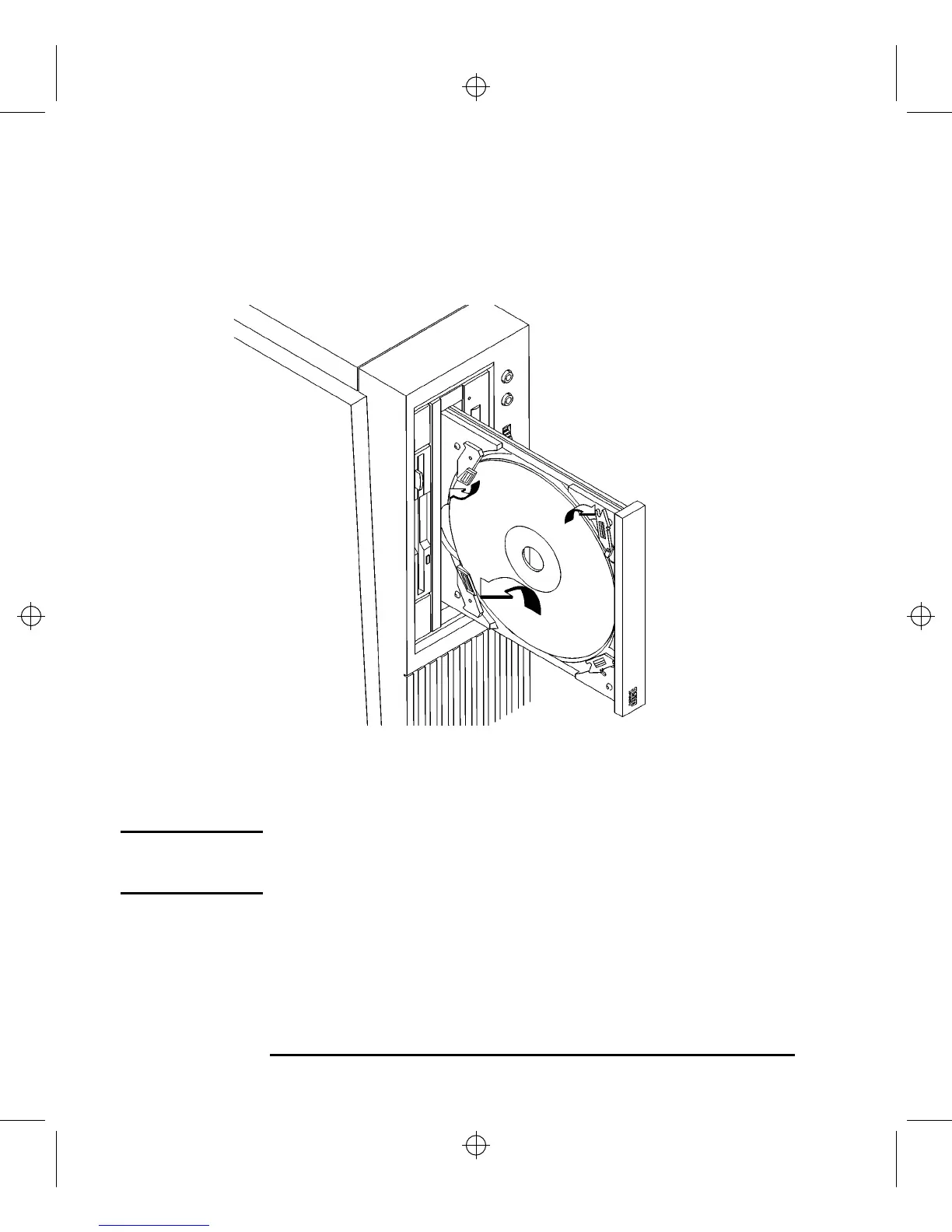
Unloading a CD-ROM Disc in a Vertically Mounted Drive
Perform the following steps to unload a disc from the CD-ROM drive:
Figure 14 Removing a CD-ROM Disc From a Vertically Mounted Drive
1 Press the eject button to eject the disc tray from the drive. If the drive is in use,
you must press the eject button for more than one second to eject the disc tray.
NOTICE: You must unmount the disc before eject it from the drive. Refer to the
subsection, “Unmounting a CD-ROM Disc Using SAM,” for instruction on
unmounting a disc.
2 Press down gently against the spring tension of disc holders A and B and swing
the top of the disc away from disc holders C and D as shown in Figure 14.
3 Remove the disc from disc holders A and B.
4 To close the Disc Tray, push the front of the disc tray gently towards the drive
until it closes by itself.



 To Next Page