cd_rom.doc 30 Tue Jul 2 09:16:03 1996
30
Using Your CD-ROM Drive
Operating the CD-ROM Drive
Loading a CD-ROM Disc in a Horizontally Mounted Drive
This CD-ROM drive has an automatic loading/ejecting feature. To load a
disc in the CD-ROM drive, follow these steps:
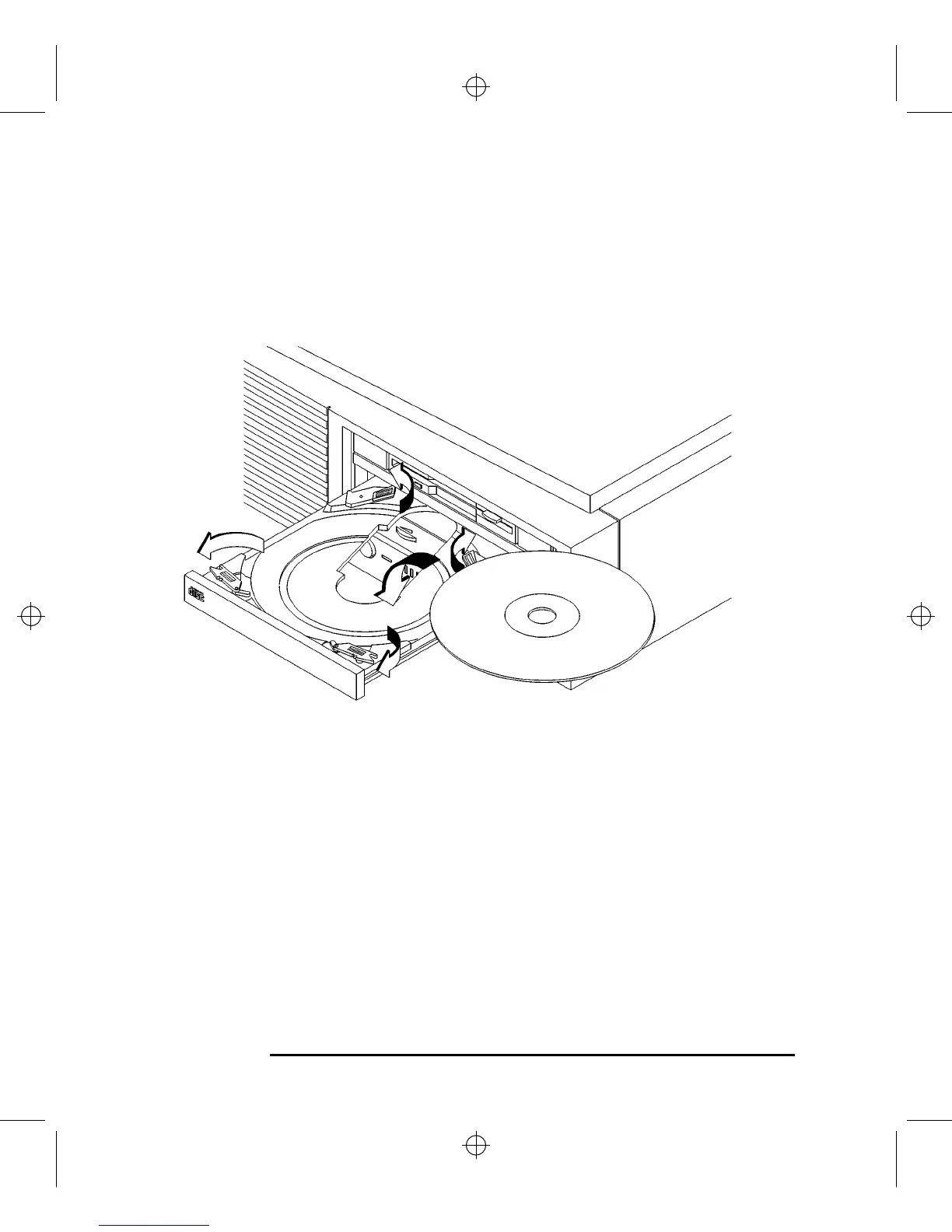
Figure 10 Placing a CD-ROM Disc in a Horizontally Mounted Drive
1 Check that the workstation is powered on.
2 To open the disc tray, press and release the load/eject button on the CD-ROM
drive.
3 Be sure the disc holders are held away from the disc by the disc holder retainers.
4 Hold the disc by the edges with the label side up and place it in the disc tray as
shown in Figure 10.
5 To close the disc tray, push the front of the disc tray gently towards the drive until
it closes by itself.



 To Next Page