B_configure.doc 142 Tue Jul 2 15:27:17 1996
142
Changing Your Workstation’s Hardware Configuration
Installing an EISA, PCI, or GSC Option Board
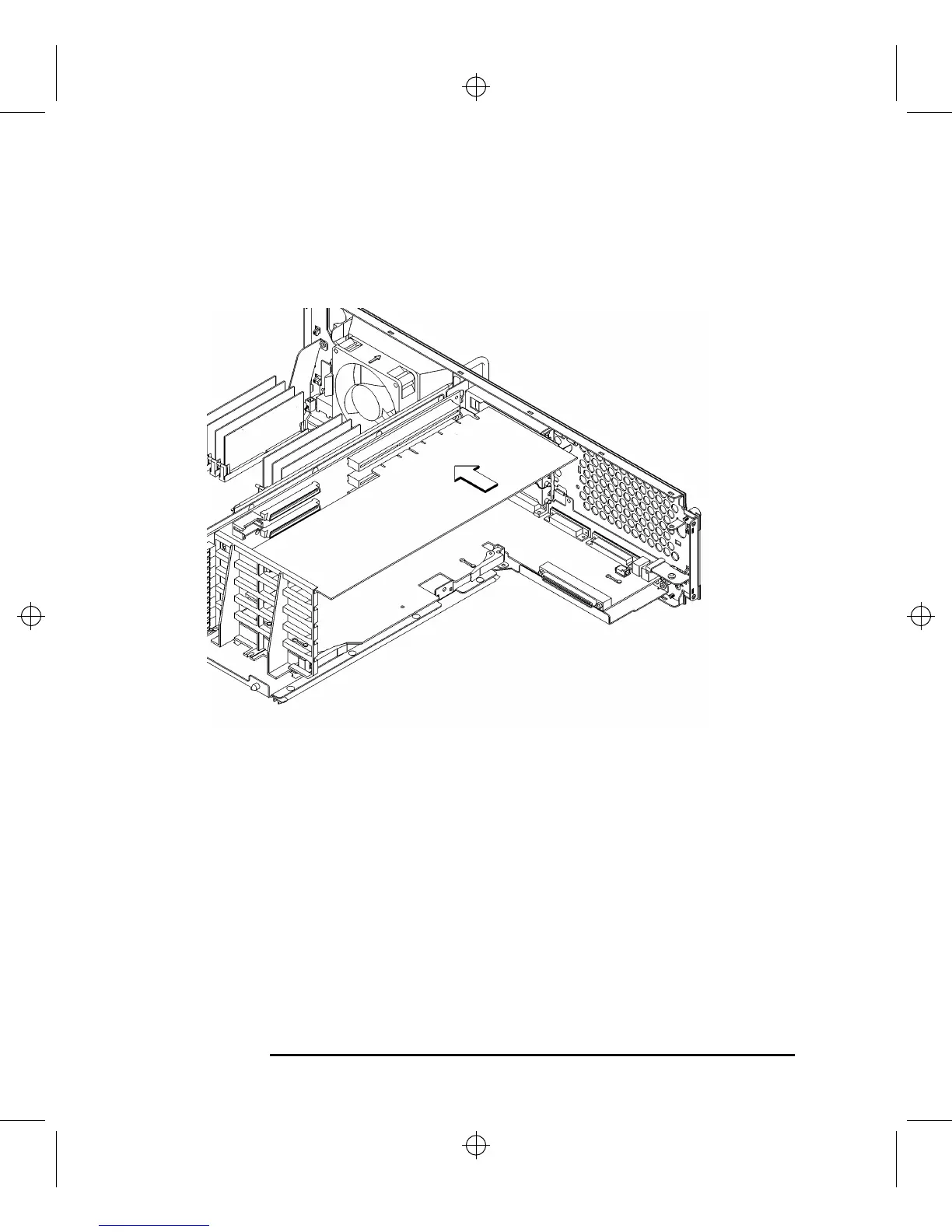
7 Slide the board into the slot, as shown in Figure 55. Make sure that the hole in the
board’s handle aligns with the pin on the back panel.
Figure 55 Installing an Option Board
8 Press in firmly on both ends of the option board at the same time to make sure
that it is firmly seated in the backplane connector.



 To Next Page