Basic Setting Configuration
41
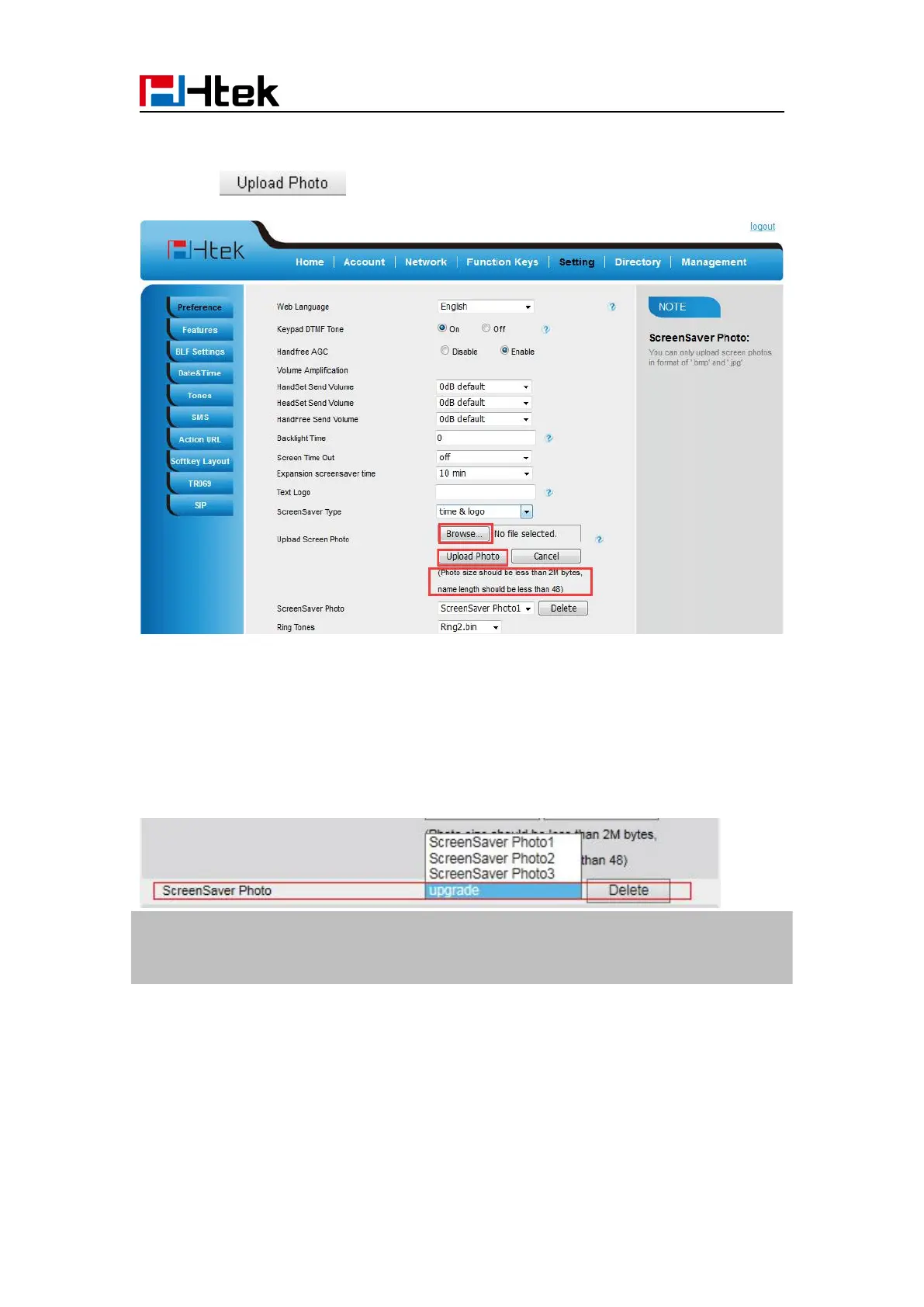
2. Choose the picture wanted to use as screen saver
3. Click to save the upload picture
To delete upload screen saver phone via Web interface:
2. Select the photo that to delete.
3. Click Delete to delete the photo.
Note:
System Screen Photo (ScreenSaver1-ScreenSaver3) cannot be deleted and only color IP Phone
support upload wallpaper.
To custom text logo via web interface:
2. choose the Time-out as 1 min or 2/5/10/30 minute.
3. Enter the desired value in the Text Logo field.
4. Click Saveset to save the configuration.



 To Next Page