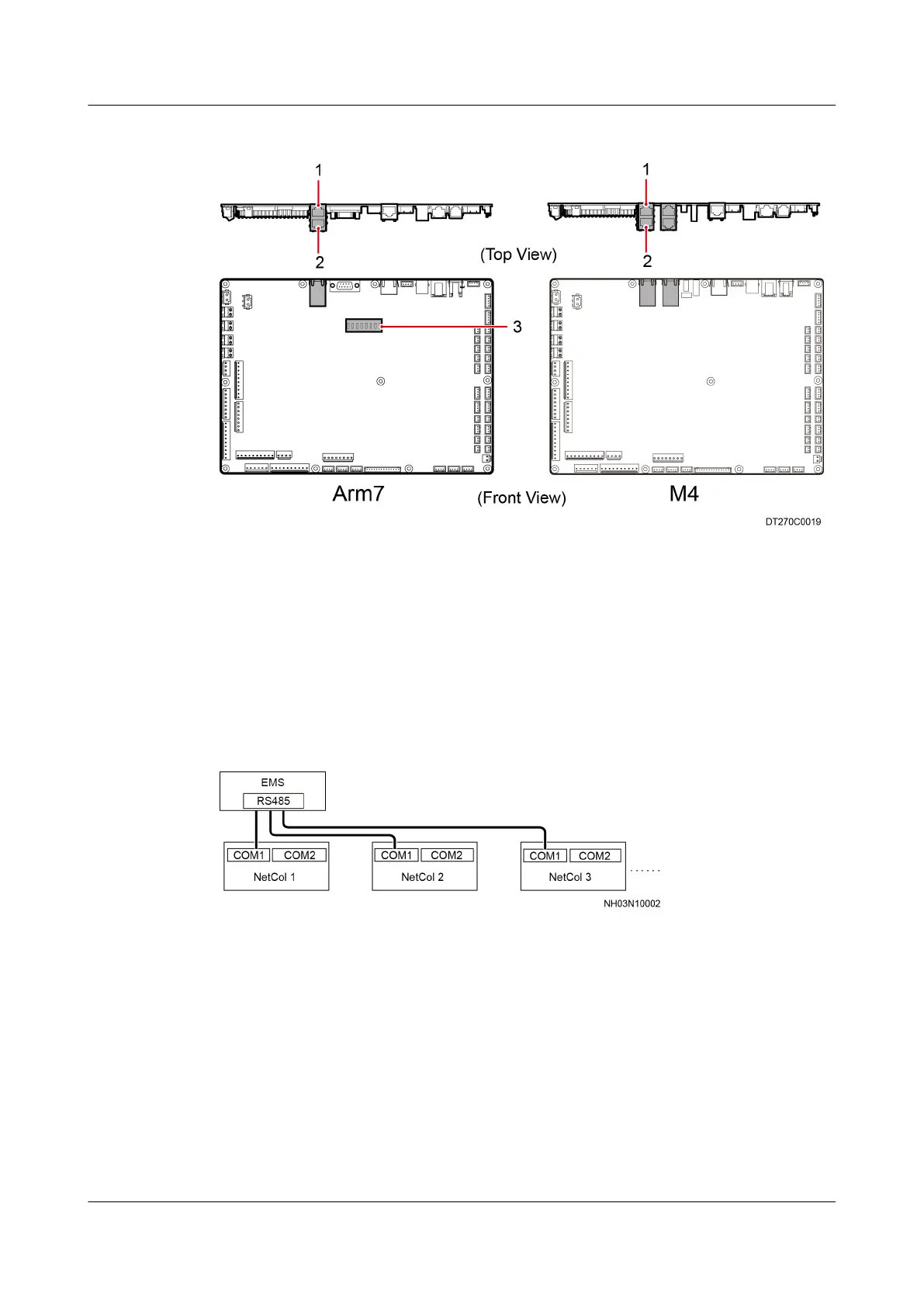
Figure 3-44 Ports on the two main control boards
(1) Teamwork communications port 1 (2) Teamwork communications port 2
(3) DIP switch
EMS Monitoring
Connect the RS485 cable from the EMS to the teamwork communication port 1 or
2 of the smart cooling product, as shown in Figure 3-45.
Figure 3-45 EMS monitoring
Teamwork Networking
If only teamwork communication is required, reserve the teamwork
communication port 1 of the
rst unit, connect the teamwork communication port
2 of the unit to the teamwork communication port 1 of the second unit, and
connect the teamwork communication port 2 of the second unit to the teamwork
communication port 1 of the third unit. All units that require teamwork can be
connected in this way, as shown in Figure 3-46.
NetCol5000-A(025, 035) In-row Air Cooled Smart
Cooling Product
User Manual (600 mm Width) 3 Installation Guide
Issue 17 (2020-10-22) Copyright © Huawei Technologies Co., Ltd. 75







 To Next Page