TE20 Videoconferencing Endpoint
4 Conference Operations Using the Web Interface
Huawei Proprietary and Confidential
Copyright © Huawei Technologies Co., Ltd.
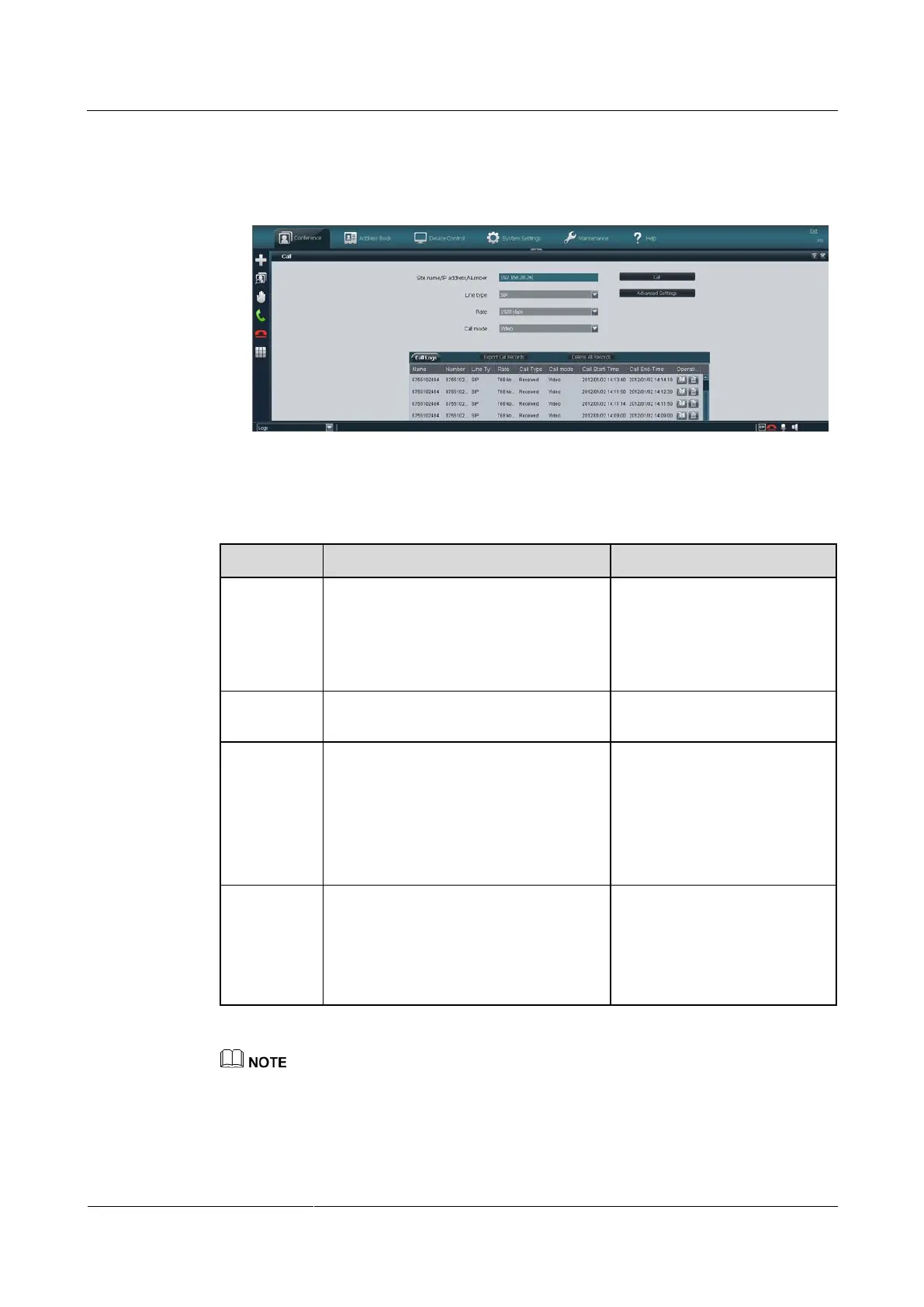
If you do not find your desired remote site in the Call Logs window, enter its name,
number, URI, or IP address, as shown in Figure 4-2.
Figure 4-2 Initiating a call by site name/number/URI/IP address
Step 3 Set the site parameters listed in Table 4-1.
Table 4-1 Site parameters
Site name/IP
address/Nu
mber
Specifies the name, number, URI, or IP
address of a remote site.
To call a Cisco
TelePresence (CT) site,
enter its number.
To call a site on the cloud
platform, enter its URI.
Specifies the type of the line used to
place the call.
By default, the last used line
type is displayed.
Specifies the data transmission rate
required.
The data transmission rates supported by
your endpoint vary depending on the
type of site you want to call.
Select the highest available data
transmission rate.
NOTE
If this parameter is set incorrectly,
the video quality will be affected
or the call might even fail to be set
up.
This parameter is available only after
Line type is set to Auto or SIP. The
options are as follows:
Video: Place video calls.
Voice: Place audio-only calls.
The default value is Video.
The default settings of advanced conference parameters can meet the requirements of most simple
conferences. Alternatively, you can click Advanced Settings and set advanced conference parameters.
For the description of each advanced conference parameter, see TE20 Videoconferencing Endpoint
V500R003C00 Configuration Guide.
Step 4 Click Call.



 To Next Page