9
MEMORY OPERATION
9-2
Memory channels
The transceiver has 101 memory channels. The
Memory mode enables you to quickly select often-
used frequencies.
You can temporarily tune all 101 memory channel
frequencies by rotating
.
Memory channel
Memory
channel
number
Capability
Transfer
to VFO
Over-
writing
Clear
Regular memory
channels
1 to 99
1 frequency and 1 mode in each memory
channel.
Yes Yes Yes
Scan Edge
memory channels
P1 and P2
1 frequency and 1 mode in each memory
channel as scan edges for programmed
scans.
Yes Yes No
D Selecting with the up and down keys
1. Push
to select the Memory mode.
2. Push
or
to select the desired memory
channel.
L You can also select the memory channel with
the microphone [UP] and [DN] keys.
Memory mode
(Example: Memory channel 1)
3. To return to the VFO mode, push
again.
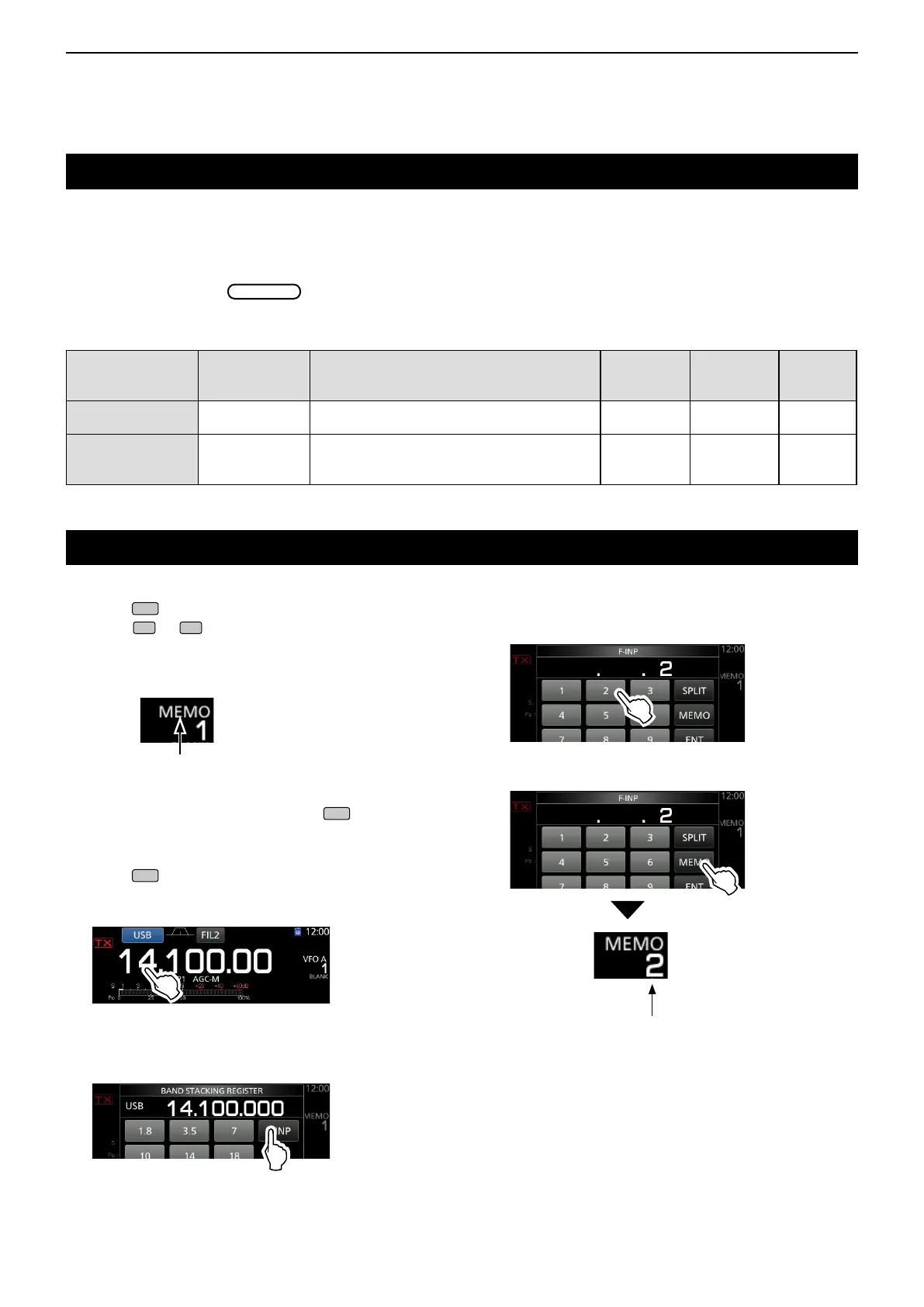
D Selecting using the keypad
1. Push
to select the Memory mode.
2. Touch the MHz digit on the operating frequency.
• The BAND STACKING REGISTER screen is displayed.
3. Touch [F-INP].
• The F-INP screen is displayed.
Selecting a memory channel
4. Enter the desired memory channel number.
(Example: memory channel 2)
5. Touch [MEMO] to set the entered memory
channel.
Memory channel 2 is selected



 To Next Page