1
PANEL DESCRIPTION
1-7
Touch screen (Continued)
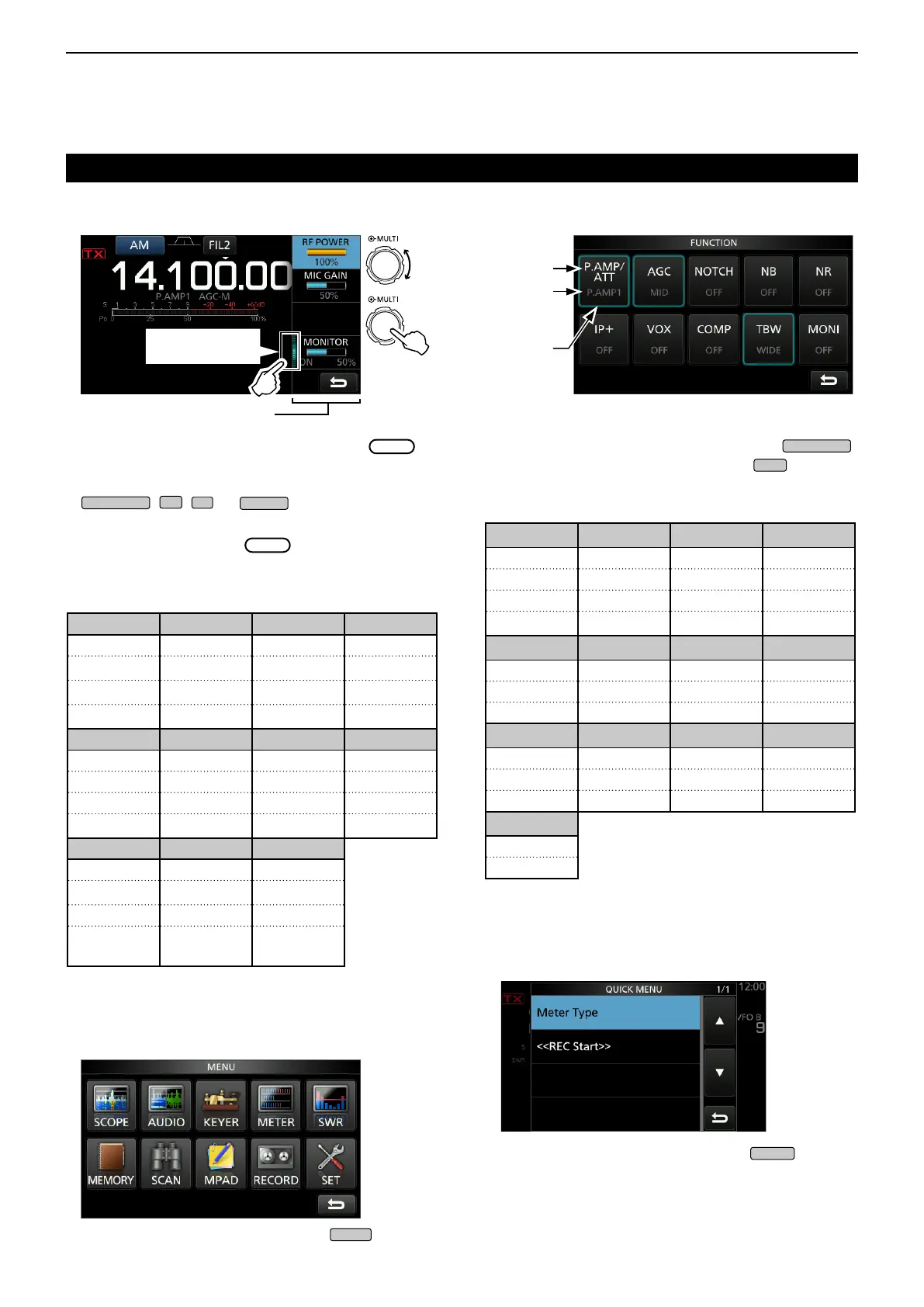
D Multi-function menus
z Open the Multi-function menu by pushing
(Multi-function control).
z Open different types of menus by holding down
,
,
, or
for 1 second.
z While the Multi-function menu is opened, touch the
desired item and rotate
to set the desired
value.
D MENU screen
z Open the MENU screen by pushing
.
D FUNCTION screen
z Open the FUNCTION screen by pushing
.
LTo close the FUNCTION screen, push
.
D QUICK MENU
z Open the QUICK MENU by pushing
.
Rotate
Push
Multi-function menu
Touch the edge to
turn ON and OFF
FUNCTION screen
Function
name
Selected
value
Lights blue
or orange
when used
SSB SSB-D CW RTTY
RF POWER RF POWER RF POWER RF POWER
MIC GAIN MIC GAIN KEY SPEED
TPF
*
COMP
*
CW PITCH
MONITOR
*
MONITOR
*
MONITOR
*
FM AM NB NR
RF POWER RF POWER LEVEL LEVEL
MIC GAIN MIC GAIN DEPTH
WIDTH
MONITOR
*
MONITOR
*
NOTCH VOX BK-IN
POSITION GAIN DELAY
WIDTH
*
ANTI VOX
DELAY
VOICE DELAY
SHORT
*
P.AMP/ATT AGC
*
2
NOTCH
*
2
NB
*
2
OFF FAST OFF OFF
P.AMP1 MID AN ON
P.AMP2 SLOW MN
ATT
*
1
NR
*
2
IP+ VOX
*
2
BKIN
*
2
OFF OFF OFF OFF
ON ON ON BKIN
F-BKIN
COMP
*
2
TONE
*
2
TBW 1/4
OFF OFF WIDE OFF
ON TONE MID ON
TSQL NAR
MONI
*
2
OFF
ON
Multi-function menu items
FUNCTION screen list
* Touch the edge to turn the function ON or OFF, or
adjust.
*
1
Touch for 1 second to select the function.
*
2
Touch for 1 second to open its function menu.



 To Next Page