1
PANEL DESCRIPTION
1-4
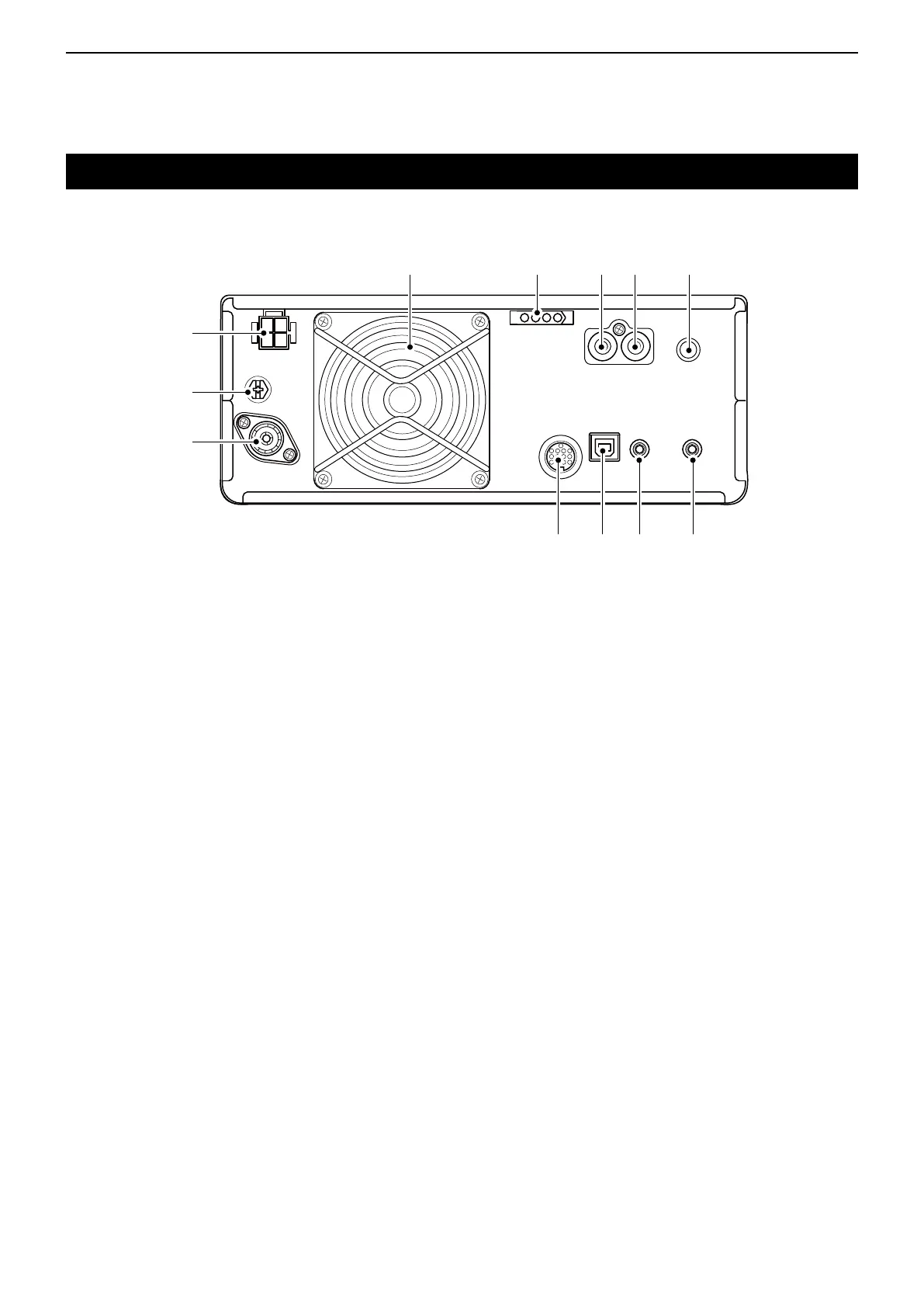
Rear panel
q DC POWER SOCKET [DC 13.8 V] (p. 2-3)
Accepts 13.8 V DC through the DC power cable.
w GROUND TERMINAL [GND] (p. 2-2)
Connects to ground to prevent electrical shocks,
TVI, BCI and other problems.
e ANTENNA CONNECTOR [ANT] (p. 2-3)
Connectstoa50ΩPL-259coaxconnector.
r SOCKET [ACC] (p. 2-3)
Connects to devices to control an external unit or to
control the transceiver.
t USB PORT (B TYPE) [USB] (p. 2-3)
Connects to a PC.
y CI-V REMOTE CONTROL JACK [REMOTE]
(p. 2-3)
Connects to a PC or other transceiver for external
control.
u EXTERNAL SPEAKER JACK [EXT-SP] (p. 2-3)
Acceptsa4~8Ωexternalspeaker.
i KEY JACK [KEY] (p. 2-3)
Connects to a straight key, external electronic
keyer,orapaddlewith6.35mm(1⁄4")stereoplug.
o SEND CONTROL JACK [SEND] (p. 2-3)
Connects to control transmit with non-Icom external
units.
!0 ALC INPUT JACK [ALC] (p. 2-3)
Connects to the ALC output jack of a non-Icom
linearamplier.
!1 TUNER CONTROL SOCKET [TUNER] (p. 2-3)
Accepts the control cable from an optional
AH-4 automatic antenna tuner or AH-740
automatic tuning antenna.
!2 COOLING FAN
Cools the PA unit when necessary.
q
w
e
r y ut
o!0!1 i!2



 To Next Page