5
SCOPE OPERATION
5-6
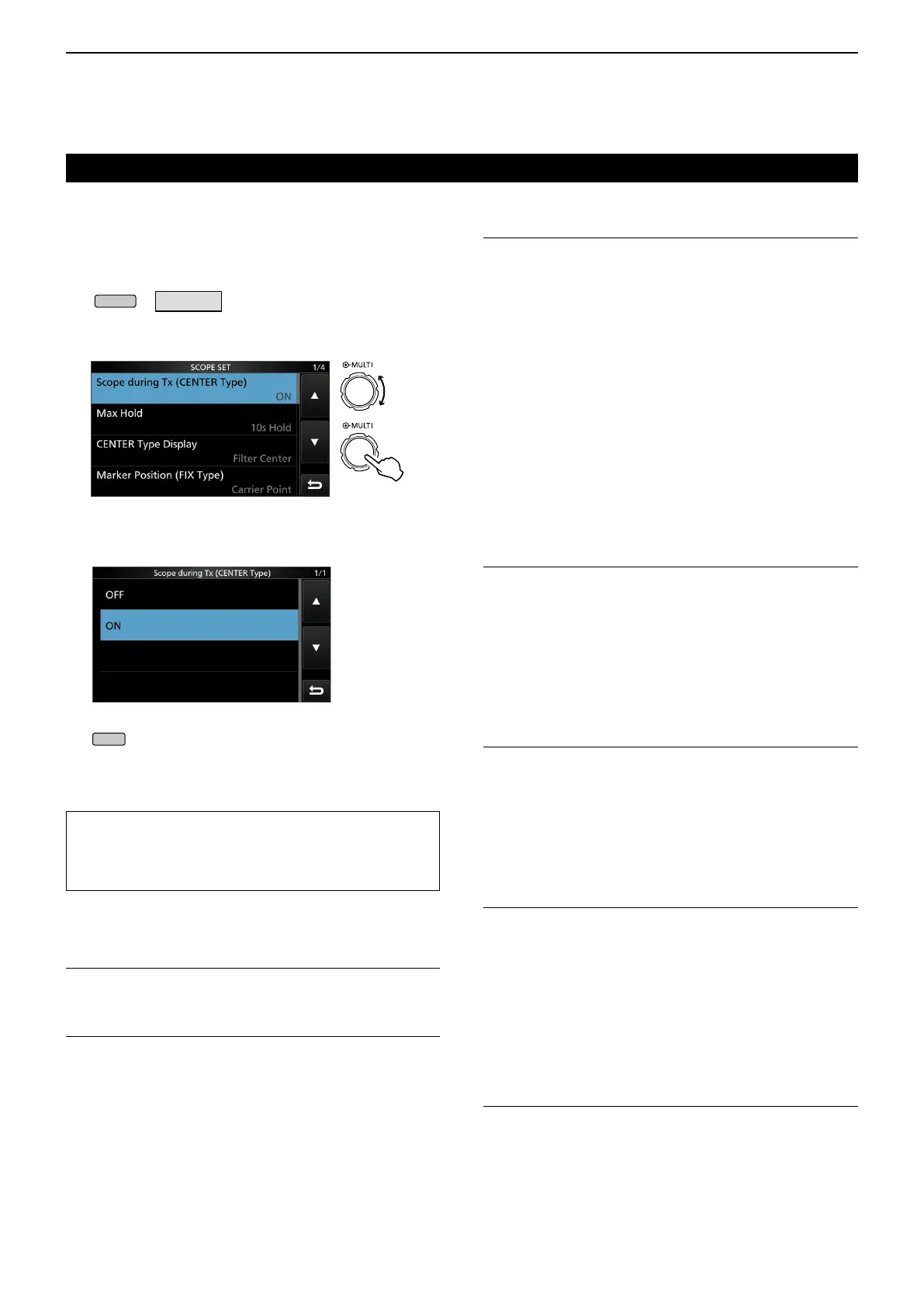
Scope during TX (CENTER TYPE) (Default: ON)
Set the TX signal display to ON or OFF.
Max Hold (Default: 10s Hold)
Select the peak level holding function.
• OFF: Turns OFF the peak level holding
function.
• 10s Hold: Holds the peak spectrum for 10 seconds.
• ON: Continuously holds the peak spectrum.
CENTER Type Display (Default: Filter Center)
Select the center frequency of the SPECTRUM
SCOPE screen. (Only in the Center mode)
• Filter Center: Displays the selected lter’s center
frequency at the center of the
SPECTRUM SCOPE screen.
• Carrier Point Center:
Displays the carrier point frequency
of the selected operating mode at the
center of the SPECTRUM SCOPE
screen.
• Carrier Point Center (Abs. Freq.):
In addition to the carrier point center
setting above, the actual frequency is
displayed at the bottom of the scope.
L Abs. Freq. : Absolute Frequency
Marker Position (Fix Type) (Default: Carrier Point)
Select the marker position on the SPECTRUM
SCOPE screen. (Only in the Fixed mode)
• Filter Center: Displays the Marker on the selected
lter’s center frequency.
• Carrier Point: Displays the Marker on the carrier
point frequency of the selected
operating mode.
VBW (Default: Narrow)
Select the Video Band Width (VBW).
• Narrow: Sets the VBW to narrow.
• Wide: Sets the VBW to wide.
L When “Wide” is selected, the line drawn on the
receive spectrum becomes wide. However, the
small edge cannot be drawn.
Averaging (Default: OFF)
Set the FFT scope waveform averaging function to
between 2 and 4, or OFF.
• OFF: The FFT scope screen refreshes at each
sweep time. This setting displays the
critical spectrum view.
• 2, 3, 4: The FFT scope screen averages 2
to 4 sweeps to smoothly display the
spectrum.
Waveform Type (Default: Fill)
Select the outline waveform display for the FFT scope
screen.
• Fill: The waveform is drawn only in color.
• Fill + Line: The waveform is drawn in color with an
outline.
D Scope set screen
This Set screen is used to set the waveform color,
Scope range for the Fixed mode, and so on.
1. Open the SPECTRUM SCOPE screen.
»
SCOPE
2. Touch [EXPD/SET] for 1 second.
3. Select the desired item.
4. Select the option or set the level.
L See below for details of the setting items and their
options.
5. To exit the SPECTRUM SCOPE screen, push
several times.
Spectrum scope screen (Continued)
TIP: How to reset to the default setting
Touching the item or its option for 1 second displays
the Quick menu, and then touch “Default” to reset to
the default setting.
Rotate
Push



 To Next Page