4
RECEIVING AND TRANSMITTING
4-11
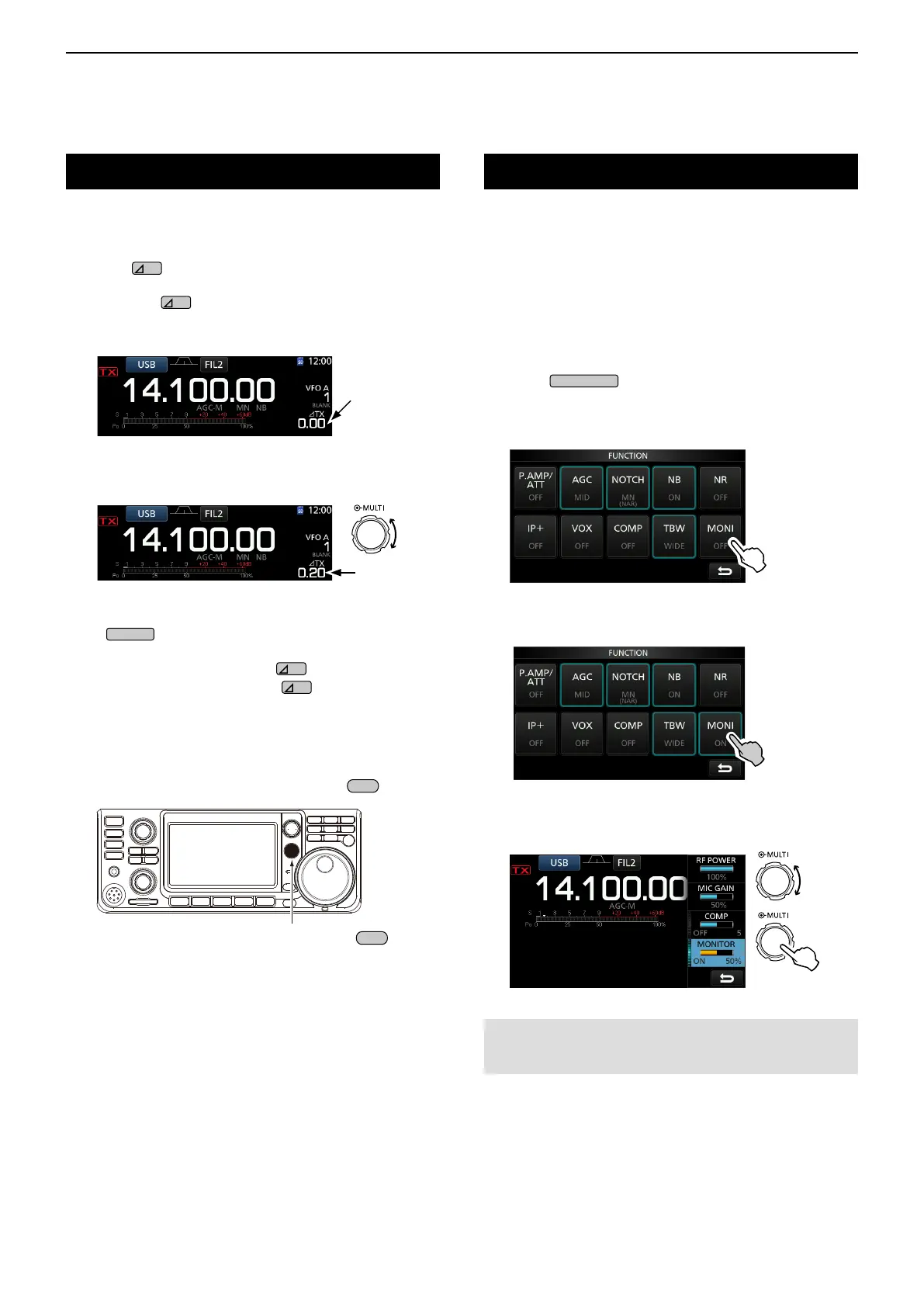
∂TX function
The ∂TX function shifts the transmit frequency up to
±9.99 kHz without shifting the receive frequency.
1. Push
.
• The ∂TX function turns ON.
LPushing
turns the ∂TX function ON or OFF.
L While using the Fine Tuning function (p. 3-4), the ∂TX
frequency is displayed in 4 digits, instead of 3.
2. Set the ∂TX frequency to match the receiving
station’s frequency.
∂TX frequency
L To reset the ∂TX frequency to “0.00,” hold down
for 1 second.
L You can add the frequency shift to the operating
frequency by holding down
for 1 second.
3. After communicating, push
to turn the ∂TX
function OFF.
D ∂TX monitor function
When the ∂TX function is ON, you can directly monitor
the operating frequency by holding down
.
Rotate
Set ∂TX
frequency.
While holding down
.
Monitor function
The Monitor function enables you to monitor your
transmit audio. Use this function to check the
voice characteristics while adjusting transmit audio
parameters.
L You can hear the CW sidetone regardless of the Monitor
function setting.
1. Select the mode that you want to monitor.
(Example: USB)
2. Push
.
• Opens the FUNCTION screen.
3. Touch [MONI] to turn ON the Monitor function.
LTouching [MONI] turns the Monitor function ON or OFF.
FUNCTION screen (USB mode)
4. Touch [MONI] for 1 second.
5. Adjust MONITOR to the clearest audio output
between 0% and 100%, while speaking at your
normal voice level.
NOTE: When using the VOICE DELAY (p. 4-10), turn OFF
the Monitor function. Otherwise the transmitted audio will
echo.
Push



 To Next Page