5
SCOPE OPERATION
5-7
Waterfall Size (Expand Screen) (Default: Mid)
Select the Waterfall height in the Expand scope
screen.
• Small: The same height with the Normal scope
screen, only the FFT scope expands.
• Mid: The Waterfall height expands at the same
ratio with the FFT scope.
• Large: Only the Waterfall height expands.
Waterfall Peak Color Level (Default: Grid 8)
Select the signal level that the Waterfall displays a
peak color.
Higher signal levels are Red, Yellow, Green, Light-
blue, Blue and Black, in that order.
• Selection: Grid 1 ~ Grid 8
Waterfall Marker Auto-hide (Default: ON)
Set the Waterfall Marker Auto-hide function to ON or
OFF.
• OFF: The marker in the Waterfall zone stays ON.
• ON: The marker in the Waterfall zone is hidden
2 seconds after you have stopped it in place.
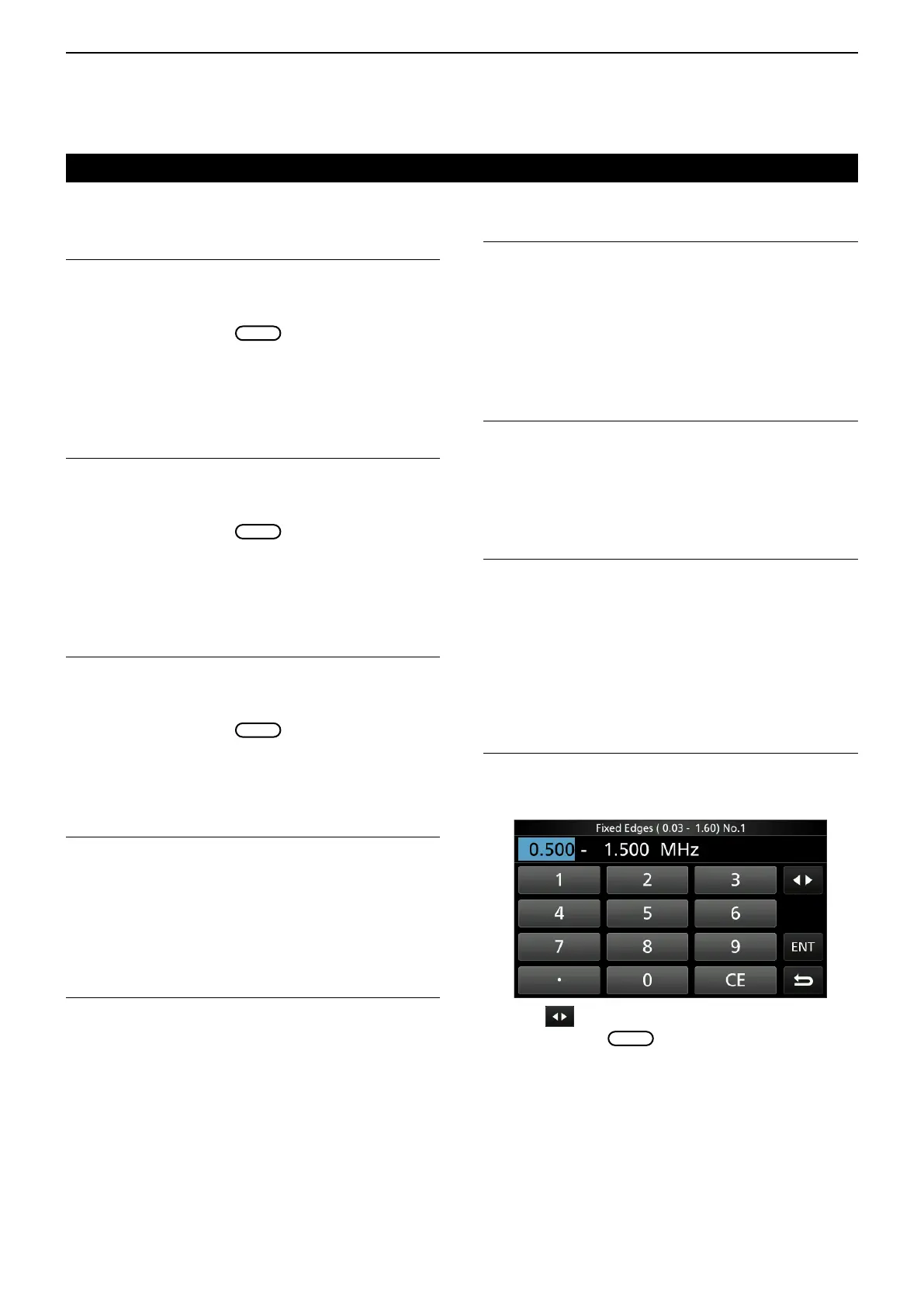
Fixed Edges
0.03 – 1.60 (Default: No.1 0.500–1.500 MHz)
(Default: No.2 0.500–1.500 MHz)
(Default: No.3 0.500–1.500 MHz)
Set the Upper and Lower Edge frequencies for the
Fixed mode. Three edges are assigned to each band.
• Settable range: 0.030 ~ 1.600 MHz
L Touch to select the Upper or Lower frequency,
and then rotate
to select the frequency.
L You can also directly enter the edge frequency
using the keypad.
D Scope set screen (Continued)
Waveform Color (Current)
(Default: (R) 172 (G) 191 (B) 191)
Set the waveform color for the currently received
signals.
L Touch and select the R (Red), G (Green) or B (Blue)
scale, and then rotate
to adjust the ratio from
0 to 255.
L The color is displayed in the box above the RGB
scale.
Waveform Color (Line)
(Default: (R) 56 (G) 24 (B) 0)
Set the waveform outline color for the currently
received signals.
L Touch and select the R (Red), G (Green) or B (Blue)
scale, and then rotate
to adjust the ratio from
0 to 255.
L The color is displayed in the box above the RGB
scale.
Waveform Color (Max Hold)
(Default: (R) 45 (G) 86 (B) 115)
Set the waveform color for the received signals
maximum level.
L Touch and select the R (Red), G (Green) or B (Blue)
scale, and then rotate
to adjust the ratio from
0 to 255.
L The color is displayed in the box above the RGB
scale.
Waterfall Display (Default: ON)
Turn the Water fall display ON or OFF for the normal
scope or Mini scope screens.
L In the Expanded scope screen, the Waterfall is
always displayed.
• OFF: Turns OFF the Waterfall display.
• ON: Turns ON the Waterfall display.
Waterfall Speed (Default: Mid)
Select the Waterfall speed.
• Slow: Sets the waterfall speed to Slow.
• Mid: Sets the waterfall speed to Mid.
• Fast: Sets the waterfall speed to Fast.
Spectrum scope screen



 To Next Page