Development Kit User’s Manual 5
Appendix C Programming System BIOS Using a Flash Programming Device .............................74
Appendix D CPU Thermal Solution (Heatsink) Installation ......................................................75
Figures
Figure 1. Development Board Block Diagram.......................................................25
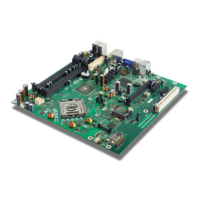
Figure 2. Silver Cascade Development Board Components ....................................46
Figure 3. Back Panel Connectors .......................................................................48
Figure 4. D-Connector to Component Video Cable................................................49
Figure 5. D-Connector to Composite Video Cable .................................................49
Figure 6. D-Connector to S-Video Cable .............................................................49
Figure 7. Location of the Configuration Jumpers/Switches .....................................50
Figure 8. Power On and Reset Buttons ...............................................................54
Figure 9. Net Detect Button ..............................................................................54
Figure 10. Port 80-83 Interposer Card................................................................58
Figure 11. PCI Expansion Card (Thimble Peak 2) .................................................59
Figure 12. Eaglemont Add-in Card .....................................................................60
Figure 13. Location of Resistors for Rework (before Rework) .................................61
Figure 14. Location of Resistors for Rework (after Rework)....................................61
Figure 15. Location of Resistors for Rework.........................................................62
Figure 16. AUX Pull-Down Rework .....................................................................63
Figure 17. Mott Canyon 4 Interposer Card ..........................................................64
Figure 18. Duck Bay 3 Interposer Card...............................................................66
Figure 19. Upham IV Interposer Card.................................................................67
Figure 20. Saddlestring II Docking Connector......................................................69
Figure 21. iHDMI Rework Instruction 1...............................................................71
Figure 22. iHDMI Rework Instruction 2...............................................................71
Figure 23. Low Voltage HD Audio Rework (Always Rail) ........................................72
Figure 24. Low Voltage HD Audio Rework (Sus Rail).............................................73
Figure 25. Step 2 - Heatsink and Backplate.........................................................75
Figure 26. Step 4 - Backplate Pins .....................................................................76
Figure 27. Step 6 - Applying the Thermal Grease.................................................77
Figure 28. Step 7 - Squeezing Activation Arm .....................................................78
Figure 29. Step 8 - Installing the Heatsink..........................................................79
Figure 30. Step 9 - Plugging in the Fan ..............................................................80
Figure 31. Step 10 - Completed Assembly ..........................................................81





 To Next Page