Chapter 3 — Use the Scanner
42 CN51 Mobile Computer User Manual
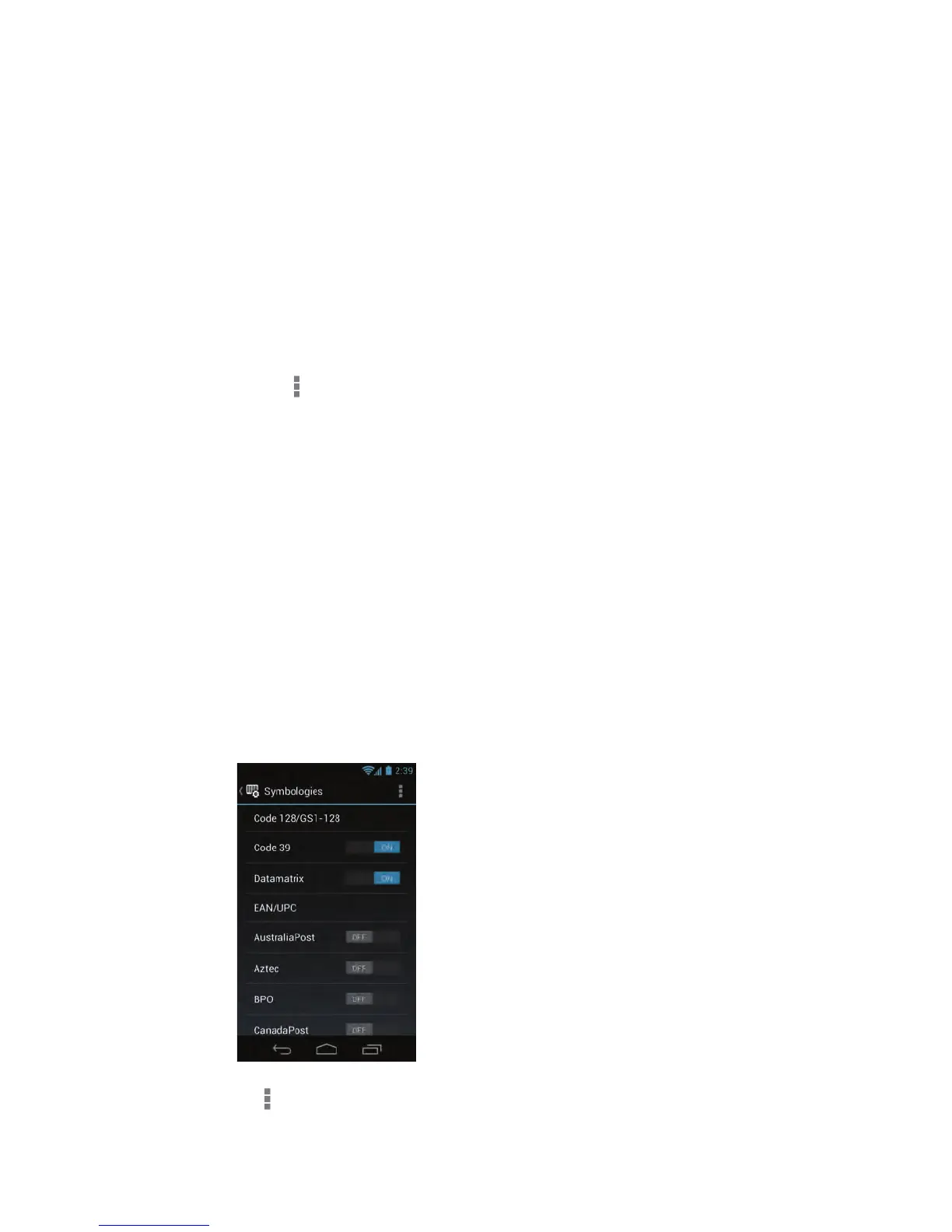
4 To enable or disable decoding for specific symbologies:
a Tap and select Settings.
b Tap 1D, 2D, or Postal to locate the specific symbology.
c Tap the symbology name to enable decoding for that
symbology, or to clear the check box and disable decoding.
How to Configure the Scanner
You use the Settings app to view and configure all settings for the
scanner, including symbology decoding options, triggering modes,
and decode security.
Configure Symbology Decoding Options
You use the Settings app to configure symbology decoding options for
the scanner.
1 Start the Settings app and tap Scanners > Internal Scanner >
Symbologies.
2 (Optional) To restore all default settings for symbology decoding,
tap and select Restore defaults.



 To Next Page