Chapter 5 PROGRAMING MODE
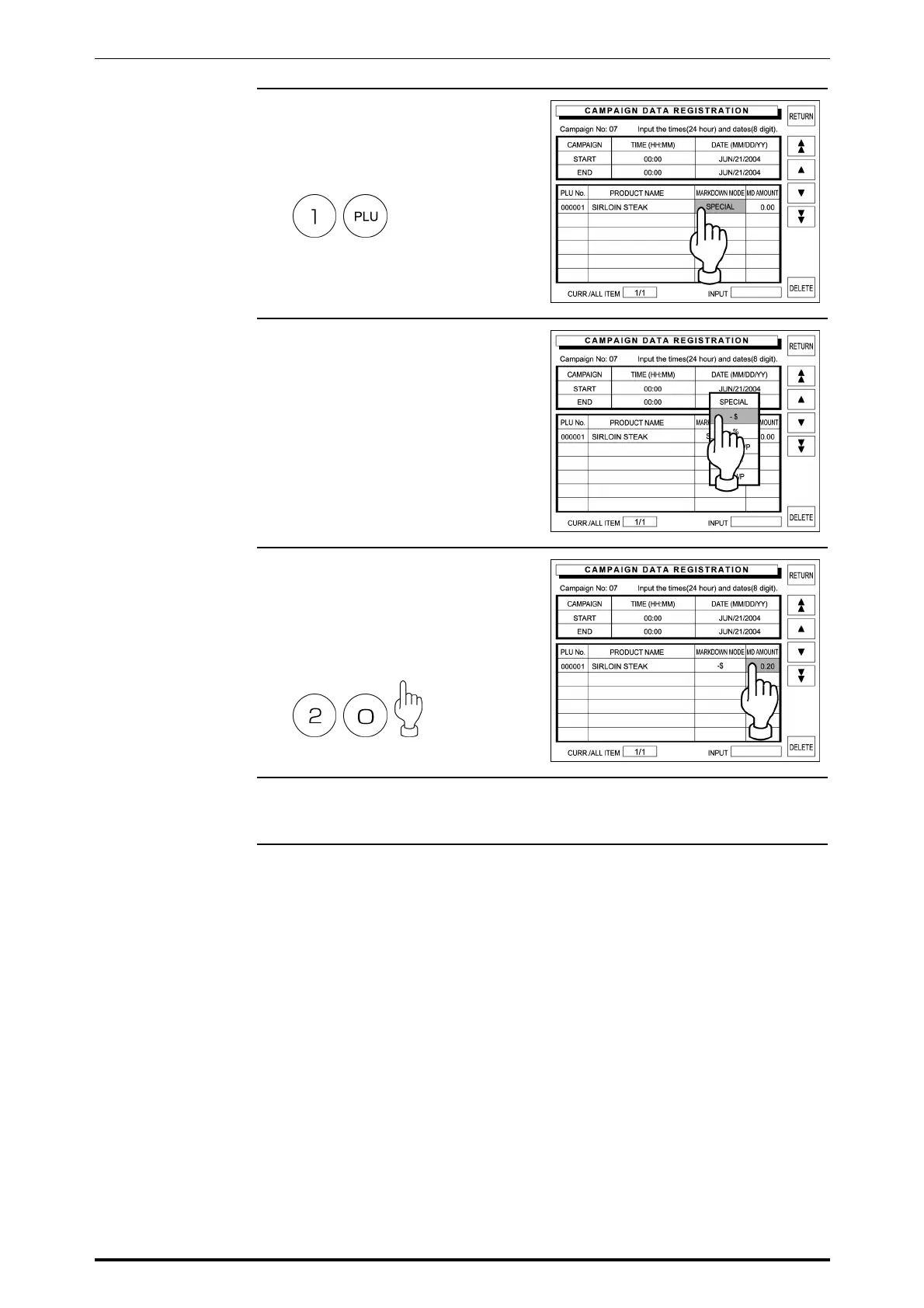
4. Enter a desired PLU number and
press the PLU key to register as a
campaign product.
Example: PLU number “1”
Then, touch the corresponding
Markdown Mode field.
5. The selection screen appears on
the display.
Then, touch the desired campaign
type to select.
6. Enter the numeric data using the
keypad, and touch the
corresponding MD Amount field to
register.
Example: “$ 0.20”
7. Repeat steps 4,5 and 6 above for
more campaign products.
SR-2000α User’s Manual (No. 0000A) 5-17



 To Next Page