Chapter 5 PROGRAMING MODE
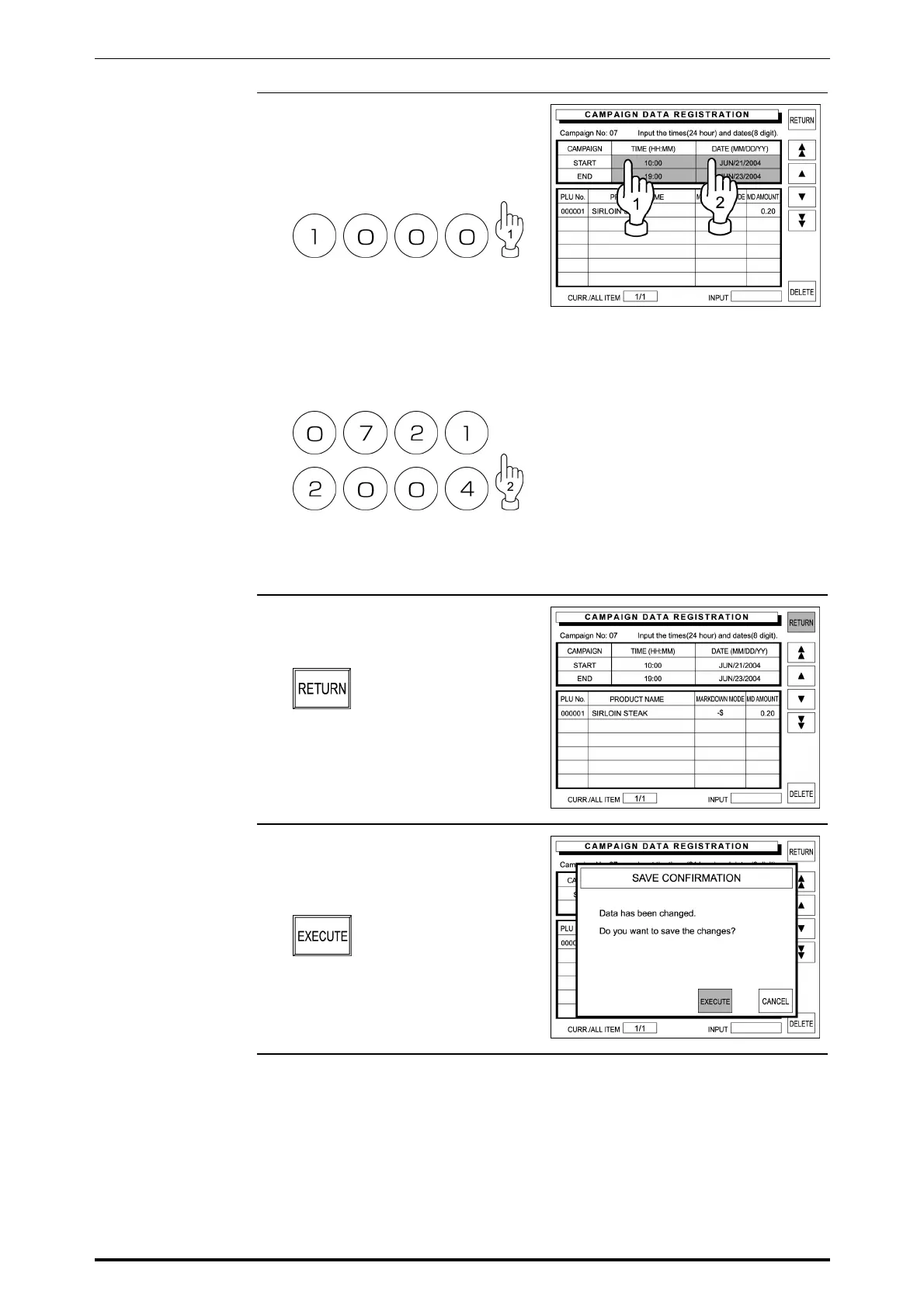
8. Enter the campaign start time using
the keypad, and touch the
corresponding field to register.
Example: Start time “10:00”
Then, enter the campaign start
date using the keypad, and touch
the corresponding field to register.
Example: Start date “July 21,
2004”
In the same manner, register the
campaign end time and date.
9. When the data entry is complete for
the selected campaign number,
touch [RETURN] on the screen.
10. The confirmation screen appears
on the display for saving.
Then, touch [EXECUTE].
The beeper sounds when
succeeded.
5-18 SR-2000α User’s Manual (No. 0000A)



 To Next Page