Chapter 5 PROGRAMING MODE
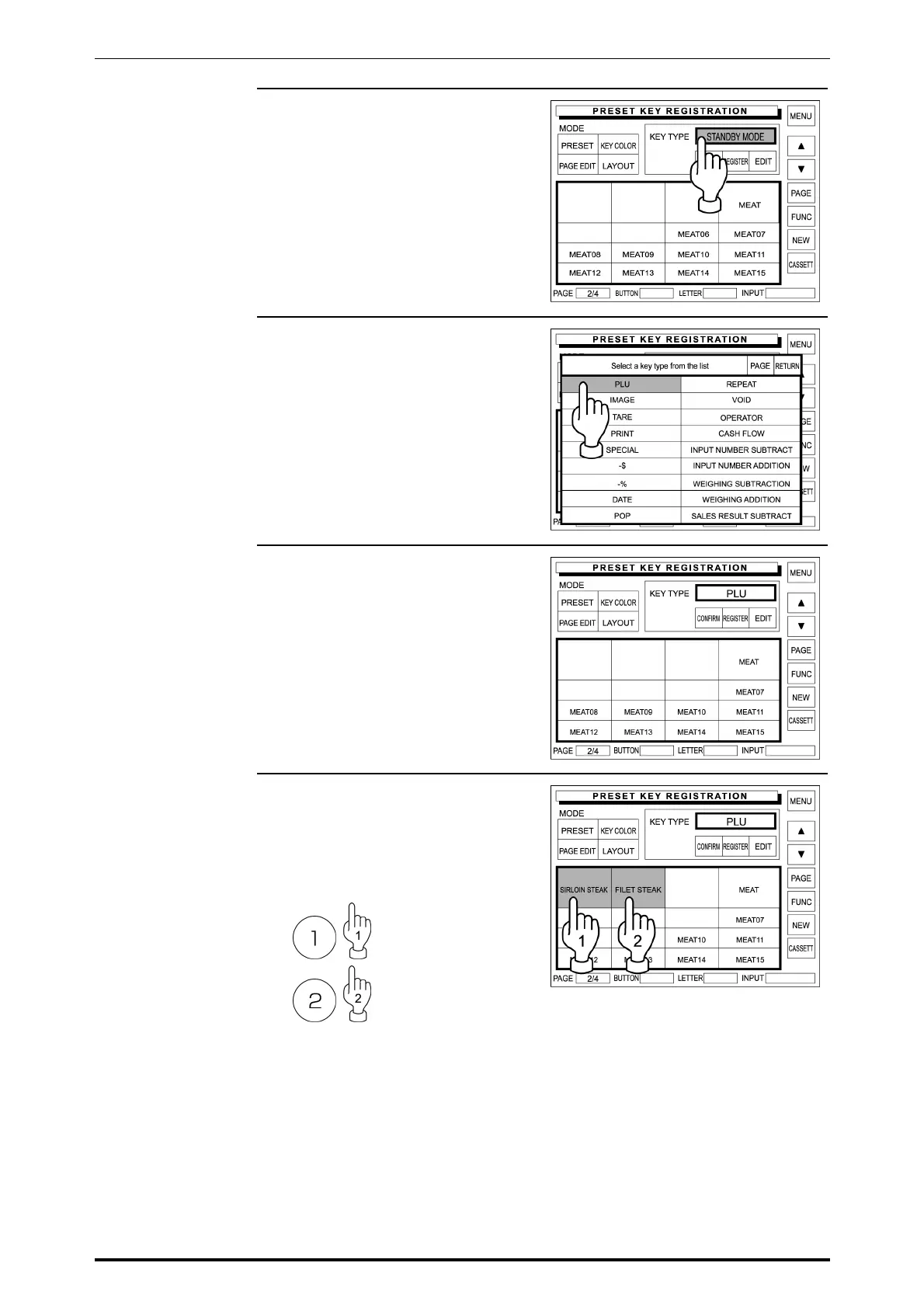
10. Touch the Key Type dada field on
the screen.
11. The first page of preset key list
appears on the display.
Touch [PLU] on the screen to
select.
12. The Preset Key Registration
screen (with PLU preset keys)
appears on the display.
13. Enter a PLU number using the
keypad and touch the desired
blank key on the screen to
allocate the PLU data.
Example: PLU “1” and “2”
Repeat this step until all desired
PLU allocations are complete.
SR-2000α User’s Manual (No. 0000A) 5-27



 To Next Page