Chapter 5 PROGRAMING MODE
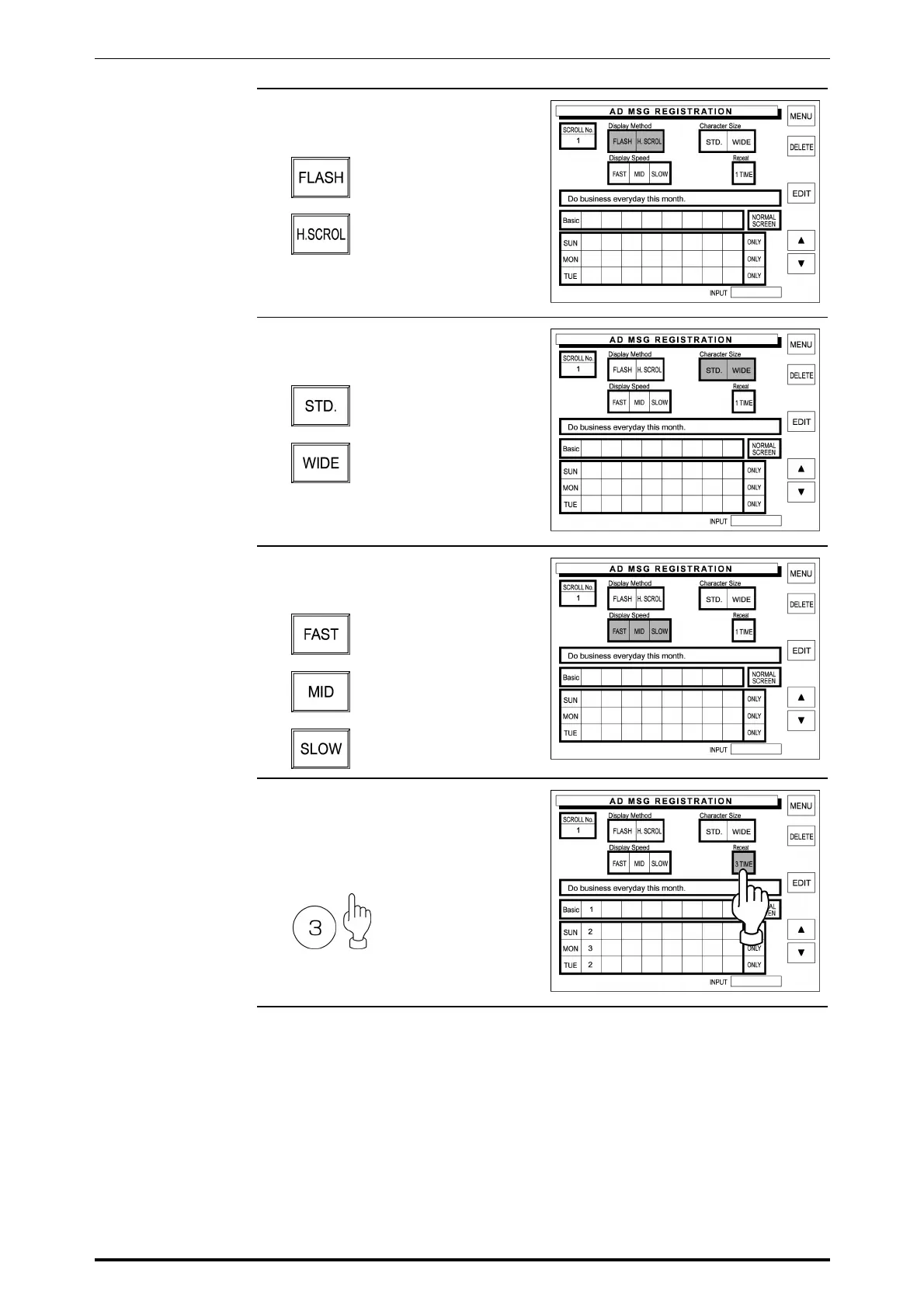
3. Touch one of the following buttons
to select the display method.
A message flashes on
the customer display.
A message scrolls on
the customer display.
4. Touch one of the following buttons
to select the character size.
Standard character size
Wide character size
5. Touch one of the following buttons
to select the display speed.
Fast flashing or scrolling
Medium flashing or
scrolling
Slow flashing or scrolling
6. Enter the number of display times
using the keypad, and touch the
Repeat field.
Example: 3 display times
SR-2000α User’s Manual (No. 0000A) 5-43



 To Next Page