Chapter 3 TOTAL ADJUSTMENT MODE
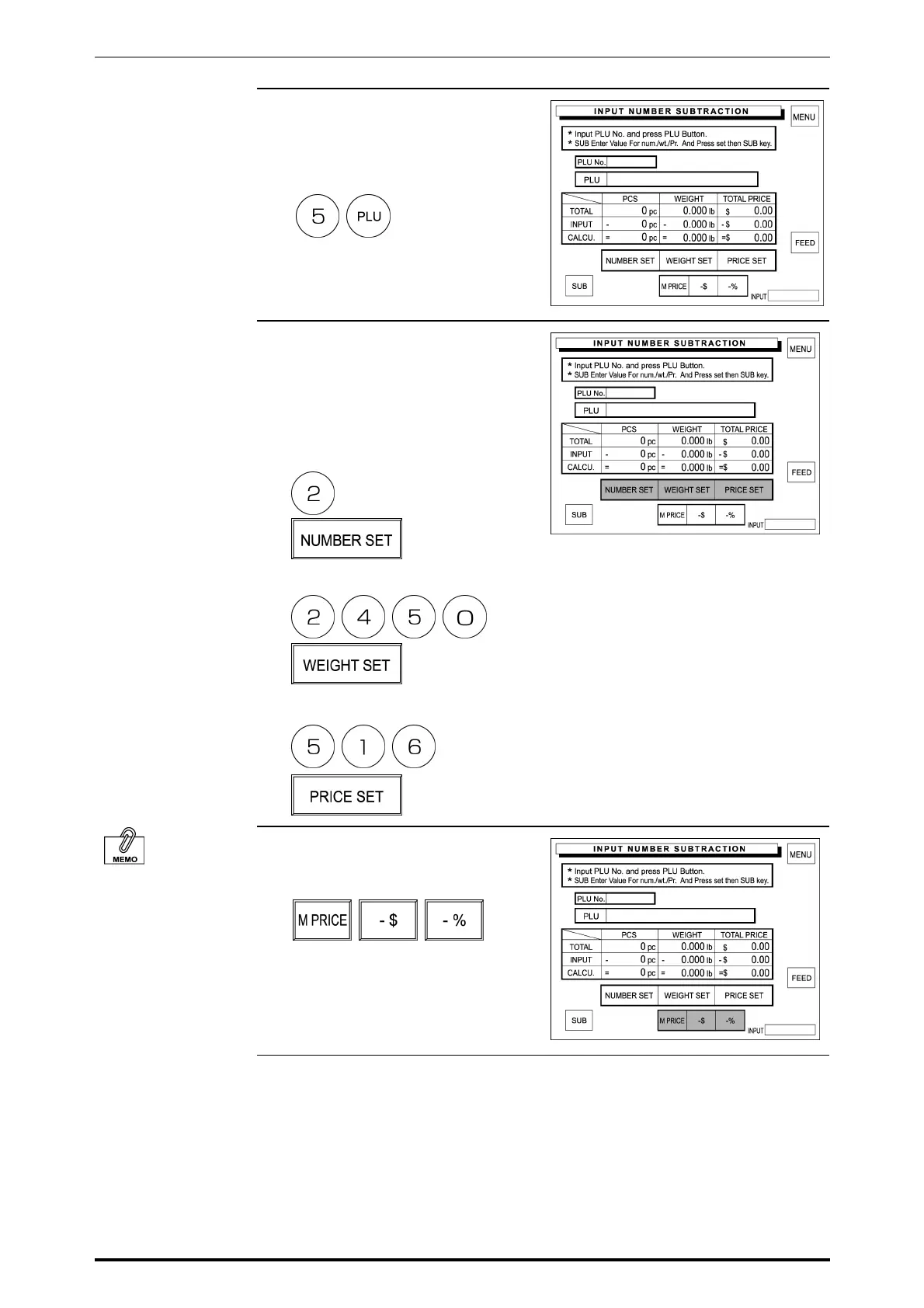
3. Enter the PLU number using the
keypad and press the PLU key to
call.
Example: PLU number “5”
4. Enter the quantity, weight, and total
price to be subtracted from the
sales total and touch [NUMBER
SET], [WEIGHT SET], and [PRICE
SET] respectively.
Example: quantity “2 pieces”
Example: Weight “2.450 lb”
Example: Price “$5.16”
See Section 2.6 in
Chapter 2 “Discount
Operations” for more
detailed procedure.
5. When a discount operation is
required, touch one of the following
buttons to select.
3-8 SR-2000α User’s Manual (No. 0000A)



 To Next Page