MPEG4/MPEG4-AVC H.264/WMV
MPEG4/MPEG4-AVC H.264/WMV
MPEG4/MPEG4-AVC H.264/WMV
MPEG4/MPEG4-AVC H.264/WMV
64
ENGLISH
SD/USB operations
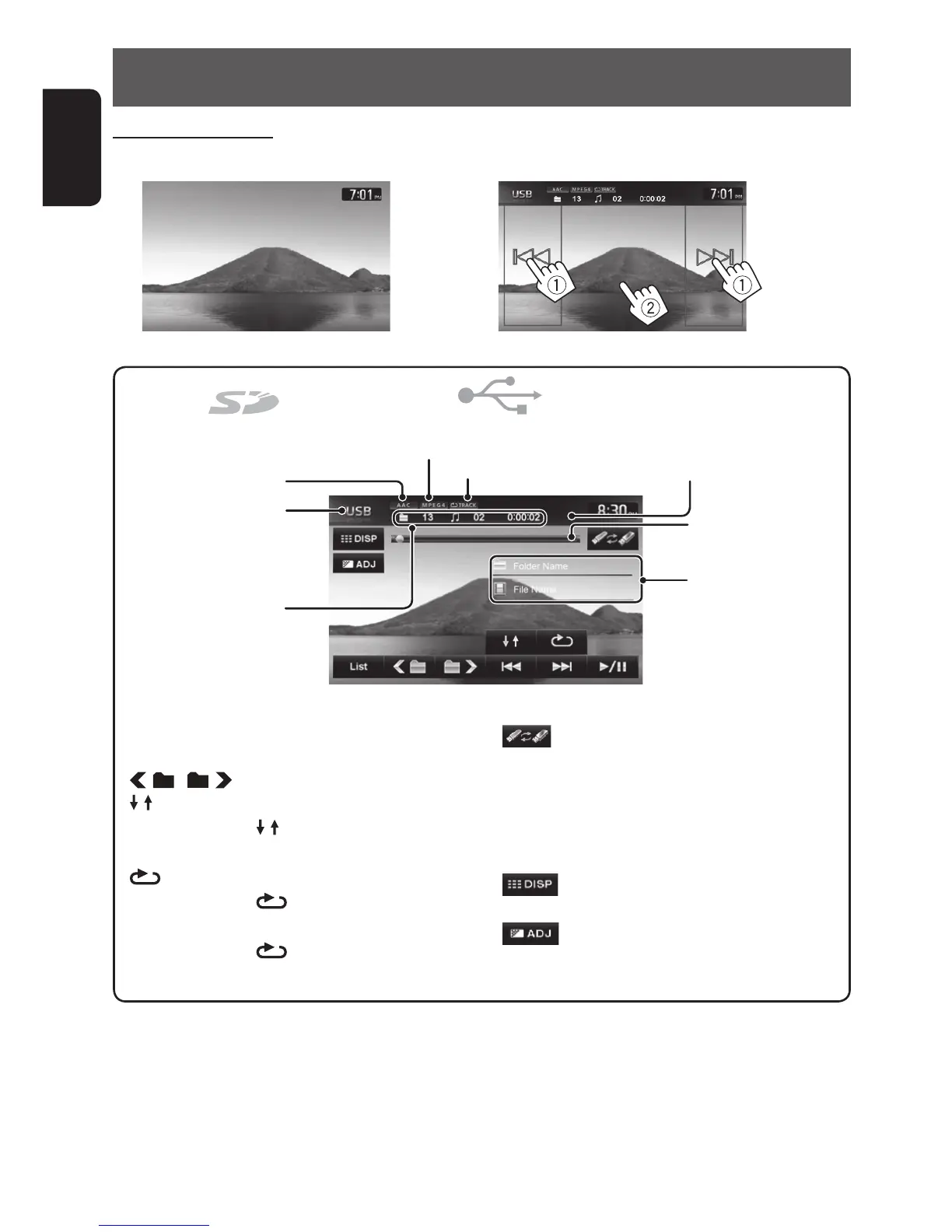
Folder no./Track no./
Playing time
[3 / 8] Starts playback/pauses.
[4] [¢] Press: Selects chapter.
Hold: Reverse/forward search .
[
] [ ] Selects folder.
[
]
Selects Random playback mode. *
1
*
2
• FOLDER: Randomly plays all
tracks of the folder.
[
]
Selects Repeat playback mode. *
1
*
2
• TRACK: Repeats current
track.
•
FOLDER: Repeats all tracks
of the current folder.
[List] Displays the Playlist.
[
]
Appears only when the source is USB.
Selects the USB device to play when
multiple USB devices are connected.
If the USB device is large-capacity, it
may take some time to switch to the
selected device.
[
]
Hides the operating buttons on the
screen.
[
]
Adjusts the picture. (☞ page 84)
Audio format
Playback mode
Source type
(“SD” or “USB”)
Video format
Current folder name and
file name
*
1
To cancel random or repeat mode, press the button repeatedly until the indicator disappears.
*
2
You cannot activate the repeat mode and the random mode at the same time.
Watching video files
(Video file playback screen)
(Skipping/searching (1), show the operating buttons (2))
Playback status
(8: pause)
Seek bar
EN_KW-NT510HDT_NT310[J].indb 64 11/8/2012 2:49:28 PM



 To Next Page