65
ENGLISH
iPod/iPhone operations
Playing back iPod/iPhone
1
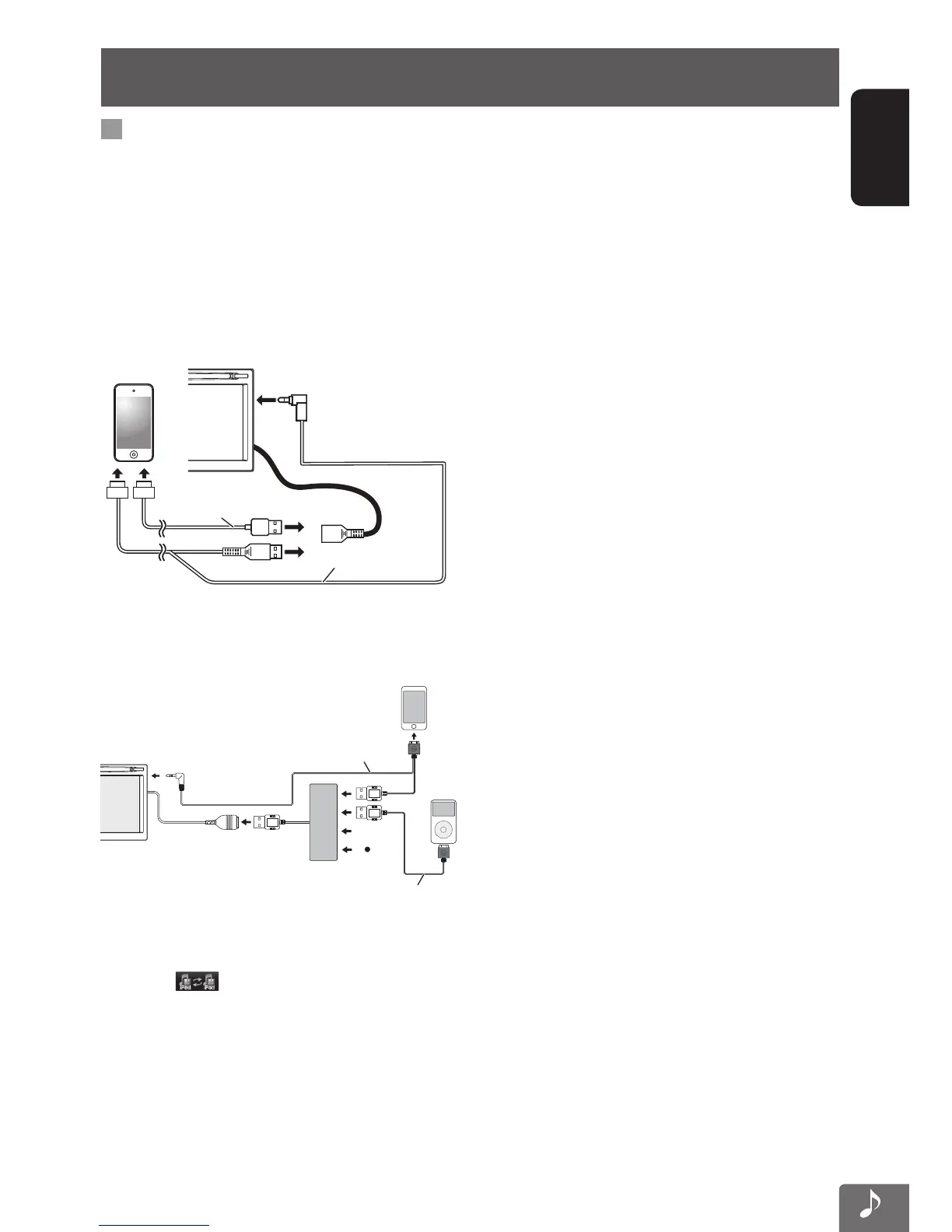
Connect iPod/iPhone
For connections, refer also to the Installation/
Connection Manual.
• Use the following cables:
– To listen to the music: USB 2.0 cable
(accessory of the iPod/iPhone)
– To watch the video: USB Audio and Video
cable for iPod/iPhone—KS-U49 (not supplied)
USB 2.0 cable
(accessory of the iPod/iPhone)
KS-U49 (not supplied)
or
2 Select “iPod” as the source.
• Up to 4 iPods/iPhones can be connected to the
USB cable of this unit via a USB hub.
HUB
iPod
USB 2.0 cable
KS-U49 (not supplied)
• When multiple iPods/iPhones are connected, you
can select the iPod/iPhone to play by pressing
the [
] on the iPod/iPhone playback
screen. (☞ page 67, 68)
• You can control the following iPod/iPhone
models:
– iPod classic
– iPod nano (6th Generation)
– iPod nano (5th Generation)
– iPod nano (4th Generation)
– iPod nano (3rd Generation)
– iPod nano (2nd Generation)
– iPod nano (1st Generation)
– iPod touch (4th Generation)
– iPod touch (3rd Generation)
– iPod touch (2nd Generation)
– iPod touch (1st Generation)
– iPhone 4S
– iPhone 4
– iPhone 3GS
– iPhone 3G
– iPhone
EN_KW-NT510HDT_NT310[J].indb 65 11/8/2012 2:49:29 PM



 To Next Page