ESP32 Starter Kit
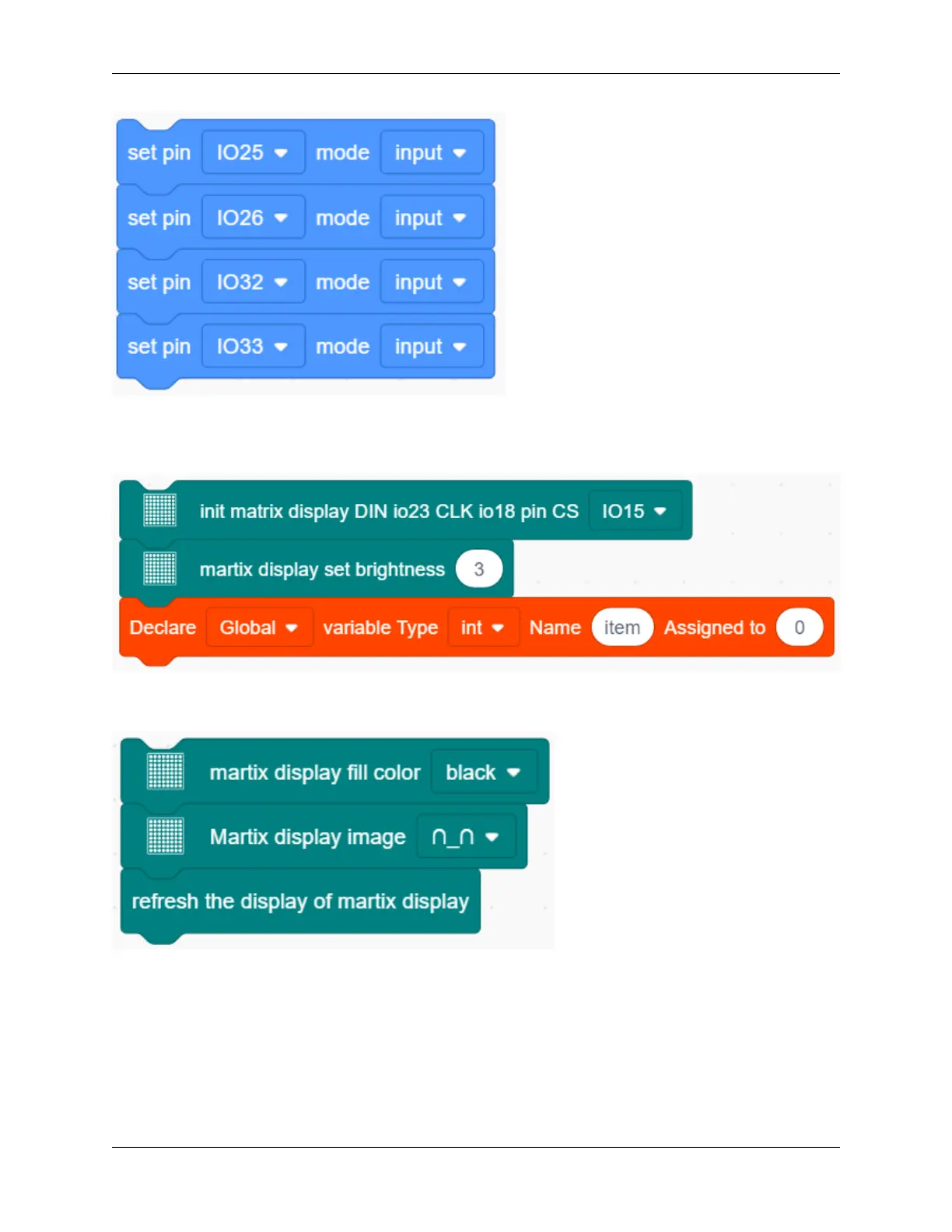
3. Add an “init matrix display” block from “Matrix” and set the pin CS to IO15. What follows it are a “brightness”
block with its value of 3 and a “variable” block (set variable type to int and name to item, assign 0 as its initial
value).
4. In “Matrix”, drag a “fill color” block and select “black”(i.e. all LED go off to clear previous display). Add a
“display image” to define a smile face. Then, put a refresh block to renew the display.
5. Drag an”if” block and fill the condition box with “interface IO33 button was be pushed?”. Add a “variable mode”
block after “then” and set its name to item and mode to “++”.
9.2. Scratch Project 251



 To Next Page