ENGLISH
Chapter 5: KGUARD Web Client
100
DVR User’s Manual
Load Default Sengs
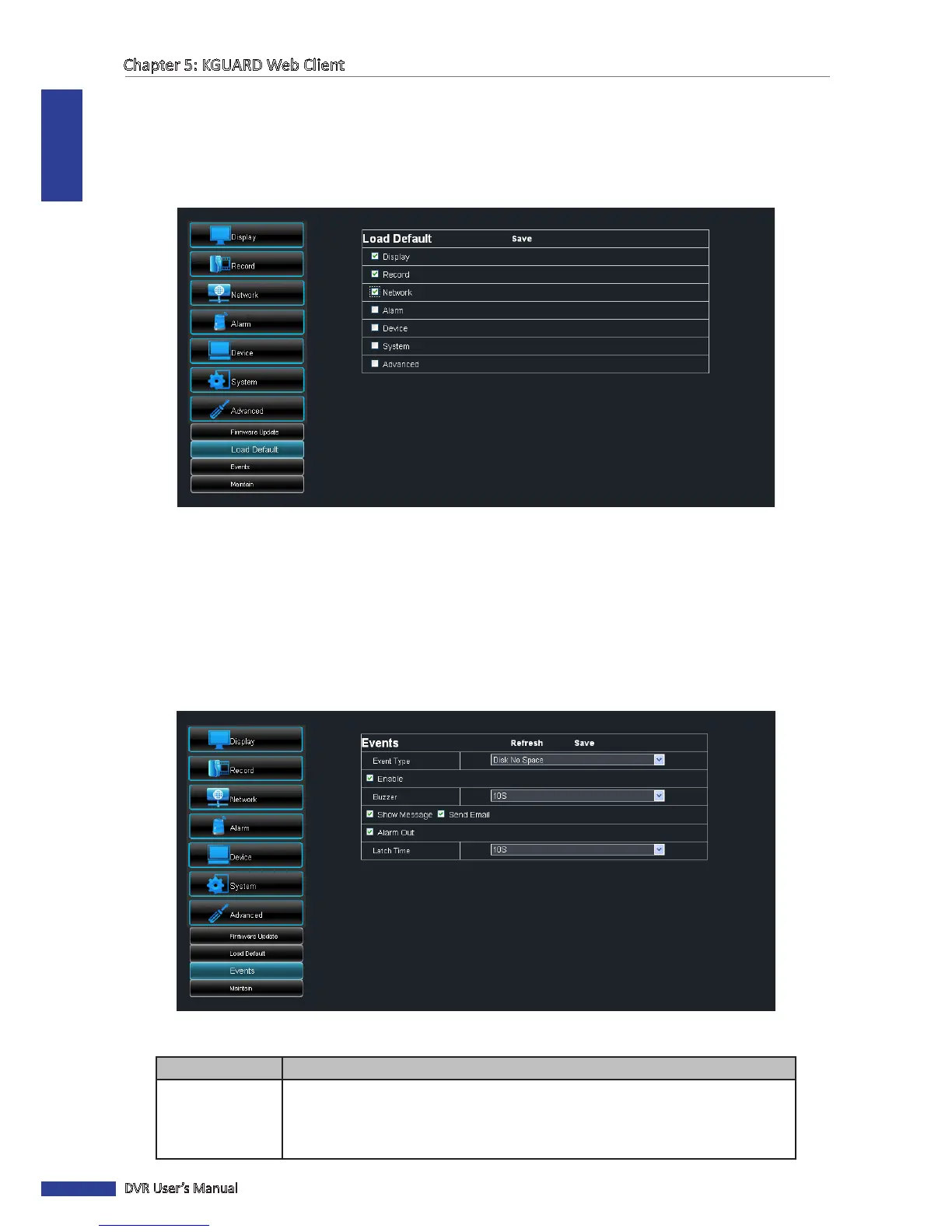
Use this feature to restore the factory default sengs of the DVR.
1 On the Main Menu, click Remote Seng.
2 On the le panel, click Advanced > Load Default.
3 Check the menu sengs that you want to restore to default values.
4 Click Save.
Events Sengs
The Events page allows you to dene the type of events for the DVR to issue an alarm.
1 On the Main Menu, click Remote Seng.
2 On the le panel, click Advanced > Events.
3 Congure the necessary sengs.
Menu Item
Descripon
Event Type Select the event type. Opons are:
• Disk No Space: When HDD is full.
• Disk Error: If HDD is not detected properly.
• Video Loss: If camera is not detected properly.



 To Next Page