ENGLISH
Chapter 3: Geng Started
30
DVR User’s Manual
3.3.2 Virtual Keyboard
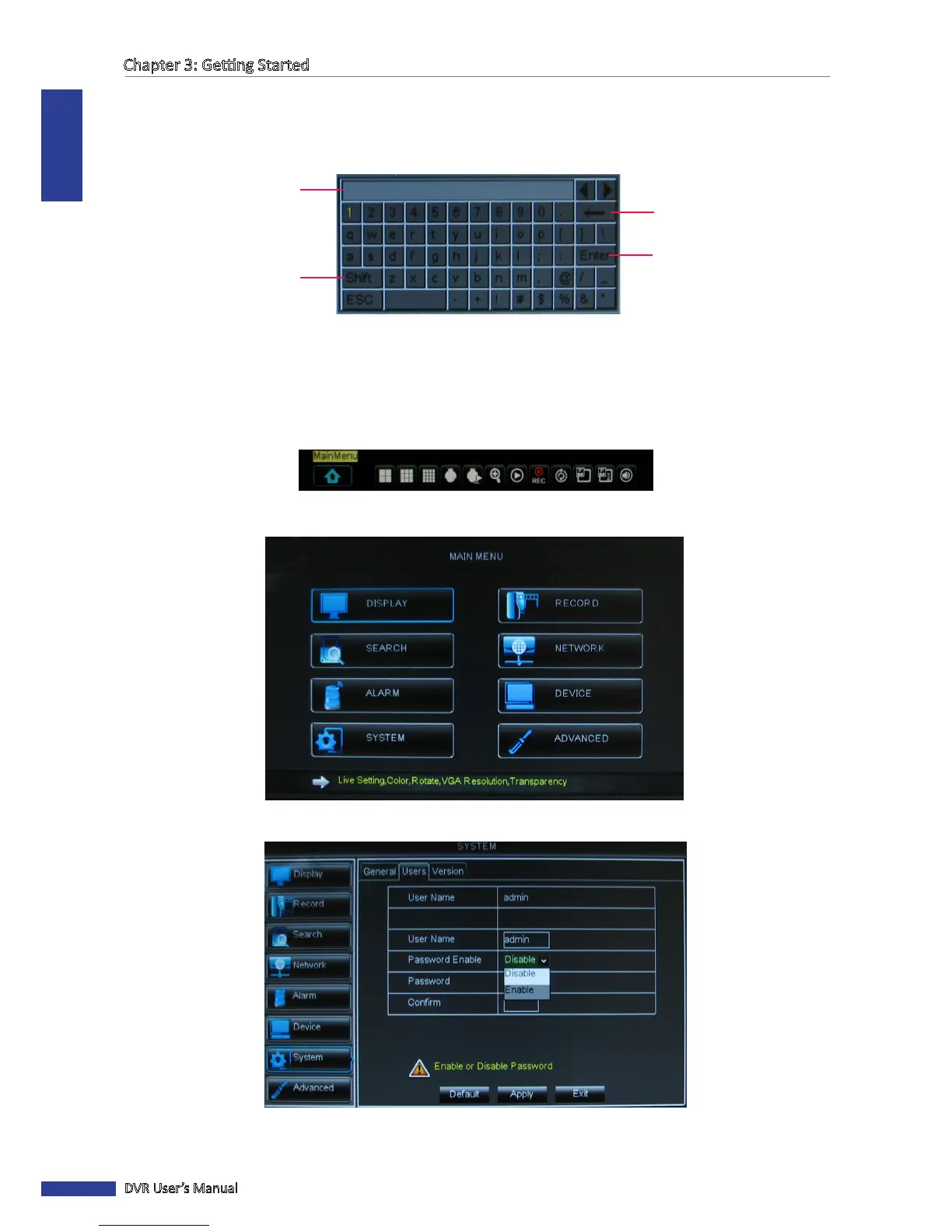
The virtual keyboard automacally appears on the screen if data entry is required.
Click to toggle the
keyboard to upper case.
Click to enter the text.
Click to delete a character.
Typed characters are
displayed here.
3.3.3 Locking the Screen
For system security, lock the screen to protect unauthorized OSD operaon.
1 In the preview mode, right-click on the mouse to display the Pop-up menu.
2 Select Main Menu > SYSTEM > PASSWORD.
3 Set the Password Status to Enable.
4 Enter the user name and password. Then, click Apply.



 To Next Page