ENGLISH
Chapter 5: KGUARD Web Client
72
DVR User’s Manual
5.2 The Interface
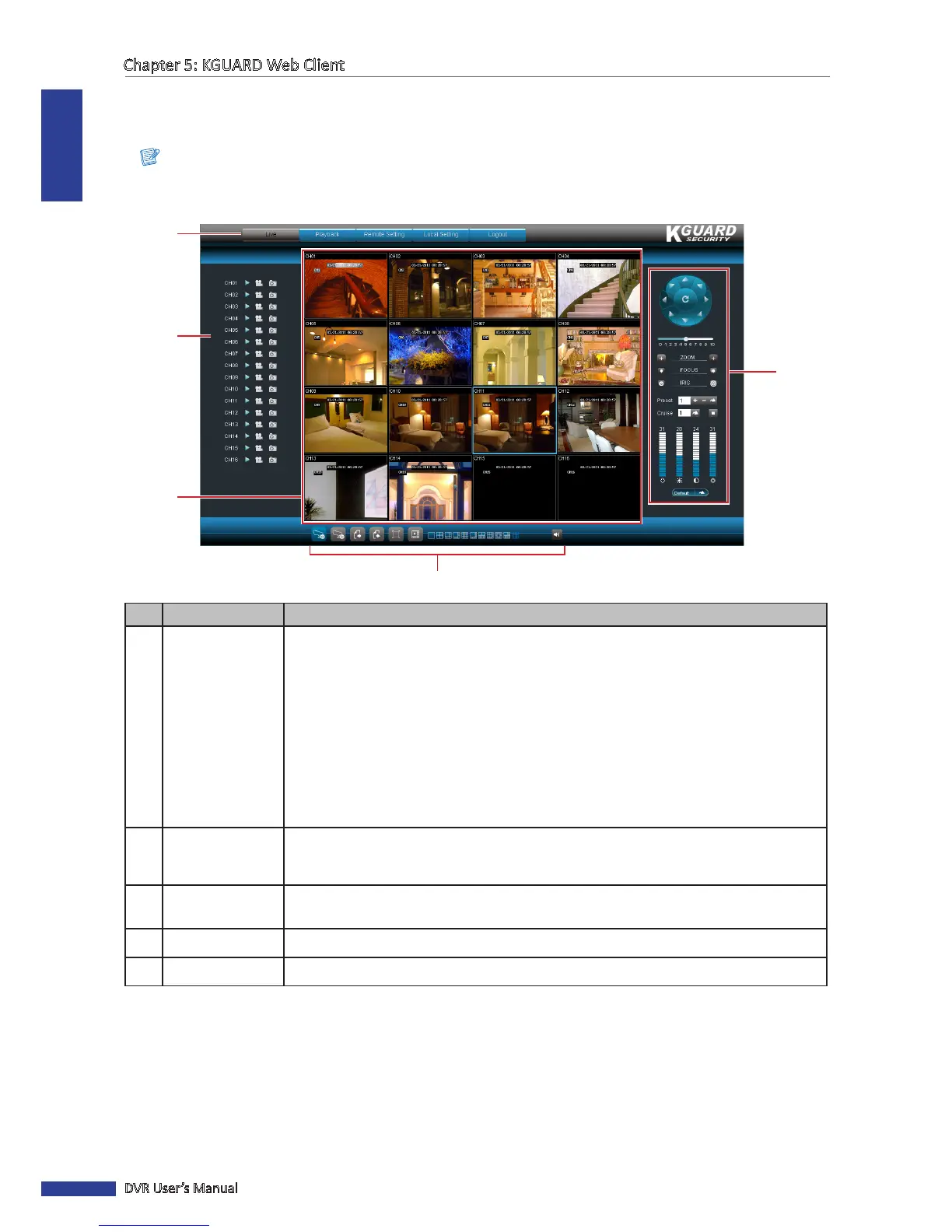
Aer you login to KGUARD Web Client, the Live screen appears.
Note:
The number of channels displayed may vary depending on the DVR model. The illustraon below is from a
16-channel DVR.
1
2
4
5
3
No. Item
Descripon
1 Main Menu
Click a menu item to access. Opons are:
• Live: Allows you to view the Live screen, control PTZ view, and manage recording
and playback opons. See “5.3 Live Viewing” on page 73.
• Playback: Allows you search, playback, and download recorded videos. See “5.4
Searching and Playing Recorded Videos” on page 77.
• Remote Seng: Allows you to congure the DVR remotely. See “5.5 Remote
Sengs” on page 79.
• Local Seng: Allows you to specify the local disk drive locaon to save recorded
videos, captured screen shots, and downloaded videos.
• Logout: Click to logout from KGUARD Web Client.
2 Channel Controls
Lists all channels that can be connected to the DVR.
The icons of each channel are used to manage the channel, see “5.3.2 Viewing and
Recording” on page 75.
3 Display Screen
Displays the channels in grid mode or full screen mode. To manage the display screen,
see “5.3.1 Switching Screen Modes” on page 73.
4 Display Controls Controls for playback, recording and switching screen modes.
5 PTZ Controls Manages the PTZ speed dome. See “5.3.3 Using PTZ Controls” on page 76.



 To Next Page