ENGLISH
Chapter 4: Using the DVR
DVR User’s Manual
55
4.4.5 Seng Up Mobile Devices
To remotely access the DVR via mobile devices, be sure that the DVR network connecon is properly congured before
proceeding with the mobile devices setup.
To congure the mobile devices, do the following:
1 In preview mode, right-click on the mouse to display the Pop-up menu.
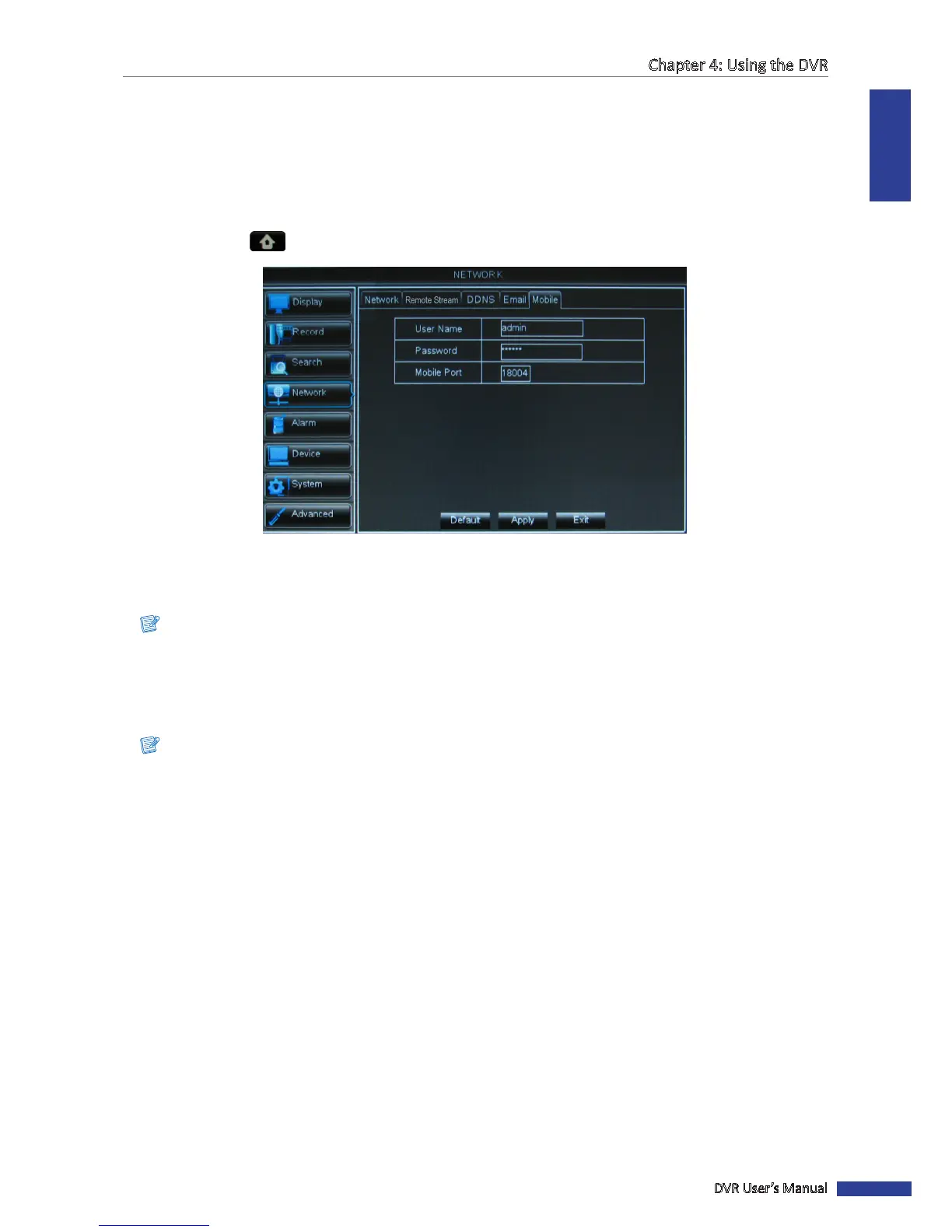
2 Select Main Menu > NETWORK, select the Mobile tab.
3 Set the User Name and Password which you have set for the DVR.
4 Enter the Mobile Port. The seng range is between 1024 and 65535.
Note:
The user name and password cannot be le empty.
5 Aer all sengs are complete, click Apply.
6 When data saving is complete, click OK.
Note:
For details on supported mobiles, see the “DVR NS series Support Manual” in the enclosed CD.



 To Next Page