ENGLISH
Chapter 4: Using the DVR
DVR User’s Manual
51
4.4 Seng the Network
To enable remote monitoring, recording, playing, or conguring the seng, you need to congure the network sengs
rst. There are ve types of network setup: DHCP, PPPoE, Stac IP, and DDNS. Consult your Internet Service Provider
(ISP) to determine the type of network connecon you are using and the required parameters to complete the setup.
4.4.1 Network Sengs
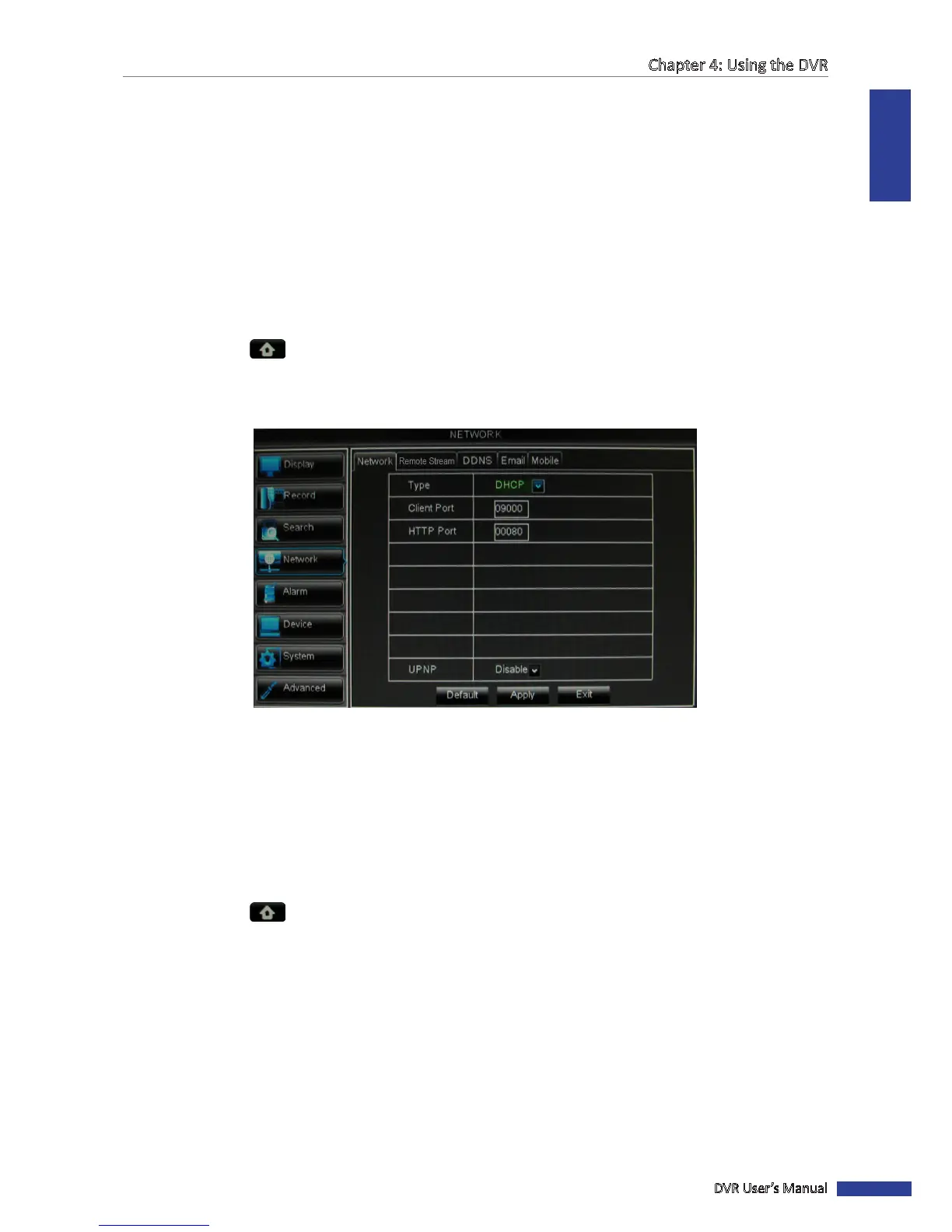
DHCP Conguraon
The Dynamic Host Conguraon Protocol (DHCP) is an auto conguraon protocol used on IP networks.
1 In preview mode, right-click on the mouse to display the Pop-up menu.
2 Select Main Menu > NETWORK.
3 On Type, select DHCP.
4 Specify the Client Port and HTTP Port numbers.
5 Aer all sengs are complete, click Apply.
6 When data saving is complete, click OK.
PPPoE
The Point-to-Point Protocol over Ethernet (PPPoE) is a network protocol for encapsulang Point-to-Point Protocol (PPP)
frames inside Ethernet frames.
1 In the preview mode, right-click on the mouse to display the Pop-up menu.
2 Select Main Menu > NETWORK.
3 On Type, select PPPoE.
4 Specify the Client Port and HTTP Port numbers.
5 Enter the User Name (an email address) and Password.
6 Specify the DNS 1/DNS 2 IP addresses.
7 To enable UPnP feature, select Enable.



 To Next Page