ENGLISH
Chapter 6: Mobile Device Access
106
DVR User’s Manual
6.2 KViewHD
KViewHD is a soware applicaon designed to view mulple channels in real-me through your tablet PC. KViewHD
supports Android-based tablets and iPad devices. You can pan, lt, and zoom the cameras for beer viewing and
capture snapshots to save to tablet PC memory card.
6.2.1 KViewHD on Android
®
Tablets
Note:
To ensure opmum performance, make sure your tablet PC meets the system requirements:
• OS version: Android 3.0 or above
• Resoluon: 1280x800
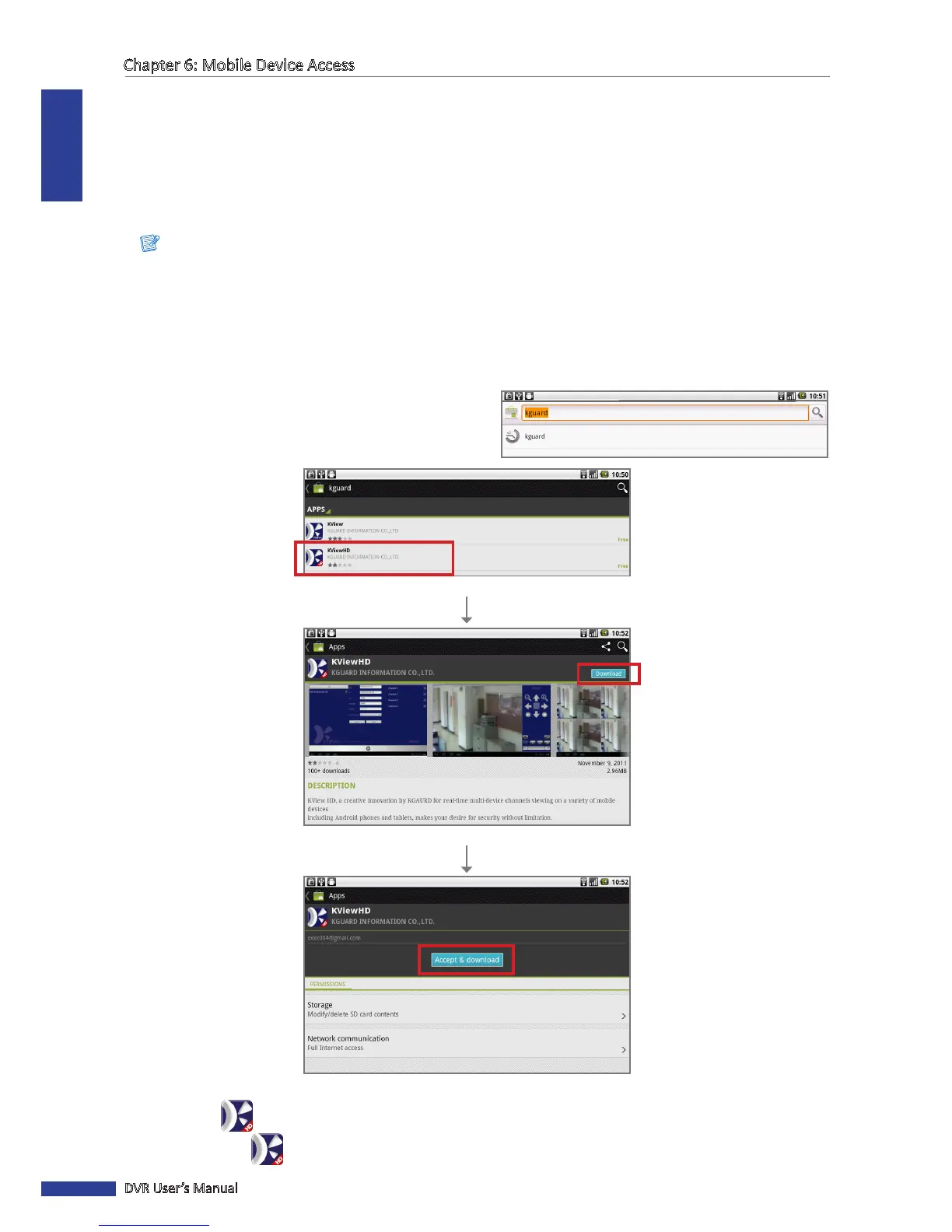
1 Make sure your tablet PC is connected to the Internet (either by mobile data connecon or Wi-Fi).
2 Open the Android Market applicaon.
Click Download.
Click Accept & download.
Select the “KViewHD” applicaon.
3 On the Market search bar, enter the keyword
“kguard” to search for KViewHD.
4 Select and download KViewHD.
The KViewHD icon is displayed on the applicaon screen.
5 Click the KViewHD icon to open the applicaon.



 To Next Page