ENGLISH
Chapter 2: Installaon
18
DVR User’s Manual
2.1.2 Installing HDD on 16-Channel DVR
The 16-channel DVR supports up to two 3.5” SATA hard disk drives. The HDDs can be installed in the internal HDD slot
or in the removable HDD compartment.
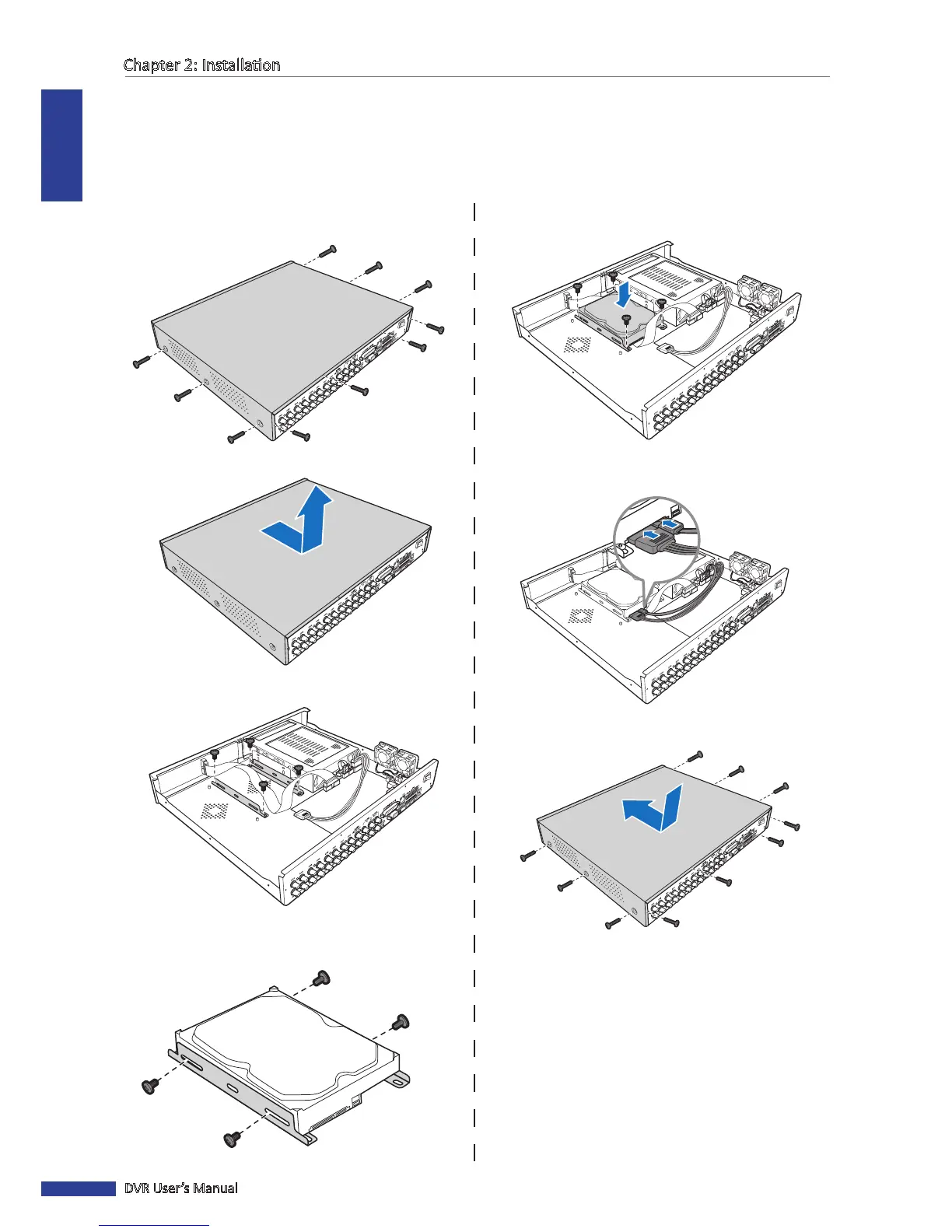
To Install in the Internal HDD Slot
5 Aach the bracket back to the compartment using
four (4) screws.
6 Connect the data and power cables to the hard disk
drive (HDD) and the DVR.
7 Aach the cover and screws back in place.
1 Loosen the screws on the le, right, and rear sides as
shown.
2 Push back then li up the cover to remove it.
3 Detach the screws to remove the HDD bracket.
4 Aach the HDD to the bracket using the four (4)
supplied screws.



 To Next Page