ENGLISH
Chapter 4: Using the DVR
48
DVR User’s Manual
Replaying Videos by Recording Date and Time
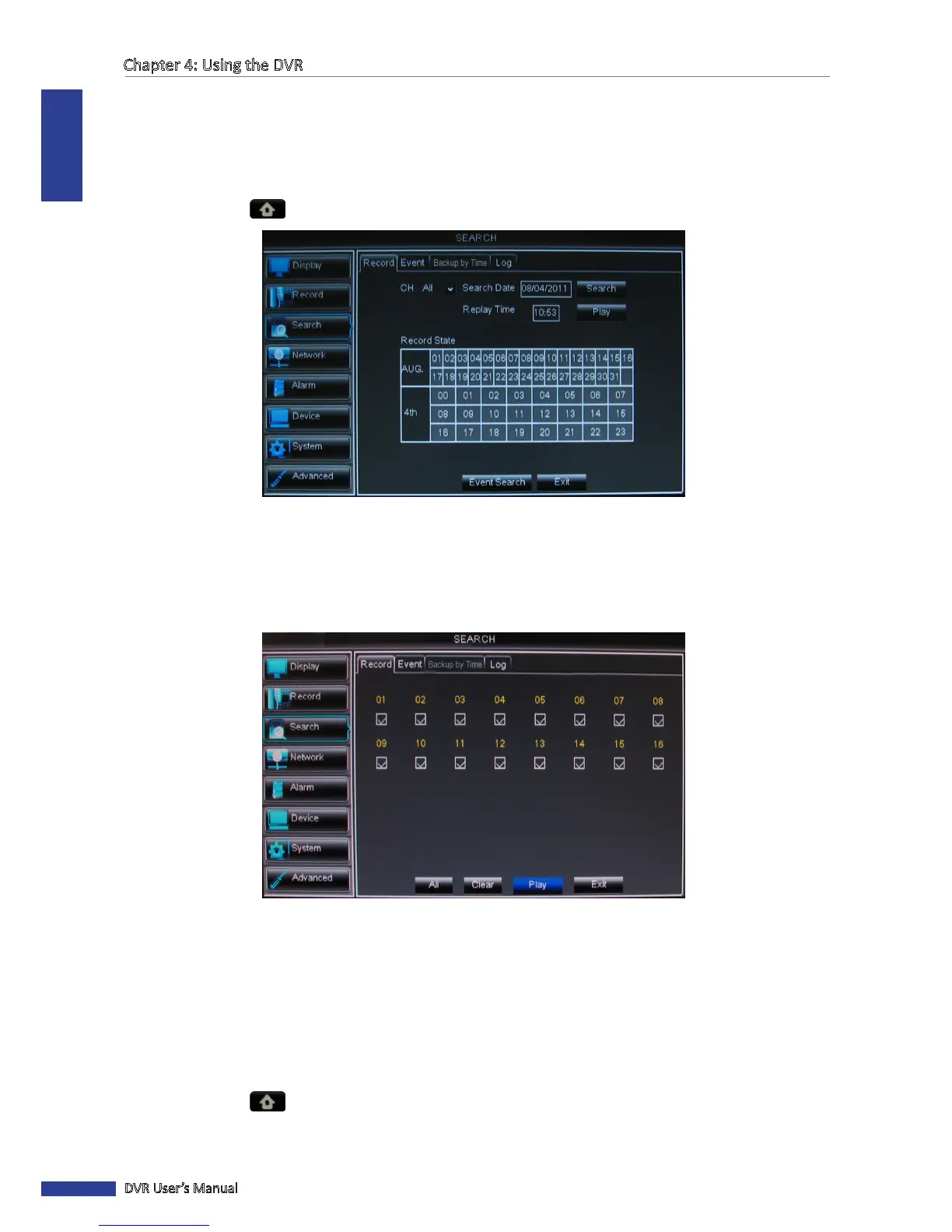
If you are sure of the recording date and me, you can directly specify the recording date and me to replay the video
without searching.
1 In preview mode, right-click on the mouse to display the Pop-up menu.
2 Select Main Menu > SEARCH.
3 On Search Date, specify the recording date.
4 On Replay Time, specify the starng me of the recording to replay.
5 Click Play.
6 Select the channel(s) to play simultaneously.
« TIP »
• To select all channels, click All.
• To deselect all channels, click Clear.
7 Click Play to start playback.
4.3.2 Searching Videos by Event
1 In preview mode, right-click on the mouse to display the Pop-up menu.
2 Select Main Menu > SEARCH, click the Event tab.
3 On Search Date, specify the recording date.



 To Next Page